Arrivals / Departures
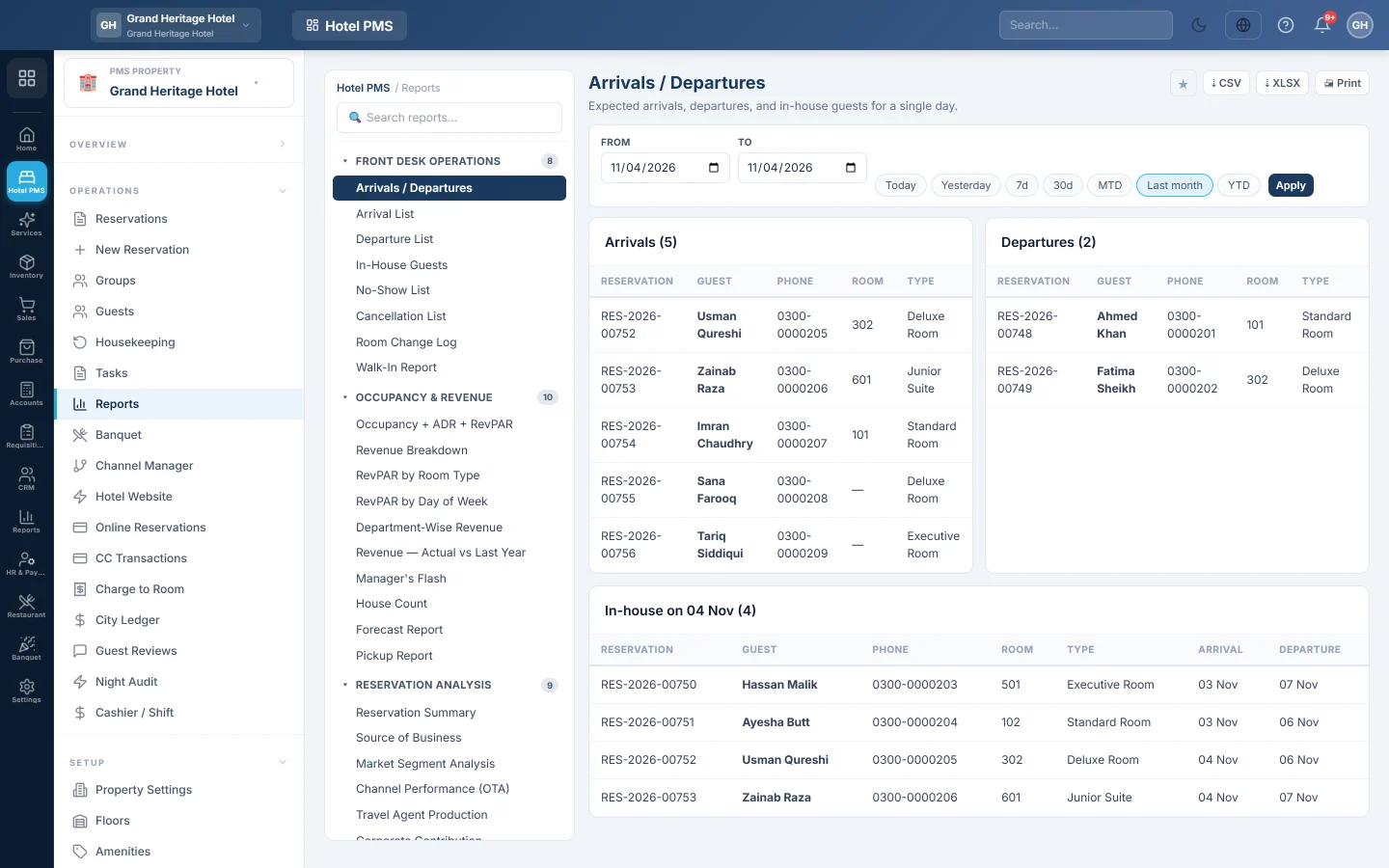
For one date, the guests arriving, the guests leaving and everyone in-house, with room, phone and dates, ready to print for the desk.
Arrivals / Departures lists, for one date, who arrives, who leaves and who is in the house. The desk prints it at the start of a shift.
Before you begin
- Your role needs the hotel reports permission. See Users & Roles.
Where to find it
Open Reports → Hotel PMS Reports → Arrivals / Departures.
Run the report
- Pick the date in From or To; the report covers one day. Today and Yesterday are quick picks.
- Click Apply.
Read the report
- Arrivals: confirmed and checked-in bookings that arrive on that date.
- Departures: in-house and checked-out bookings that leave on that date.
- In-house on the date: guests staying that night, with their arrival and departure.
Each line shows the reservation number, the guest, the phone, the room and the room type.
Common questions
Can I see a whole week? This report covers one date. For a range, use Arrival List or Departure List in the PMS Reports Hub.
A booking is missing from the arrivals. Only confirmed and checked-in bookings are listed. Tentative, cancelled and no-show bookings are left out.
How do I print it for the desk? Click Print, or ⇣ CSV or ⇣ XLSX for a spreadsheet.
Terima kasih. Jika masih butuh bantuan, kirim email ke info@eloerp.net.