Revenue Breakdown
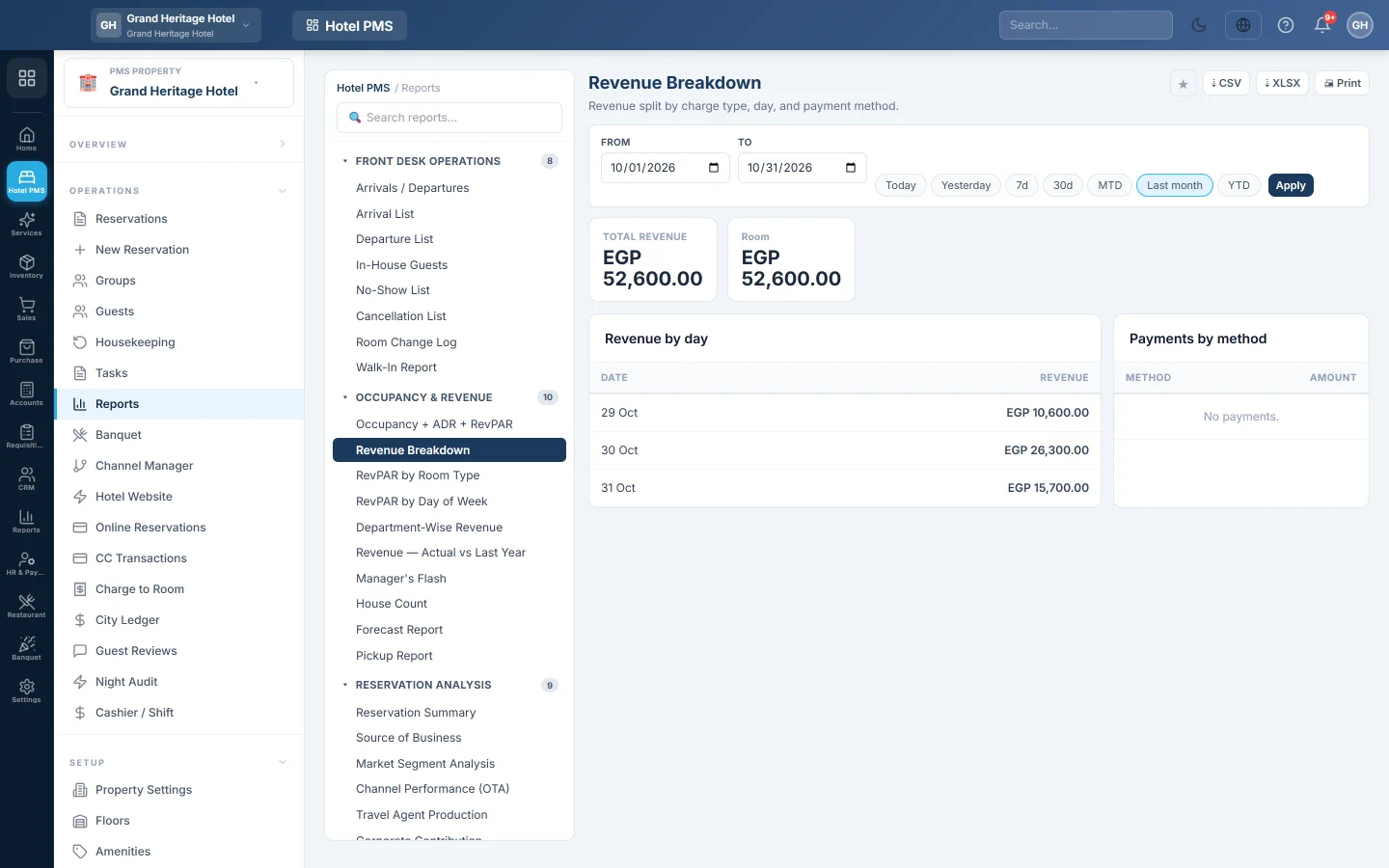
The hotel's revenue for a period split by charge type, such as room, food, minibar and laundry, by day, and the payments taken by method.
Revenue Breakdown shows what the hotel charged guests in a period, split by type of charge and by day, and how guests paid.
Before you begin
- Your role needs the hotel reports permission. See Users & Roles.
Where to find it
Open Reports → Hotel PMS Reports → Revenue Breakdown.
Run the report
- Set From and To, or click a preset.
- Click Apply.
Read the report
- Total revenue, with the total for each charge type, such as room, tax, food and beverage, minibar, laundry and other.
- Revenue by day: the charges posted on each date.
- Payments by method: the money taken by cash, card, bank and other methods.
Charges are counted on their posting date on the folio. Room nights post at check-in with the date of each night, so a stay's nights land on the days the guest stayed.
Common questions
Why does this differ from Occupancy & ADR? That report counts the nightly rates of all booked nights, including future ones. This one counts charges actually posted to folios. See Occupancy & ADR.
Is this the same as my accounts? Revenue reaches the accounts when the night audit closes each day and when folios are settled. See Night Audit.
How do I export it? Click ⇣ CSV, ⇣ XLSX or Print.
Thank you. If you still need help, write to info@eloerp.net.