Web Form
Make a contact form for your website that sends every enquiry straight into CRM as a new lead.
Web Form makes a contact form you paste into your own website. Each time a visitor sends it, a new lead appears in CRM with their name, contact details and message.
Before you begin
- Your role needs the permission to manage the CRM web form.
- You need someone who can edit your website's HTML, or a website builder with an HTML or embed block.
- Switch to the branch that should receive the leads in the top bar first. The form sends leads to that branch.
Where to find it
Open CRM → CRM → Web Form.
Make the form
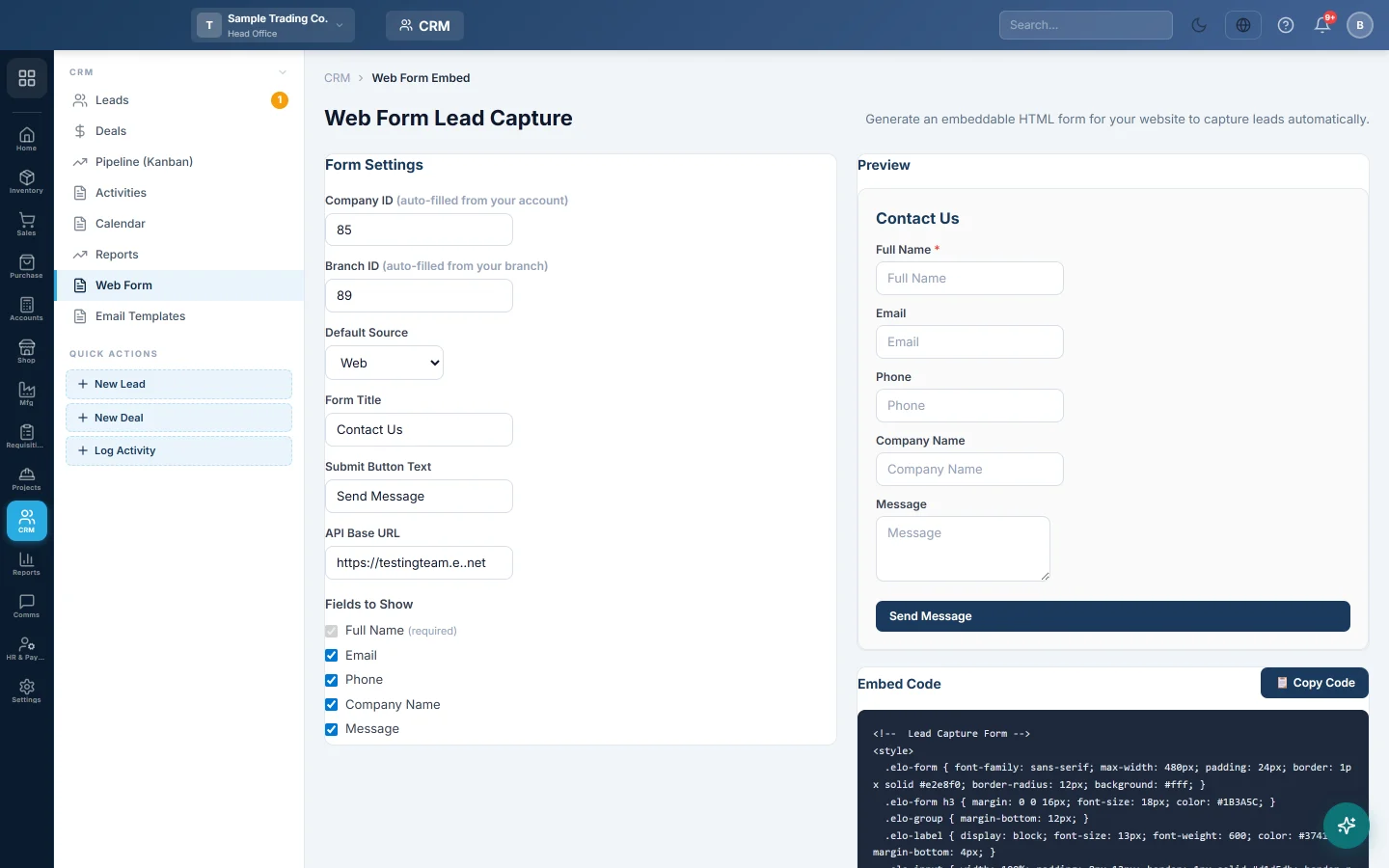
- Check Company ID and Branch ID. They are filled in from your account and branch.
- Choose the Default Source the leads get, such as Web or Social Media.
- Type the Form Title, for example Contact Us, and the Submit Button Text.
- Leave API Base URL empty to use the address you are signed in on. Change it only if your provider tells you to.
- Under Fields to Show, tick the fields you want: Full Name (always required), Email, Phone, Company Name and Message.
- Check the Preview.
- Click Copy Code under Embed Code.
- Paste the code into your website page and publish it.
What happens when a visitor sends the form
- A lead is created with status New and priority Warm. The visitor's message goes into the lead's notes.
- The visitor sees a thank-you message on the form.
- The lead shows on Leads under New.
The form accepts a limited number of sends per minute from one visitor, and drops obvious spam bots.
Common questions
The leads go to the wrong branch. The branch is fixed in the code when you copy it. Switch to the right branch, copy the code again and replace it on your website.
I changed the title. Does my website update by itself? No. Copy the code again and replace the old code on your website.
The form shows an error when visitors send it. Check that the page still has the whole code and that API Base URL is your EloERP address. If it still fails, ask your provider.
谢谢。 如果仍需帮助,请发邮件至 info@eloerp.net。