Reports
Five CRM reports in one page: where leads come from, the pipeline by stage, each salesperson's results, the revenue forecast and why deals were lost.
CRM Reports answers the usual sales questions: which sources bring good leads, what the pipeline is worth, how each salesperson is doing, what may close in the coming months and why deals are lost.
Before you begin
- Your role needs the CRM reports permission. See Users & Roles.
- The reports read the leads, deals and activities of the branch selected in the top bar.
Where to find it
Open CRM → CRM → Reports.
Pick a report and period
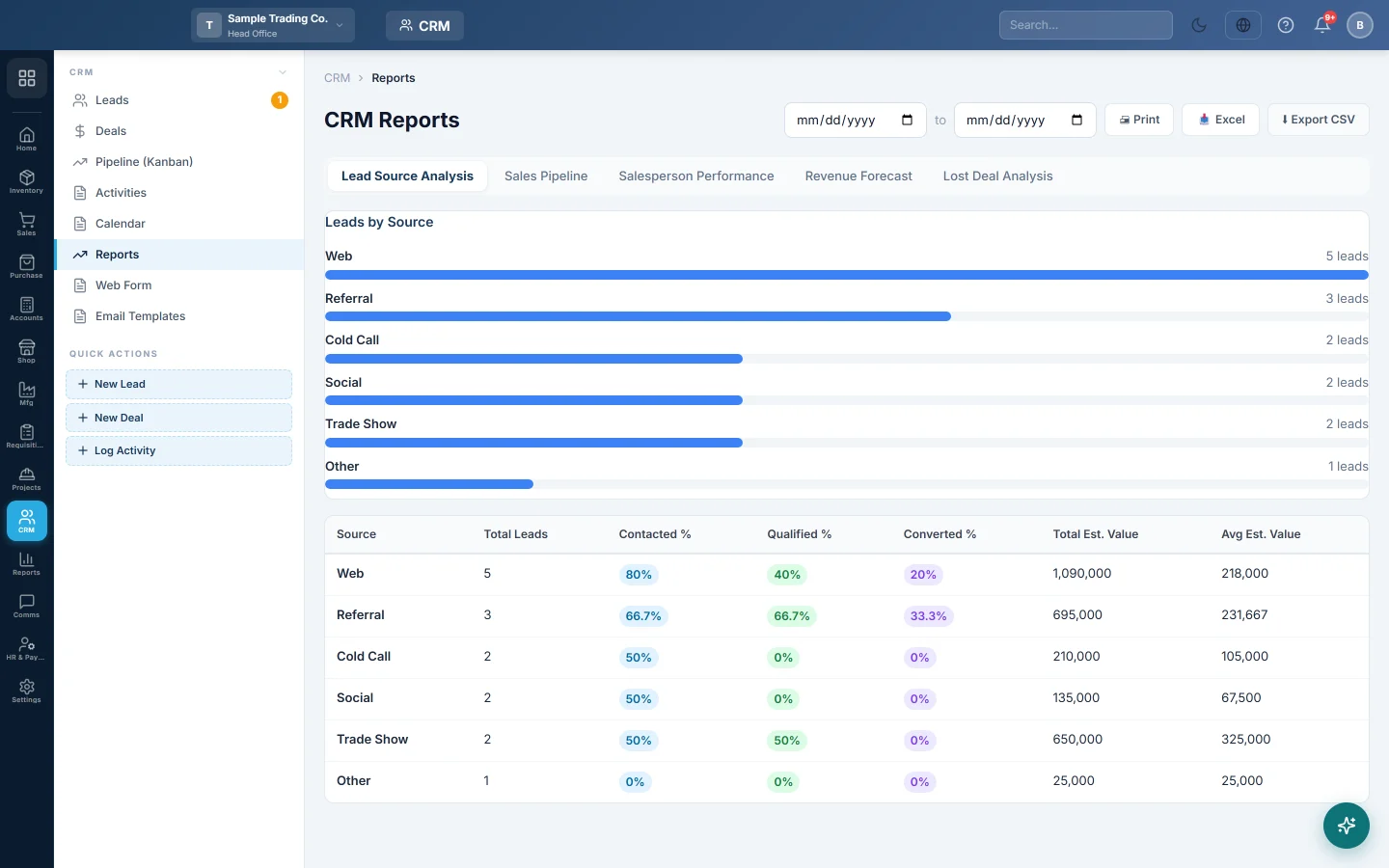
- Click a tab: Lead Source Analysis, Sales Pipeline, Salesperson Performance, Revenue Forecast or Lost Deal Analysis.
- Set the two dates at the top. They filter by the date a lead or deal was created.
- Click Print, Excel or Export CSV to take the open report away.
The dates apply to Lead Source Analysis, Salesperson Performance and Lost Deal Analysis. Sales Pipeline shows all deals now, and Revenue Forecast always covers this month and the next five.
What each report shows
| Report | What it shows |
|---|---|
| Lead Source Analysis | Per source (website, referral, cold call and so on): Total Leads, Contacted %, Qualified %, Converted %, Total Est. Value and Avg Est. Value. |
| Sales Pipeline | Per stage: Deals, Total Value, Weighted Value (value × probability) and Avg Age (days). |
| Salesperson Performance | Per user: Leads, Converted, Deals Created, Won, Lost, Win Rate, Revenue from won deals and Activities logged. |
| Revenue Forecast | Per month, from open deals' expected close dates: Best Case (full value), Weighted, Committed (≥80%), and Actual Closed from won deals. |
| Lost Deal Analysis | Per lost reason: Count, Value Lost and % of Total. |
Common questions
Why is a salesperson missing? The report counts leads, deals and activities assigned to each user. A user with nothing assigned in the period has no figures.
Is Revenue the same as sales in the accounts? No. It is the value of won deals. Your real sales are in the Sales Reports.
Why is Lost Deal Analysis empty? No deal was marked lost in the period. A lost deal always has a reason, so every lost deal is counted here.
Gracias. Si todavía necesita ayuda, escriba a info@eloerp.net.