Weight & Valuation
See how much gold the shop holds per karat and what it is worth at today's rate, plus the old gold register, sales by karat, making income and the certificate register.
Jewellery Reports answers what the shop holds per karat and what it is worth at today's rate. Its tabs also show old gold taken in, sales by karat, making income and every piece by hallmark or certificate number.
Before you begin
- You need the View Jewellery Reports permission. It is separate from the sale permissions, so counter staff can sell without seeing the shop's whole valuation.
- Only weighed lines count: products tagged with a karat. See Add jewellery stock by karat and weight.
- The reports show the branch you are working in.
Where to find it
Open Jewellery → Reports → Weight & Valuation.
Weight & Valuation
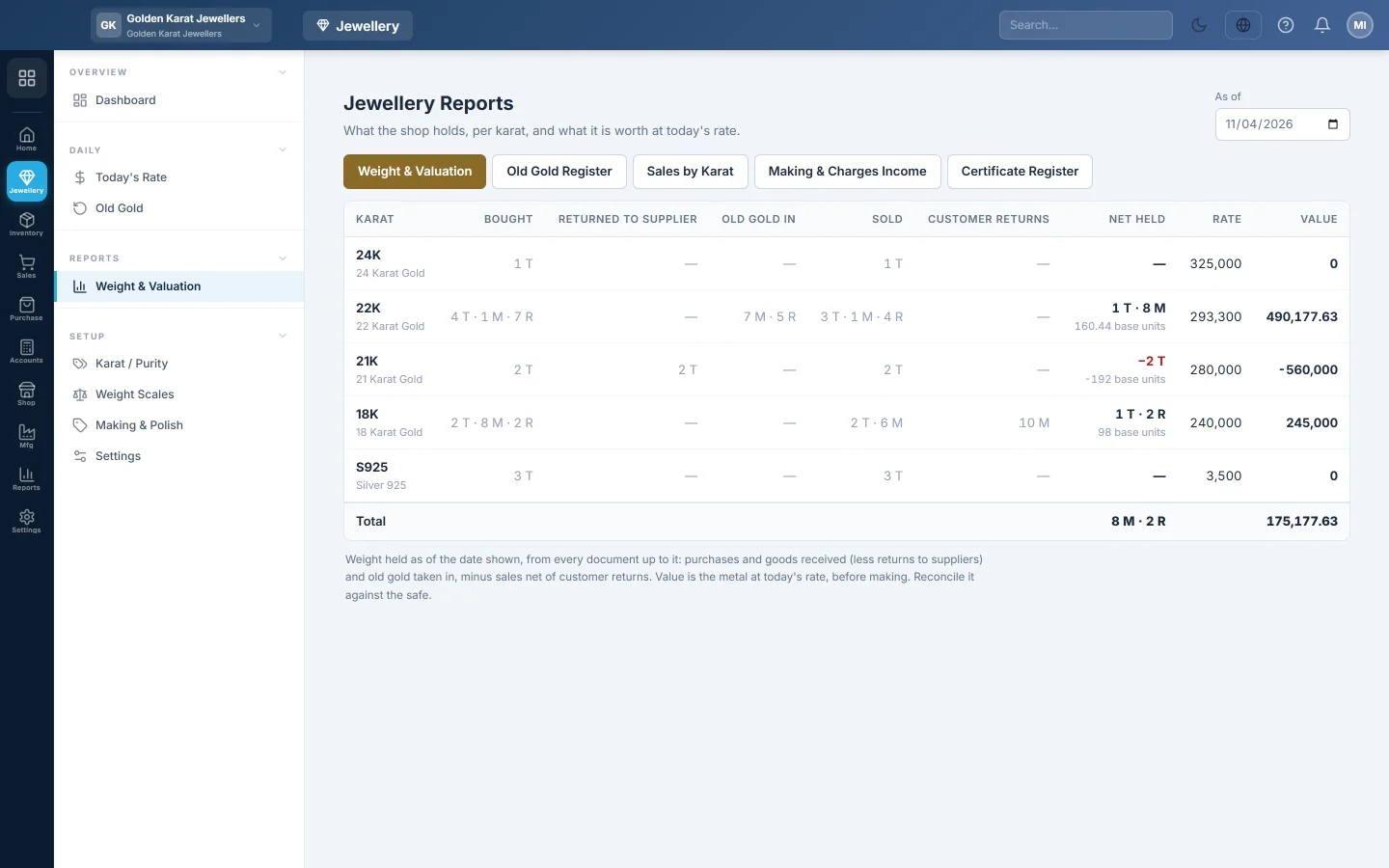
Pick a date under As of. For each karat you see the weight Bought, Returned to supplier, Old gold in, Sold and Customer returns, then Net held. Rate is the latest rate for that karat and Value is the net weight at that rate.
The figures come from the documents: purchases and goods received, old gold, sales and returns, up to the date. Value is the metal only, before making. Reconcile it against the safe.
Old Gold Register
Pick From and To dates. Each piece taken in shows its customer, karat, the Scale weight, what came Off, the Net weight, the amount Paid and its status. See Old Gold.
Sales by Karat
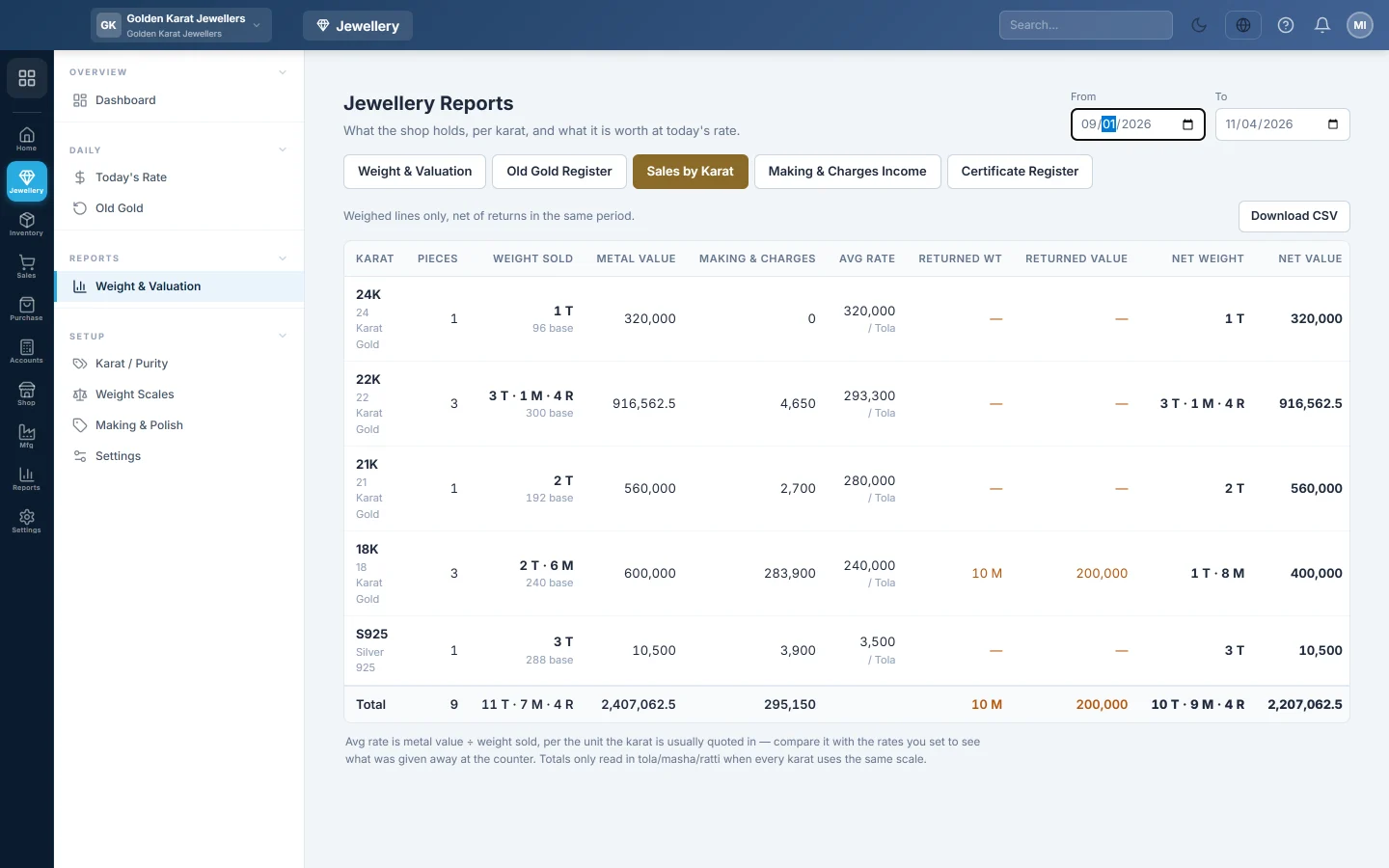
For each karat in the period: pieces, Weight sold, Metal value, Making & charges, Avg rate, returns and the net. Compare Avg rate with the rates you set to see what was given away at the counter. Click Download CSV to export it.
Making & Charges Income
Each charge type with its income account, the number of lines, the amount On sales, On returns and the Net. A charge with no income account of its own is booked inside Sales Revenue.
Certificate Register
Type a hallmark or certificate number under Certificate / hallmark no. and click Search. You see every sale invoice, sale return, purchase invoice and goods received note with that number. This tab is not limited by date.
Common questions
Net held shows a minus figure. More weight was sold than was bought for that karat, usually because opening stock was entered in pieces rather than by weight on a purchase.
Value says not set. No rate has been recorded for that karat. Set it on Today's Rate.
Does Net held match the Stock Report? It should. The Stock Report shows karat products in the smallest unit, such as ratti. This tab adds old gold and shows the weight in tola, masha and ratti.
Why is my sale missing from Sales by Karat? Only weighed lines on confirmed sales count. A line with no karat is an ordinary sale.
Merci. Si vous avez encore besoin d’aide, écrivez à info@eloerp.net.