Old Gold
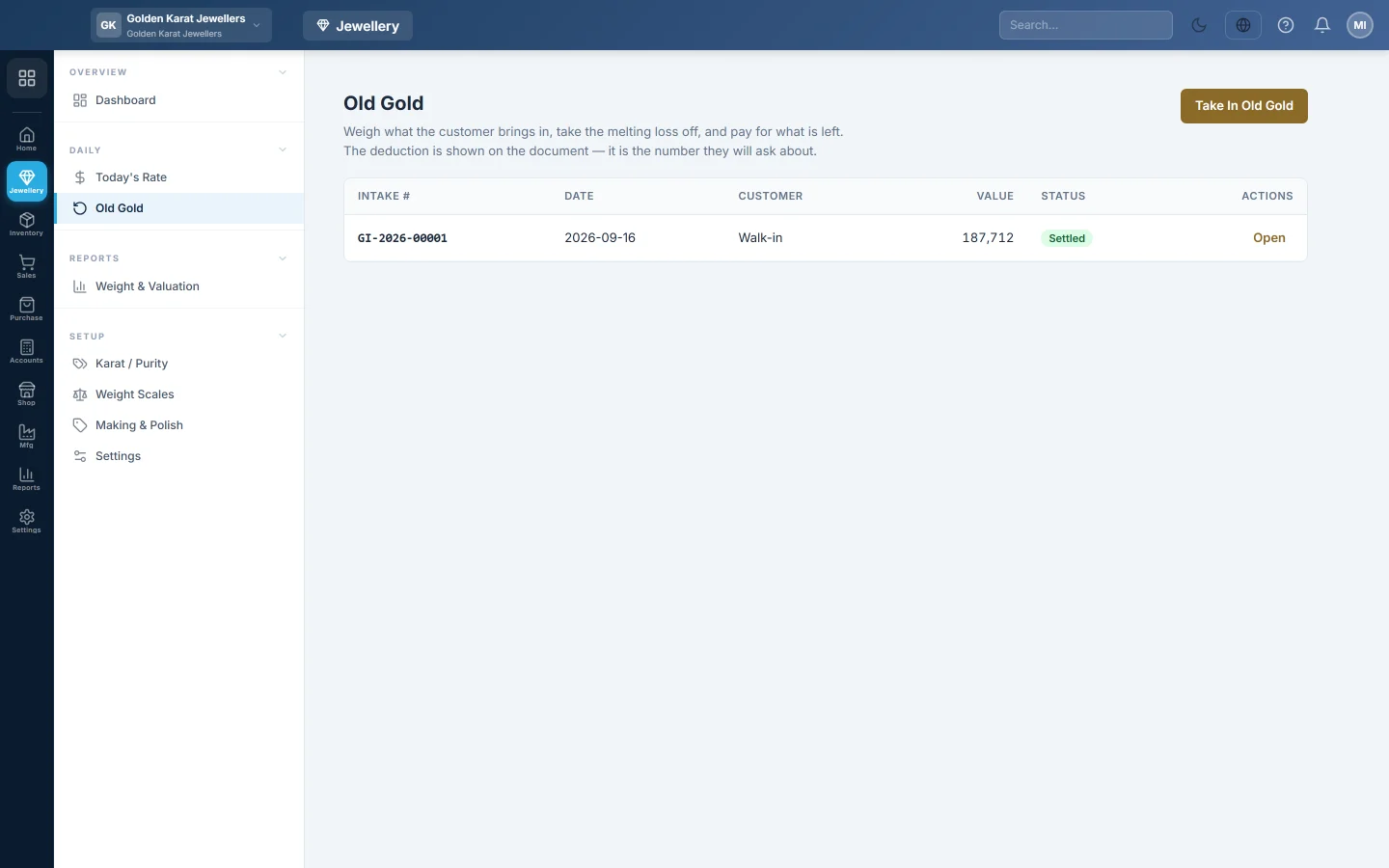
Take in old gold from a customer, weigh it, take the melting loss off, agree a value, and then pay for it in cash, against a sale or as store credit.
Old Gold records gold a customer brings in. You weigh each piece, take the melting loss (kaat) off, and pay for what is left. The deduction stays on the document, because it is the number the customer will ask about.
Before you begin
- Record Today's Rate first. The buying rate starts from it.
- To pay against a sale or as store credit, the customer must exist. See All Customers.
- You need the Take In Old Gold and Settle It permission.
Where to find it
Open Jewellery → Daily → Old Gold.
Take in old gold
- Click Take In Old Gold.
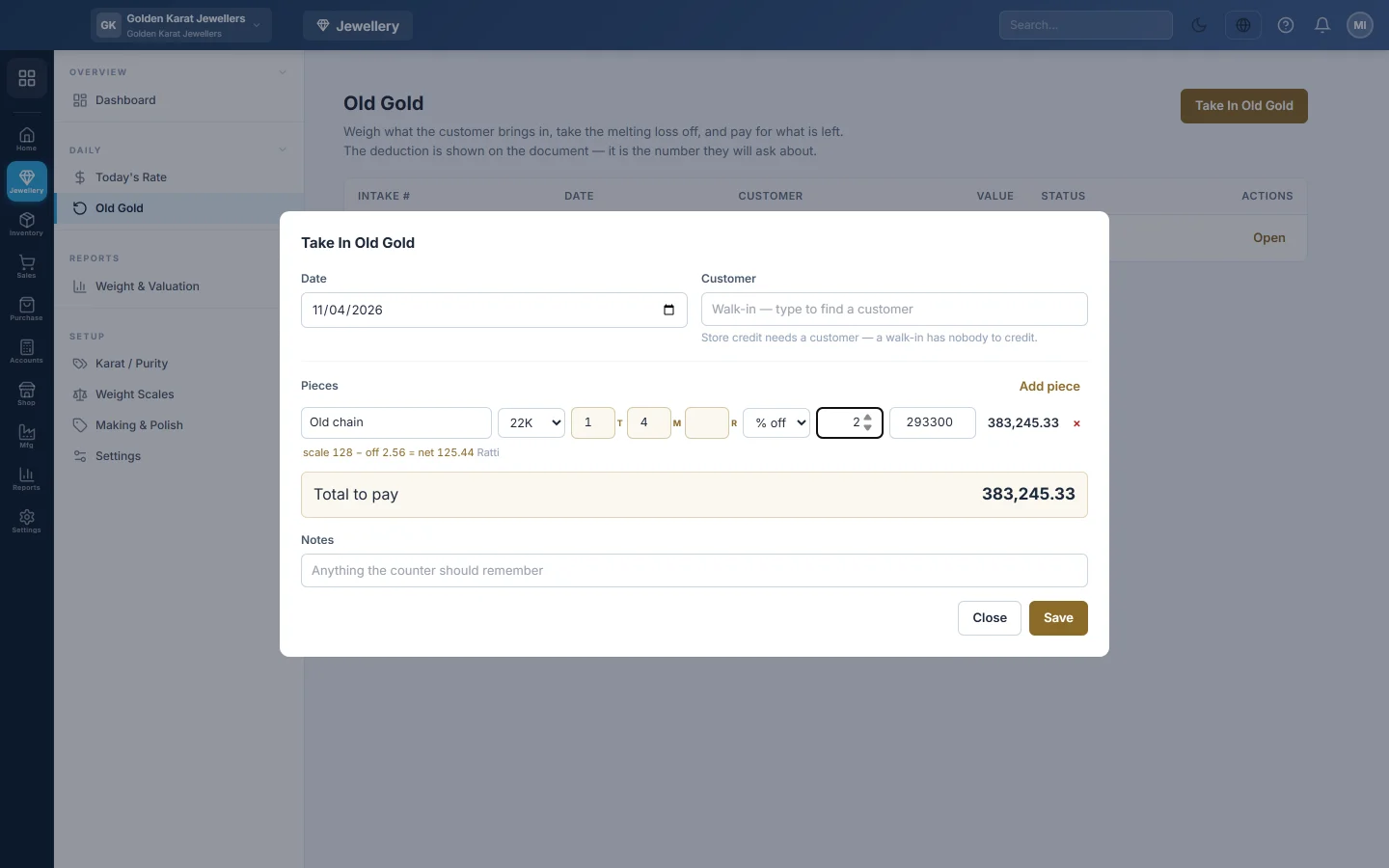
- Check the Date. Under Customer, type a name or phone number and pick the customer from the list. Leave the box empty for a walk-in.
- For each piece, type a description such as Old chain and pick the Karat….
- Type the weight the scale shows in the T, M and R boxes (or in grams).
- Choose how much comes off: % off with a percentage, or fixed with a number of the smallest unit (ratti or mg).
- Check the buying rate. It starts at today's rate for that karat; lower it if you agreed a lower rate.
- Click Add piece for each further piece.
- Read the line under each piece: scale weight − off = net. Check Total to pay.
- Click Save. The intake is saved as a draft with a number such as GI-2026-00001.
Confirm the agreed value
Click Confirm on the draft. The old gold goes into stock and the value is owed to the customer. No money moves yet, so the customer can choose a new piece first.
A confirmed intake can no longer be edited. To change it, cancel it and take it in again.
Settle it
Click Settle on a confirmed intake and choose how the customer is paid:
- Against a sale: the value pays part of an invoice already saved for this customer. Pick it under Invoice. Only confirmed invoices that still owe at least the full value can be chosen.
- Pay the customer: cash or bank. Choose the account under Pay from. The customer can hand it straight back for a new piece.
- Store credit: the customer spends it later. It needs a customer and the store credit feature.
Click Settle. The status becomes Settled.
Cancel an intake
Click Cancel on a draft or confirmed intake and confirm. For a confirmed intake, the old gold comes back out of stock and the amount owed is reversed. A settled intake cannot be cancelled.
What happens in the books
- Confirm: the old gold enters stock as an item such as Old 22 Karat Gold (22K), by net weight. Inventory is debited and Old Gold Payable is credited with the total.
- Against a sale: Old Gold Payable is debited and the customer's ledger is credited. The invoice shows an old gold payment.
- Pay the customer: Old Gold Payable is debited and the cash or bank account is credited.
- Store credit: Old Gold Payable is debited and the customer's store credit goes up.
Common questions
Confirm says the intake is worth nothing. A piece has no weight or no buying rate. Open the draft, fill them in and save.
No invoices appear under Against a sale. The customer has no confirmed invoice with a balance, or every balance is less than the old gold value. Use Pay the customer instead.
Store credit is greyed out. The intake is a walk-in, shown as Walk-in (no store credit) on the saved document. Store credit needs a customer.
Where do I see all old gold taken in? On the Old Gold Register tab of Weight & Valuation.
Vielen Dank. Wenn Sie weitere Hilfe brauchen, schreiben Sie an info@eloerp.net.