Dashboard
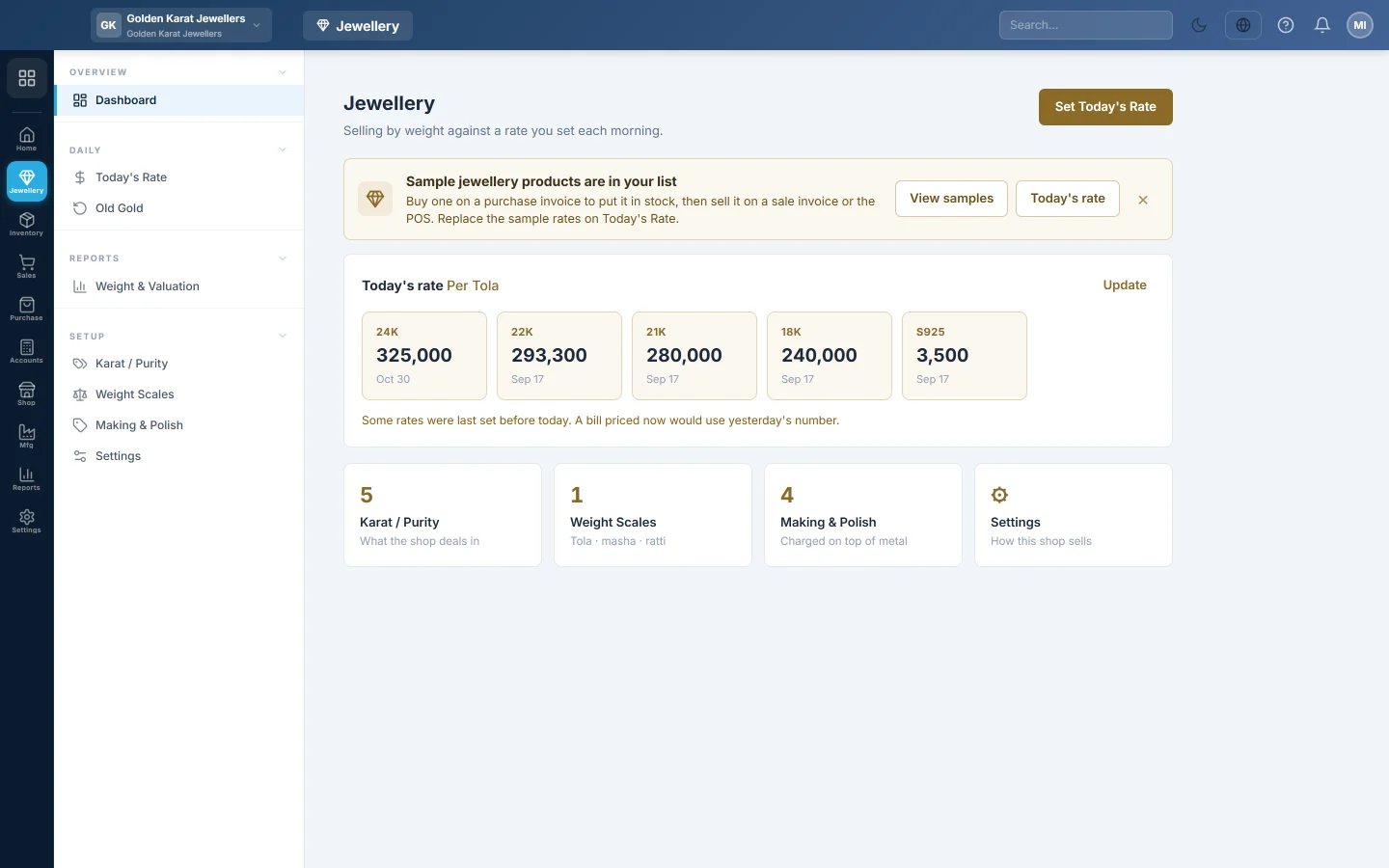
The jewellery home page, with today's rate for every karat at a glance, a warning when a rate is stale, and shortcuts to the setup screens.
The jewellery Dashboard shows today's rate for every karat at a glance and warns you when a rate was last set before today. Tiles below link to the setup screens.
Before you begin
- You need the View Jewellery Dashboard permission.
- Selling by weight must be switched on. Until then the page says Not switched on yet; click Open Settings. See Settings.
Where to find it
Open Jewellery → Overview → Dashboard.
Read the dashboard
- Today's rate: one card per active karat with its rate per tola (or gram) and when it was set. A shaded card was set before today; a faded one has no rate yet.
- Karat / Purity, Weight Scales and Making & Polish tiles show how many of each are active. Click a tile to open that screen.
- Settings opens Settings.
Click Set Today's Rate or Update to record the morning rate. See Today's Rate.
Try it with sample products
A new shop sees a bar See how selling by weight works.
- Click Add Dummy Products for All Jewellery Types.
- Read what will be added and click Add samples.
EloERP adds 8 sample products in a Sample Jewellery category, sample rates for karats with none, and default making, polish and stone rates where they are still 0. No stock is added: buy a sample on a purchase invoice before you sell it. Running it again adds nothing.
Common questions
The rate cards are missing. No karat is active. Add or reactivate one on Karat / Purity.
Can I hide the sample bar? Yes. Click × on the bar.
Will the sample rates be used on real bills? Yes, until you record your own rates on Today's Rate. Replace them before you sell.
Terima kasih. Jika masih butuh bantuan, kirim email ke info@eloerp.net.