Billing Runs
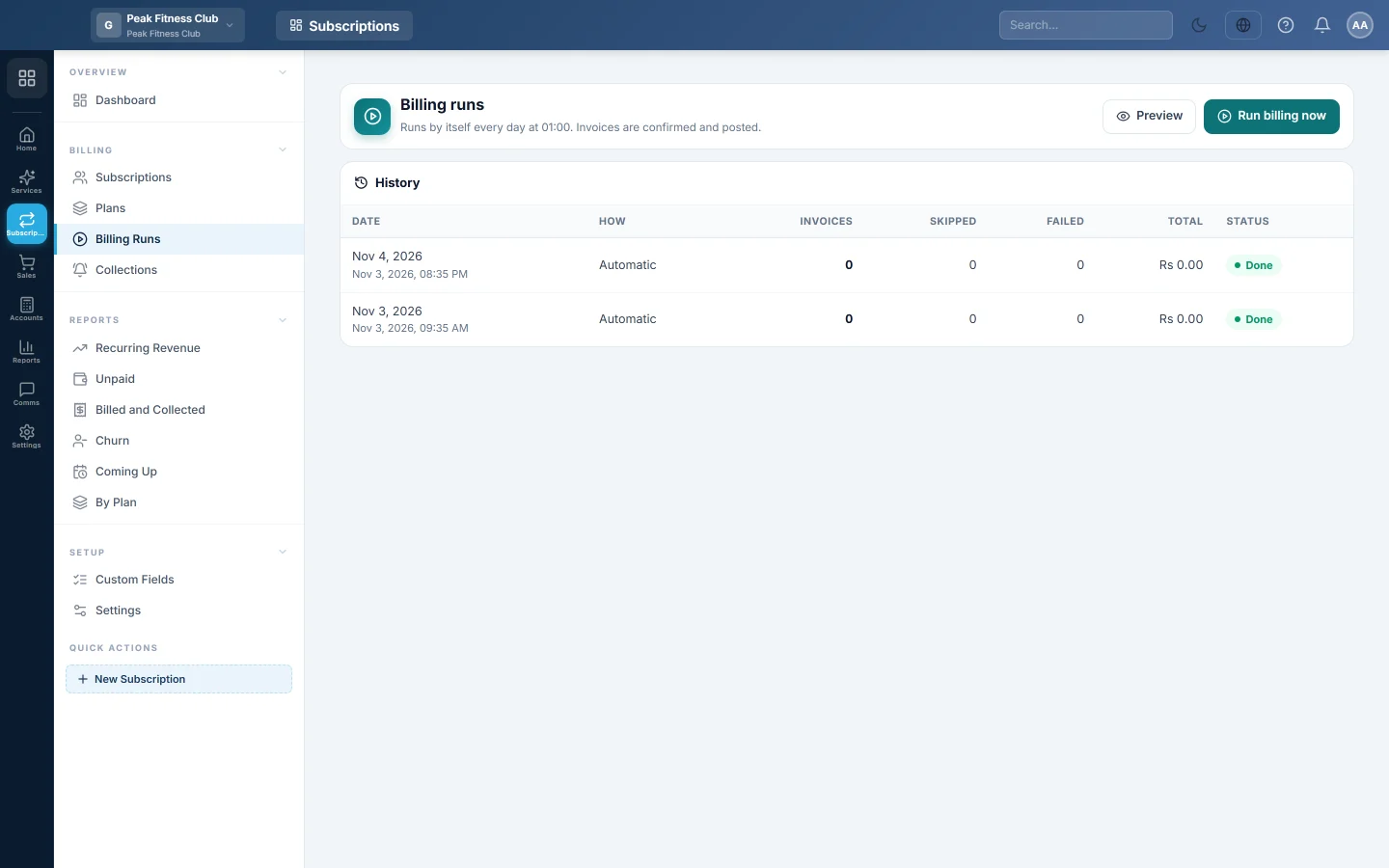
See every daily billing run, preview what is due without raising anything, and raise all due invoices at once.
Every day EloERP raises the invoice of every subscription that is due, posts it and moves the subscription to its next period. This page shows each of those runs, and lets you preview or start one yourself.
Before you begin
- Plans and active subscriptions exist. See Plans and Subscriptions.
- Choose the run hour and whether invoices are confirmed or left as drafts in Settings.
- Your role needs permission to preview billing, and a separate permission to run it. See Users & Roles.
Where to find it
Open Subscriptions → Billing → Billing Runs.
How the daily run works
- The run starts by itself every day at the hour in Run billing every day at, in your company's own time. The line under the page title shows the hour.
- It raises one invoice for each subscription whose next bill date has come.
- If a day was missed, the next run catches up: one invoice per period, oldest first.
- A period is never billed twice, however often the run is started.
- After billing, the run works through the steps in Collections: reminders, late fees and suspensions.
When subscriptions are due and not yet billed, a note at the top says how many.
Preview what is due
- Click Preview.
- Read the Preview for card. It says how many invoices would be raised and the total. Nothing is raised yet.
- Click Will bill, Skipped or Failed to see each group. Each row shows the customer, service period, result and amount.
Raise the invoices now
- Click Run billing now.
- Click Run billing to confirm.
- Read the message. It says how many invoices were raised and whether any failed.
The new run appears at the top of History. Its invoices are in Sales Invoices with the type Subscription.
Read a run
Click a row in History to open the run. The tiles show how many were billed, the total, how many were skipped and how many failed. The How column says Automatic for the daily run, or the name of the person who started it.
Every subscription in the run has a result:
| Result | Meaning |
|---|---|
| Billed | The invoice was raised. |
| Skipped | Nothing was due, with the reason, such as "Next bill on …", "Paused" or "Held: an earlier invoice is overdue". |
| Failed | The invoice could not be raised, with the reason, for example a missing exchange rate or a deleted plan. The rest of the run still goes on. |
| Ended | The contract term is complete, so the subscription ended. |
| Resumed / Plan changed | A pause ended, or a plan change waiting for this period was applied. |
What happens in the books
With Confirmed and posted in Settings, each invoice posts as soon as it is raised. The customer's ledger is debited with the total, and Subscription Revenue and the tax account are credited. With Drafts to review, nothing posts until someone confirms the draft in Sales.
Common questions
Can I bill one customer early? Yes. Open their subscription and click Bill now. See Subscriptions.
Why was a subscription skipped? The reason is on its row. Common ones: the next bill date has not come, it is paused, or an older invoice is overdue and the plan holds new invoices.
What should I do about a failed row? Fix the reason shown, such as adding the exchange rate. The next run, or Run billing now, bills it.
I want to check invoices before customers owe them. In Settings, set Invoices raised by the billing run are to Drafts to review. Then confirm each draft in Sales.
Will pressing Run billing now twice bill customers twice? No. A period is billed once. The second run skips what the first one billed.
Vielen Dank. Wenn Sie weitere Hilfe brauchen, schreiben Sie an info@eloerp.net.