Plans
Set up what you sell on a schedule, its price, how often it bills, its tax, fees, trial and contract length.
A plan is what a customer subscribes to, for example "Fiber 20 Mbps, Rs 2,500 a month" or "Annual membership". It sets the price, how often the invoice is raised and the terms every subscriber on it shares.
Before you begin
- Set up the sales tax you charge, if any, so you can pick it on the plan.
- Check the company defaults in Settings. New plans start with them.
- Your role needs permission to create or edit plans. See Users & Roles.
Where to find it
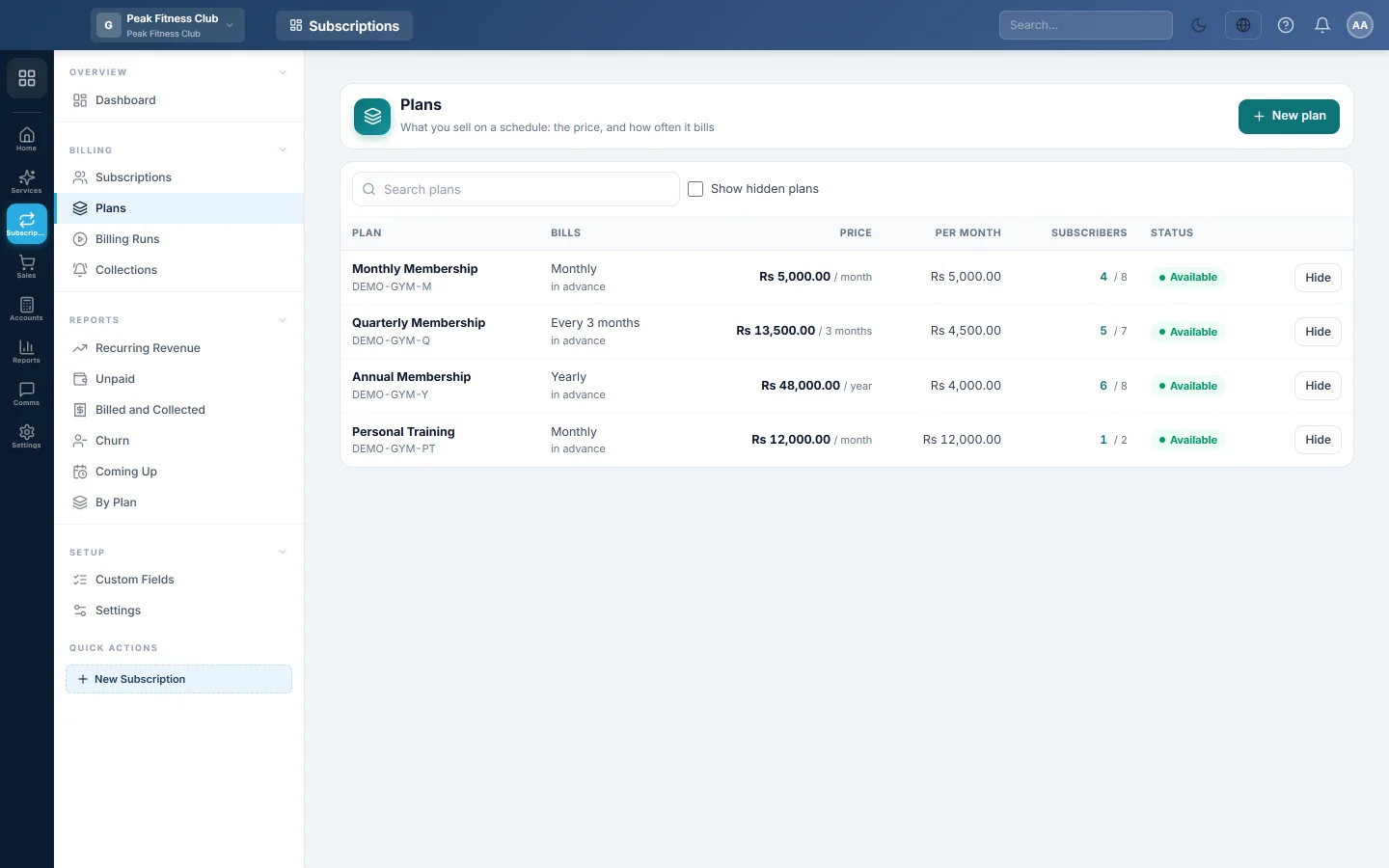
Open Subscriptions → Billing → Plans.
Create a plan
- Click New plan.
- Type the Plan name, for example "Fiber 20 Mbps". Leave Code empty to make it from the name.
- Type the Price for one period.
- Under How often it bills, set Every: a number and day(s), week(s), month(s), quarter(s), year(s), or one time only.
- Under Charge, choose In advance to raise the invoice on the first day of the period. Choose In arrears to raise it the day after the period ends.
- For monthly, quarterly and yearly plans, choose how Periods start:
- On a fixed day: everyone bills on the same Day of the month. 29, 30 and 31 bill on the last day of shorter months.
- On the start date: each customer bills on the day they started.
- With a fixed day, choose what A customer who starts between those days pays: Pays for the days used or Pays the full price.
- Under Invoice, pick the Tax, or leave No tax.
- Type Days to pay, or leave it empty to use the company default.
- Leave Service shown on the invoice on Create a service named after the plan, or pick an existing service.
- Under Extras, fill what applies: Setup or connection fee (first invoice only), Free trial (days), Contract length (periods) and Suspend after days overdue.
- Tick Stop raising new invoices while an older one is overdue if a late customer should not be billed further.
- With a contract length, tick Renew automatically when the contract ends to keep billing after it.
- Under Extra charges on every invoice, click Add a charge for items such as router rental. Choose Every time or First invoice.
- Read the summary at the bottom, which describes the plan in one sentence, and click Create plan.
Edit, hide or delete a plan
- Click a plan to change it, then click Save plan. Price and terms apply to invoices raised from now on.
- Click Hide to stop offering a plan. Its current subscribers keep billing, but it no longer appears on the New subscription form. Tick Show hidden plans to see it again, then click Show.
- The delete button appears only on a plan that has never had a subscriber. A plan in use is hidden instead.
Read the list
| Column | What it shows |
|---|---|
| Plan | Name, code and how many extra charges it has. |
| Bills | How often, in advance or in arrears, and any free trial. |
| Price | The price per period, and the setup fee if there is one. |
| Per month | The plan's price turned into one month. A yearly plan shows a twelfth. |
| Subscribers | How many subscriptions use it. |
| Status | Available or Hidden. |
What happens in the books
A plan posts nothing by itself. Its invoices credit Subscription Revenue (or Unearned Subscription Revenue when revenue is deferred) and the tax account. See Subscriptions and Settings.
Common questions
Can one customer pay a different price on the same plan? Yes. Type a Price for this customer or a discount on their subscription. The plan stays the same for everyone else.
What does "in arrears" mean? The customer is billed after using the service. A monthly plan in arrears raises September's invoice on 1 October.
How is a part month charged? With Pays for the days used, a customer who starts on the 20th pays for the days up to the next billing day. With Pays the full price, they pay a whole period.
How do I bill a one-off connection fee? Fill Setup or connection fee. It is added to the first invoice only.
Why can I not delete a plan? It has, or had, subscribers. Click Hide so it is not offered again; its subscribers keep billing.
شكرًا لك. إذا كنت لا تزال بحاجة إلى مساعدة، راسلنا على info@eloerp.net.