Quality & Compliance
Keep the hospital's licences with their expiry dates, record patient feedback scores, and log safety incidents such as medication errors and falls.
Quality & Compliance has three registers: licences and their expiry dates, patient feedback, and safety incidents. They feed the quality tiles on the Executive Dashboard.
Before you begin
- Adding, editing and deleting need the quality manage right. Users with the reports view right can only read.
- Departments exist, to tag feedback and incidents. See Departments.
Where to find it
Open Hospital → Setup → Quality & Compliance.
Keep licences
- Open the Licenses tab.
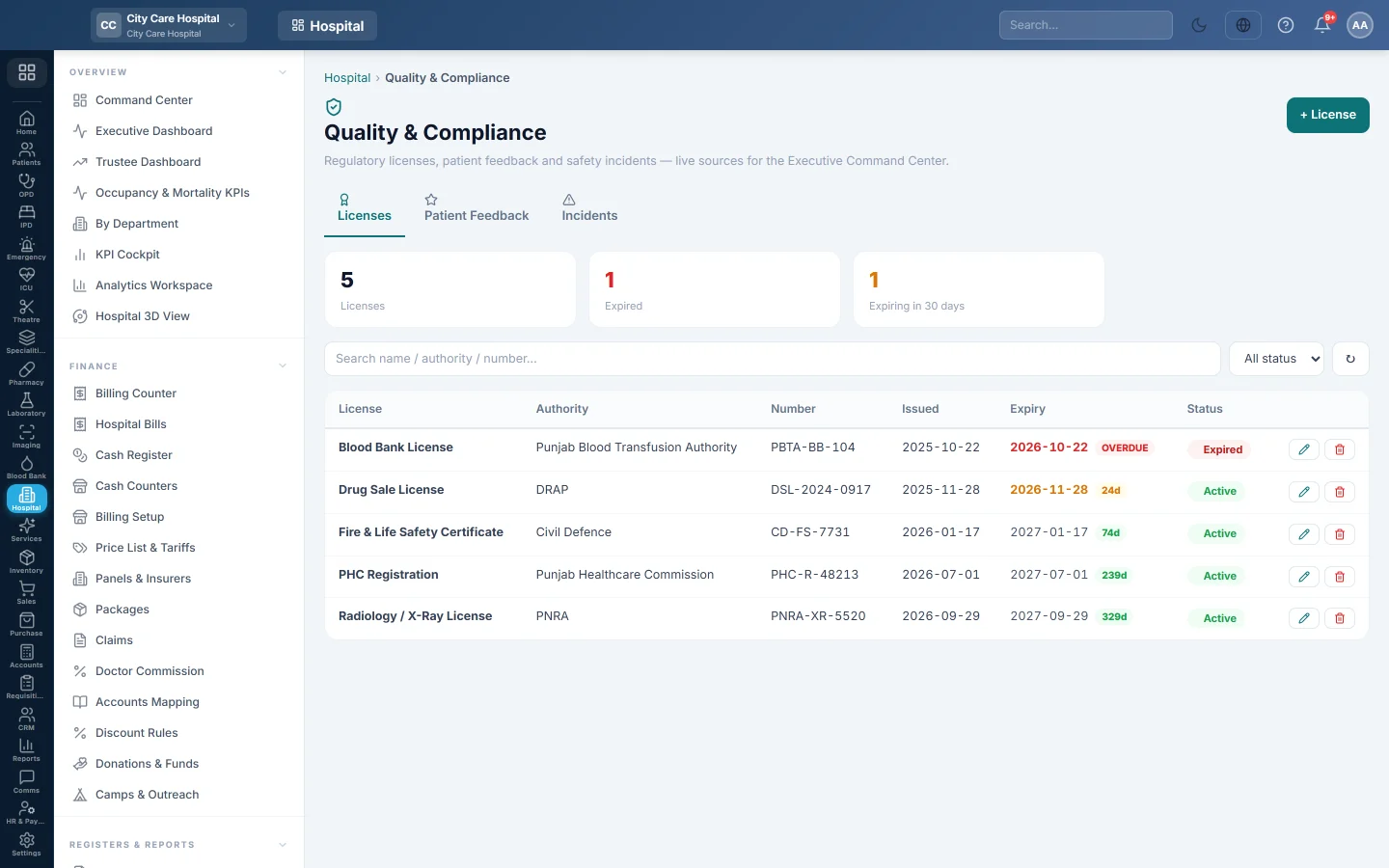
- Click + License.
- Type the License name, for example PHC Registration, the Issuing authority and the License number.
- Type the Issue date and Expiry date, and choose the Status.
- Add Notes and click Save.
The boxes count Licenses, Expired and Expiring in 30 days. The expiry column shows the days left, or OVERDUE.
Record patient feedback
- Open the Patient Feedback tab and click + Feedback.
- Tap the stars for the Score, from 1 to 5.
- Choose the Source (OPD, IPD, Emergency or Other) and the Department.
- Type what the patient said in Comment and click Save.
The boxes show responses, the average score, scores 4–5 and scores 1–2 over 30 days. Filter by source, score, department and dates.
Log an incident
- Open the Incidents tab and click + Incident.
- Choose the Incident type: Medication error, Patient fall, Equipment, Infection or Other.
- Choose the Severity: Low, Medium, High or Sentinel.
- Check Occurred at and choose the Department.
- Describe what happened, who was involved and the immediate action in Description.
- Click Save.
Click Close on an open incident when it has been dealt with. The boxes count open incidents and, this month, incidents, medication errors and sentinel events.
Edit or delete
Use the pencil to edit a record and the bin to delete it. Deleting removes the record from the register and cannot be undone from this screen.
Common questions
Is this the same as the Facility Profile? No. Facility Profile holds the numbers printed on registers; this tab tracks expiry dates.
Where do the scores show? On the Executive Dashboard's quality tiles.
Should I delete a closed incident? No. Close it and keep it for audits.
Спасибо. Если помощь всё ещё нужна, напишите на info@eloerp.net.