Equipment
The biomedical equipment register, with location, status, criticality and preventive maintenance dates, a maintenance log per asset and an equipment dashboard.
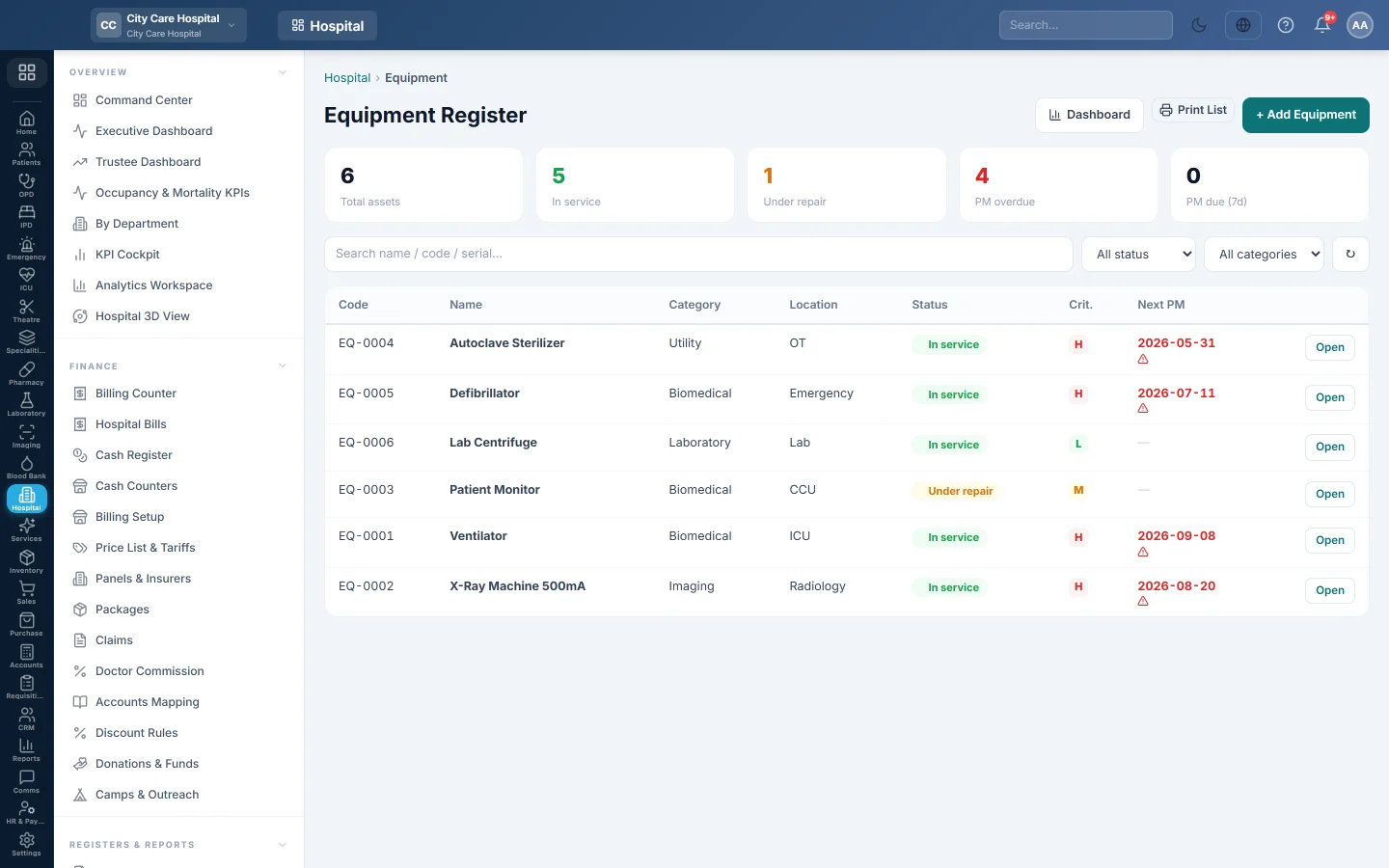
The Equipment Register lists the hospital's machines, from ventilators and monitors to air conditioning, with their status and when preventive maintenance (PM) is due. Each asset keeps its own maintenance history and, for bedside machines, which patients used it.
Before you begin
- Viewing needs the equipment view right; adding and logging maintenance need the equipment manage right.
- Departments exist, to say where each machine is. See Departments.
Where to find it
Open Hospital → Setup → Equipment. The page is titled Equipment Register.
Register equipment
- Click + Add Equipment.
- Type the Name. Leave Asset code empty to number it automatically.
- Choose the Category: Biomedical, Imaging, Laboratory, IT, HVAC, Utility or Other.
- Choose the Location / Dept, and type the Make, Model, Serial # and Manufacturer.
- Choose the Status and the Criticality (Low, Medium, High).
- For a ventilator billed per day on a patient, choose it in Daily bedside charge.
- Type the Purchase date, Commissioned date, Warranty expiry, PM interval (days) and Purchase cost.
- Click Save.
EloERP sets the Next PM date from the interval and the commissioning or purchase date.
Log maintenance
- Click a row, or Open.
- Click + Log Maintenance.
- Choose the Type: Preventive, Corrective (breakdown), Calibration or Inspection.
- Choose the Status: Completed, In progress or Scheduled.
- Type the Date, Downtime (hrs), Problem / reason, Action taken, Cost and Vendor.
- Click Save Record.
A breakdown not yet completed marks the machine Under repair. Completing it puts it back In service. A completed preventive or calibration job moves Next PM forward by the interval.
Read the register
The boxes at the top count Total assets, In service, Under repair, PM overdue and PM due (7d). Filter by status or category, or search by name, code or serial. An overdue PM date shows a warning sign.
The detail window shows the Maintenance History and, for bedside machines, Patient use with each admission.
Equipment dashboard
Click Dashboard for uptime, PM completed, maintenance cost, warranties ending within 90 days, Upcoming / Overdue PM for the next 30 days, Recent Breakdowns and the Most Breakdown-Prone machines.
Common questions
How do I retire a machine? Edit it and set the Status to Retired. Retired machines leave the PM counts.
Why is Next PM empty? The machine has no PM interval (days), or no commissioning or purchase date.
Can I delete equipment? Not from this screen. Retire it instead so its history is kept.
Vielen Dank. Wenn Sie weitere Hilfe brauchen, schreiben Sie an info@eloerp.net.