Department Forms
Decide which sections each department's consultation screen shows, in what order and how each behaves, so General OPD, Gynae or Eye each get their own form.
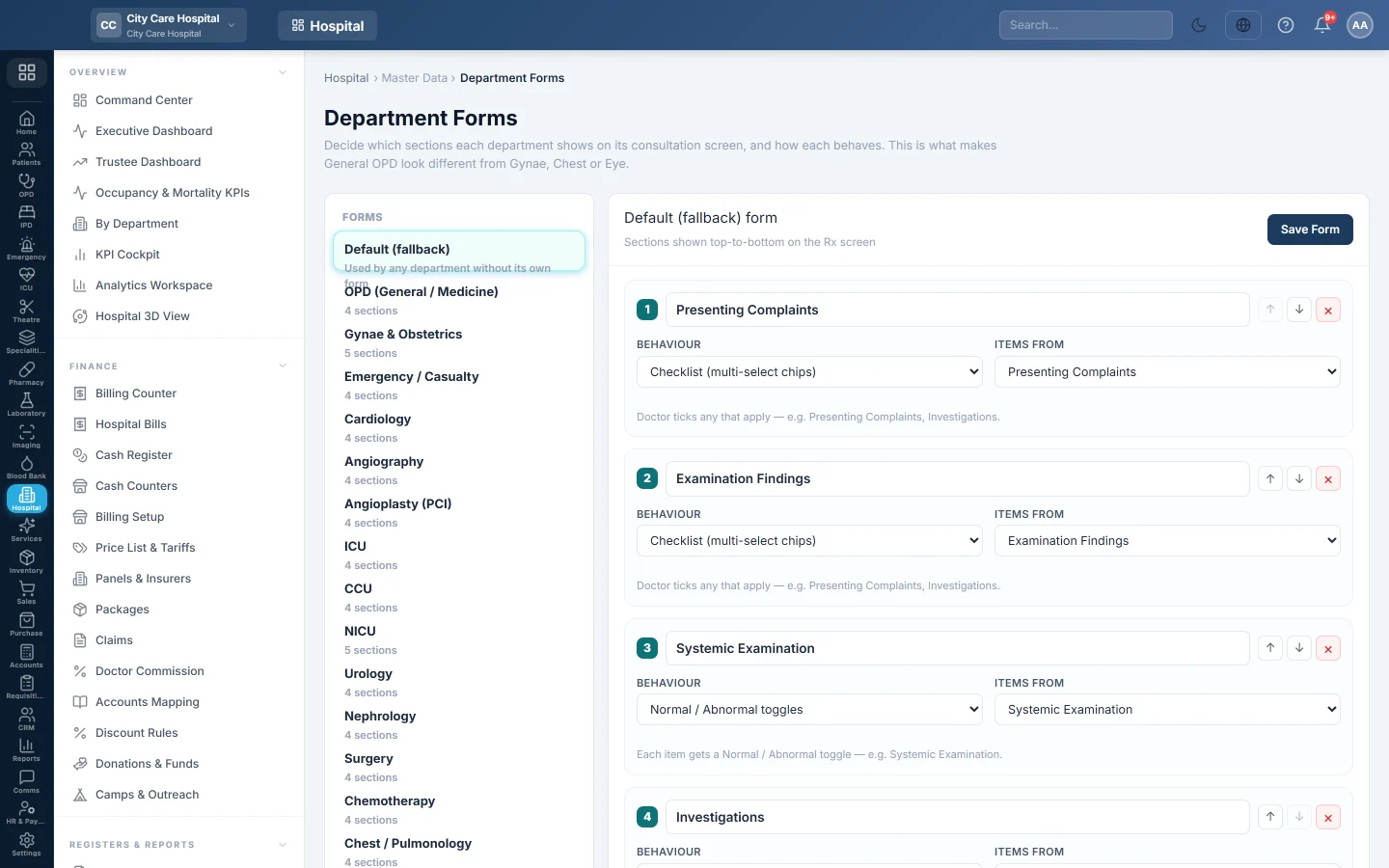
Department Forms shape the consultation screen. Each form is a list of sections shown top to bottom, such as complaints, findings and investigations. The default form is used by any department without its own.
Before you begin
- Editing needs the masters edit right.
- The item lists exist, such as Presenting Complaints and Examination Findings.
Where to find it
Open Hospital → Master Data → Department Forms.
Change a department's form
- Under Forms, click the department, or Default (fallback).
- For each section, set:
- Section title, as the doctor sees it;
- Behaviour, how it works;
- Items from, which master list fills it.
- Use Move up and Move down to reorder, and Remove to drop a section.
- Click Add Section for a new one.
- Click Save Form.
To start a department from the default layout, click Copy the default structure. Reset to default throws away the department's own form.
Section behaviours
| Behaviour | What the doctor sees |
|---|---|
| Checklist (multi-select chips) | Ticks any that apply, for example complaints or investigations. |
| Normal / Abnormal toggles | Each item gets a Normal / Abnormal toggle, for example systemic examination. |
| Multi-select chips | Same as a checklist. |
| Measurement grid (labelled inputs) | A labelled box per item, for example eye readings. |
| Free text | One free-text box with no item list. |
Common questions
A section shows no items. Its master list is empty for that department. Add items with the department or Global scope.
I changed the form but the doctor sees the old one. Ask them to reopen the consultation; the form is read when the screen loads.
Does changing a form change past consultations? No. Saved consultations keep what was recorded.
Terima kasih. Jika masih butuh bantuan, kirim email ke info@eloerp.net.