Dosage Schedules
The medicine frequencies doctors pick on the prescription, each with the Urdu instruction printed for the patient.
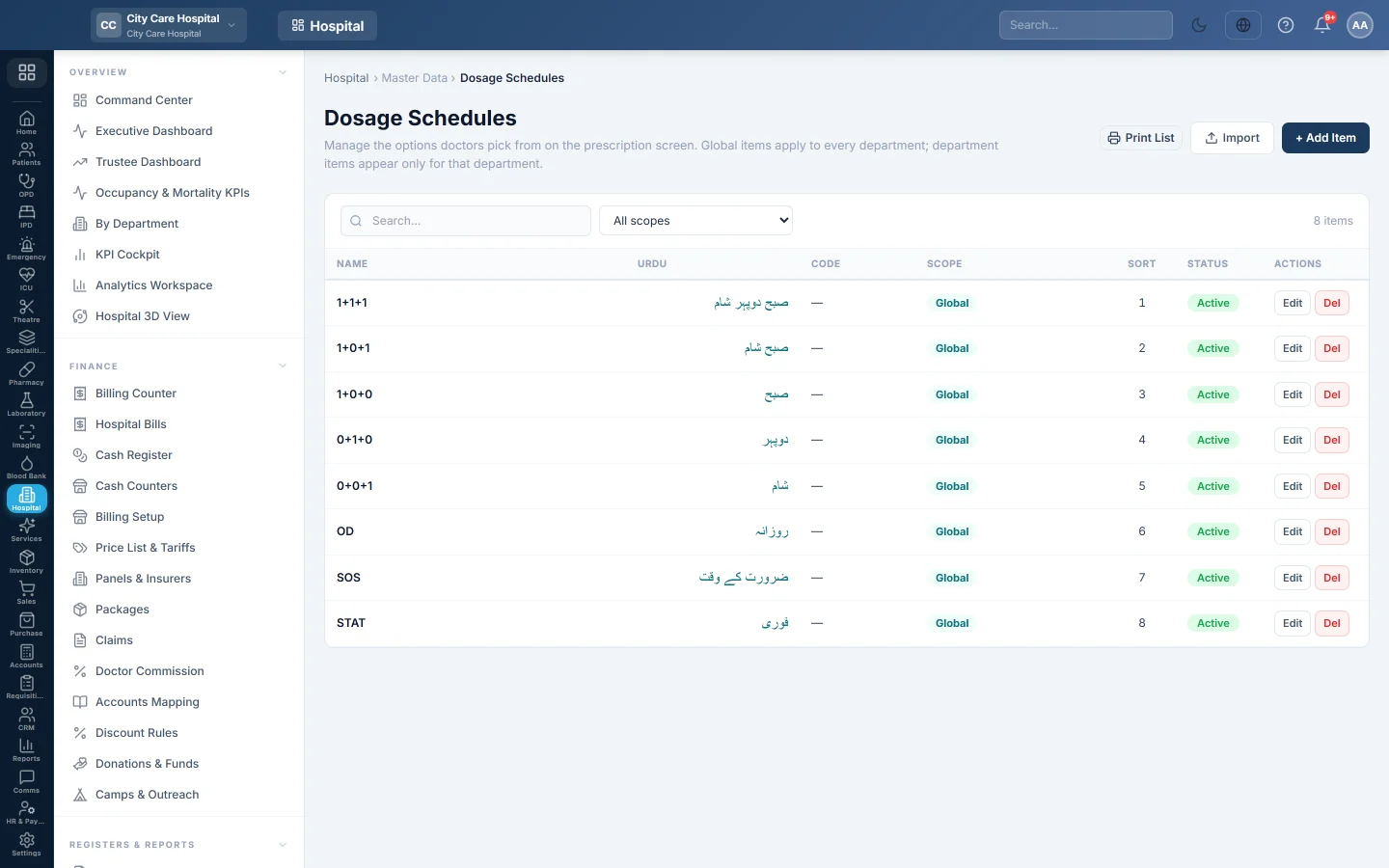
Dosage Schedules is the list of frequencies a doctor picks for each medicine, such as 1+1+1 or 1+0+1, each with an Urdu instruction for the patient.
Before you begin
- Adding needs the masters create right; editing and deleting need the masters edit and delete rights.
- Departments exist if some items belong to one clinic only. See Departments.
Where to find it
Open Hospital → Master Data → Dosage Schedules.
Add an item
- Click + Add Item.
- Type the Name, for example 1+1+1. Type the Urdu instruction the patient reads, for example صبح دوپہر شام.
- In Scope, keep Global (all departments), or pick the one department that should see it.
- Optionally type a Code and a Sort Order. Lower numbers show first.
- Keep Active ticked and click Save.
Import a long list
- Click Import.
- Click Download Template (CSV) and fill in one item per row.
- Choose the file and click Upload & Import.
Existing items are updated and new ones added. The result shows how many were added, updated and skipped.
Where it is used
On OPD Consultation, the frequency box on each medicine line offers these schedules with their Urdu instruction, which prints on the prescription.
Common questions
An item shows in the wrong clinic. Edit it and change the Scope.
Can I hide an item without deleting it? Untick Active. Records already made keep it.
The Urdu column is empty. Edit the schedule and type its Urdu instruction.
谢谢。 如果仍需帮助,请发邮件至 info@eloerp.net。