By Department
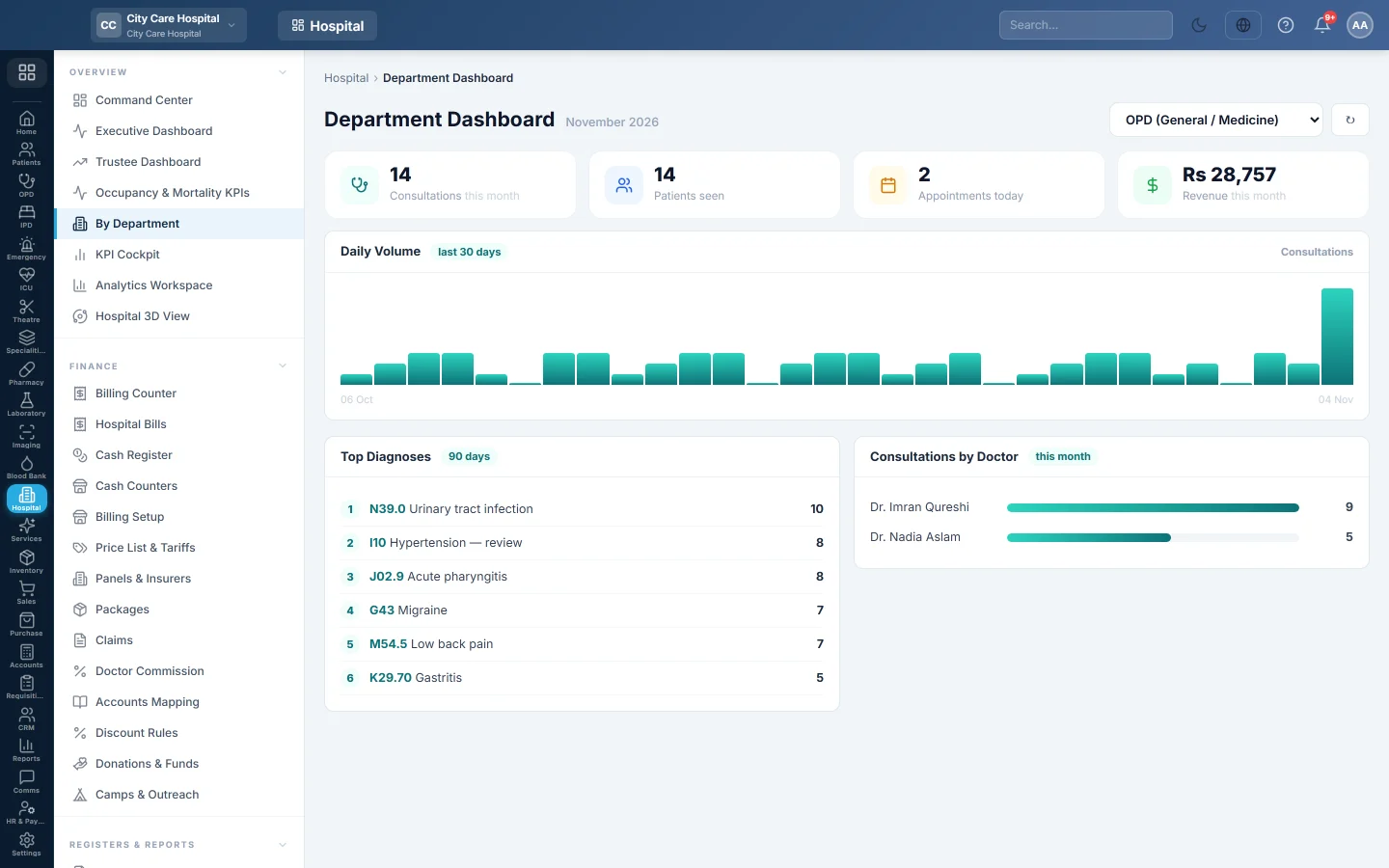
One department at a time. Consultations, patients seen, today's appointments, revenue, inpatients and admissions this month, with daily volume, top diagnoses and consultations by doctor.
By Department shows one clinic's month: how many patients it saw, its revenue and inpatients, which diagnoses were most common, and how the work split between its doctors. The page is titled Department Dashboard.
Before you begin
- Departments exist. See Departments.
- Diagnoses appear when doctors record them on OPD Consultation.
Where to find it
Open Hospital → Overview → By Department. It is also the Department tab of the Analytics Workspace.
Read a department
- Choose the department in the box at the top right.
- Read the cards: Consultations and Patients seen this month, Appointments today, Revenue this month, Current Inpatients and Admissions (month).
- Read Daily Volume for the last 30 days.
- Read Top Diagnoses over 90 days.
- Read Consultations by Doctor this month.
Click ↻ to refresh.
Common questions
The page says No departments configured. Add departments on Departments.
Top Diagnoses is empty. Doctors have not recorded diagnoses in this department in the last 90 days.
Can a head of department see only their own clinic? The box lists every department. Limit access through roles in Users & Roles.
Gracias. Si todavía necesita ayuda, escriba a info@eloerp.net.