Partner Labs
Keep the referral labs you send tests to, with each lab's rate per test, and print a statement of what you owe them.
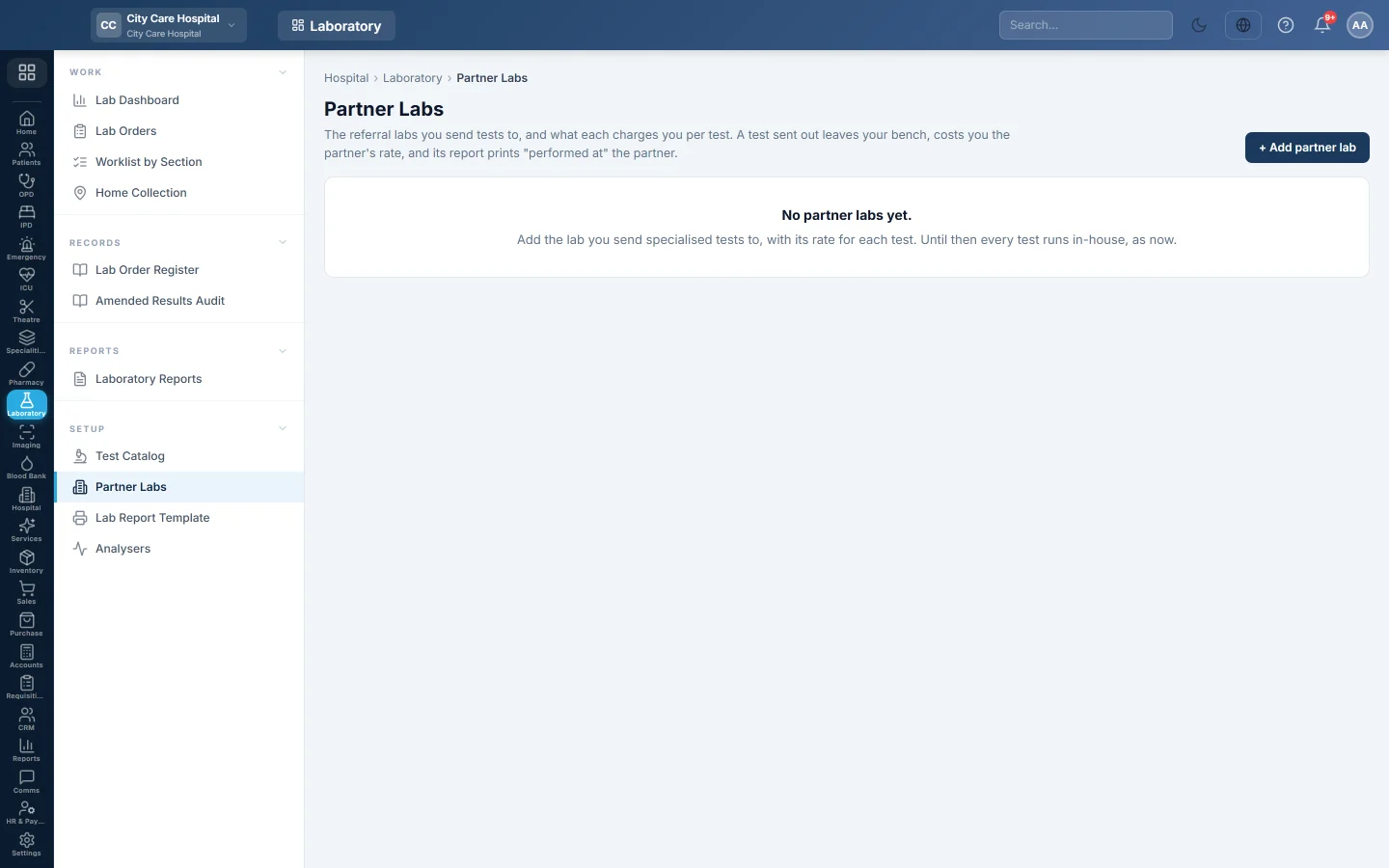
Partner Labs lists the outside laboratories you send tests to. Each has a rate card: what that lab charges you per test. Only tests with a rate can be sent to it.
Before you begin
- The tests exist in your Test Catalog with your own price.
- Adding and editing partners needs Manage Lab Test Catalog or Manage Lab Orders / Workflow.
Where to find it
Open Laboratory → Setup → Partner Labs.
Add a partner lab
- Click + Add partner lab.
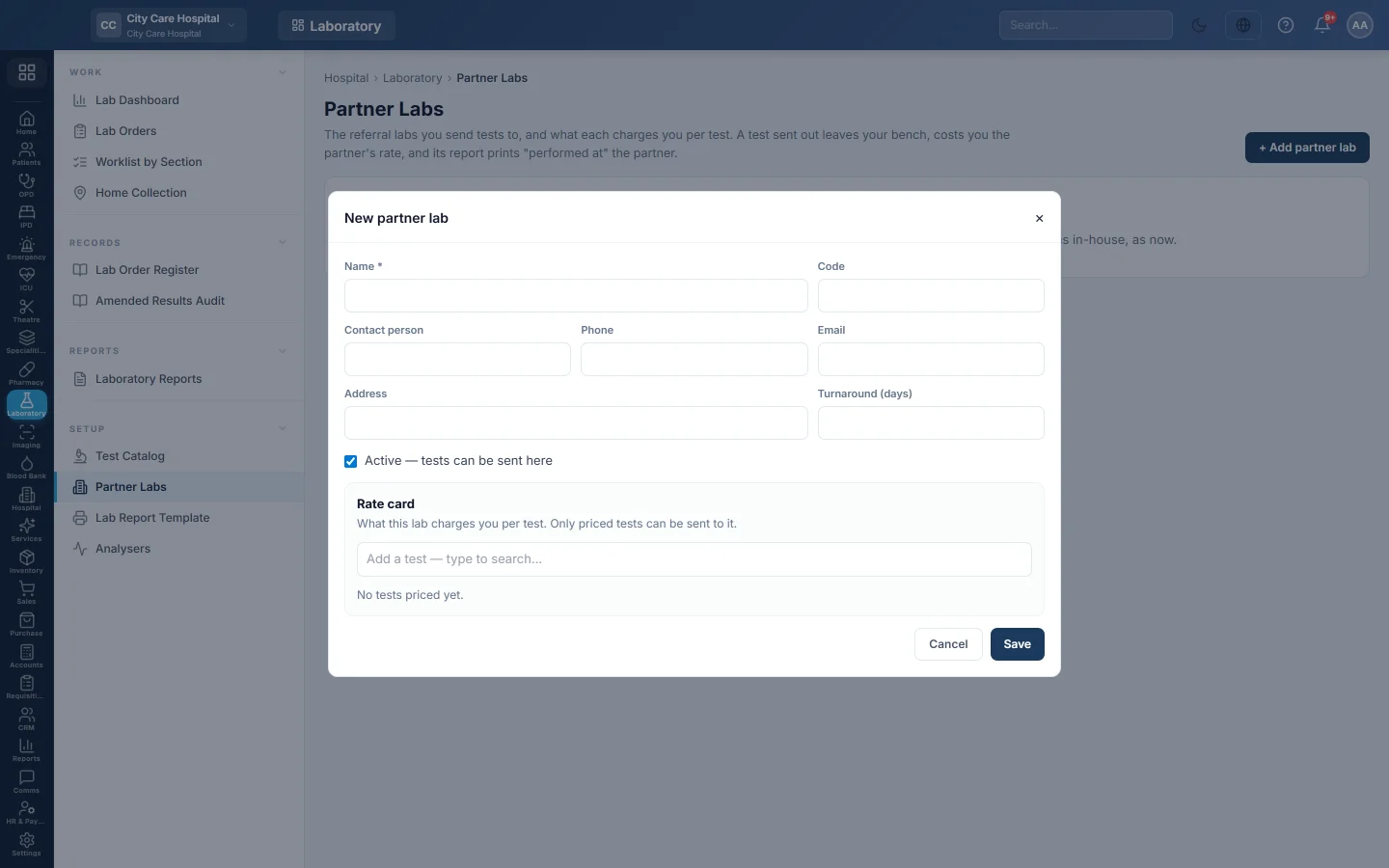
- Type the Name, and fill in Code, Contact person, Phone, Email, Address and Turnaround (days) if you have them.
- Keep Active — tests can be sent here ticked.
- Under Rate card, type a test name in Add a test — type to search… and pick it.
- Type Their rate for the test. Margin shows your price minus their rate, in red when you lose money.
- Repeat for each test, then click Save.
To change the details or rates later, click Edit & rates on the lab's card. Untick Active to stop sending tests to a lab.
Read a partner's card
Each card shows how many tests priced, how many were sent this month and the amount owed this month.
Print a partner statement
- Click Statement on the lab's card.
- Set From and To.
- Check the totals: Tests sent, Owed to partner, Our price, Margin and Still out.
- Click 🖨 Print.
Each row shows the order, patient, test, the partner's reference, your price, the cost and whether the test is Out or Back. Click an order number to open it.
Common questions
How do I send a test out? From the order. See Send a test to a partner lab.
A test cannot be ticked when sending out. It has no rate on that partner's card. Add the rate here first.
Is the amount owed posted to my accounts? No. The statement is for checking the partner's bill. Record the payment in your accounts as usual.
Obrigado. Se ainda precisar de ajuda, escreva para info@eloerp.net.