Spectacle Order Register
List every spectacle order in a period with the prescription, lenses, frame, total, who paid and its status.
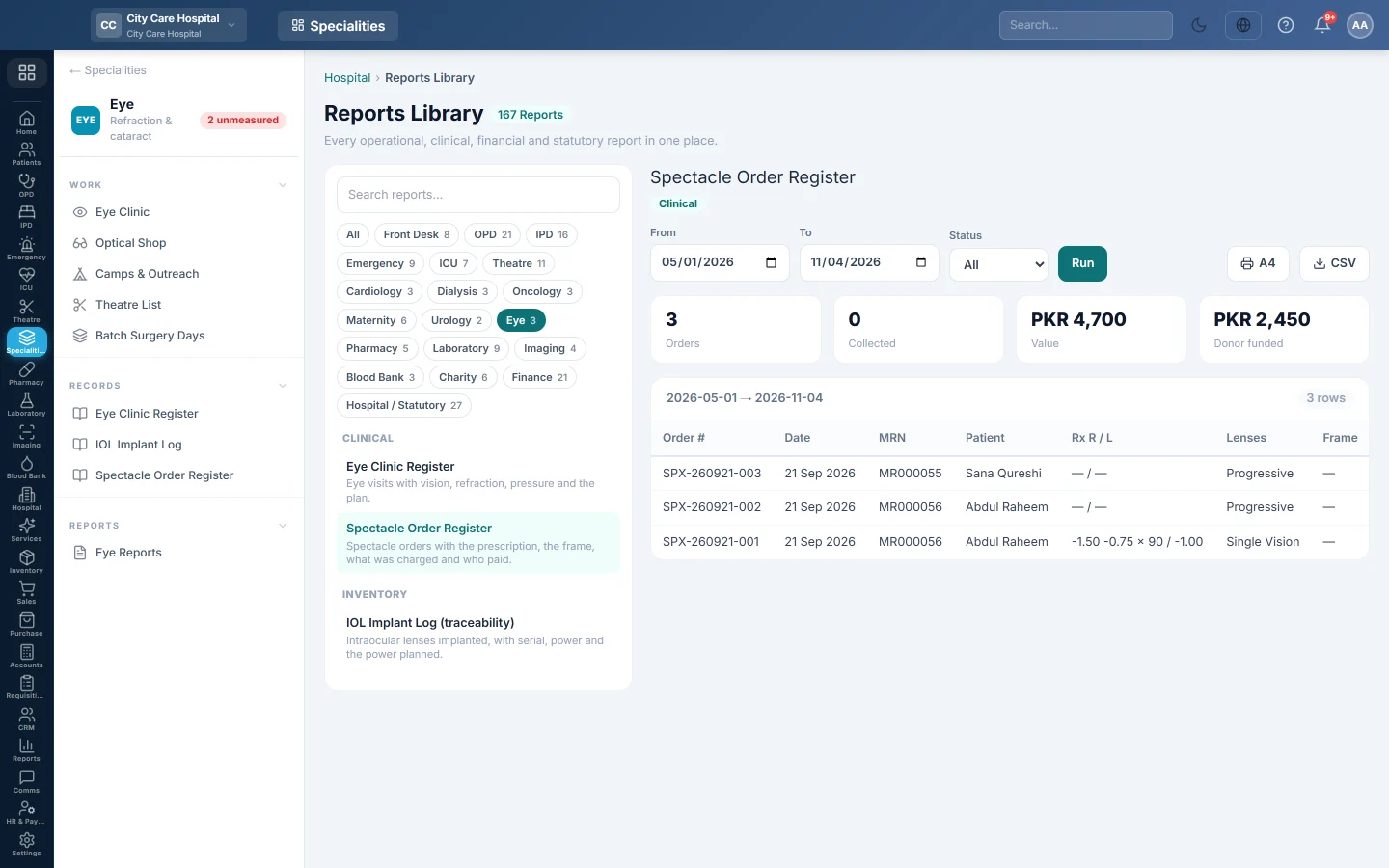
The Spectacle Order Register lists every pair of glasses ordered in the period: the prescription, the lenses and frame, what was charged and who paid.
Before you begin
- Your role has the permission to view hospital reports. See Users & Roles.
- Orders are raised in the Optical Shop.
Where to find it
Open Specialities → Eye → Records → Spectacle Order Register. It opens in the Reports Library and runs for the current month.
Run the register
- Set From and To. The register uses each order's date.
- Narrow it if you like:
- Status: Ordered, In Lab, Ready, Collected or Cancelled.
- Click Run.
The summary shows the number of Orders, how many were Collected, their Value and the amount Donor funded. The table lists Order #, Date, MRN, Patient, Rx R / L, Lenses, Frame, Total, Paid By and Status. Long results are paged, 50 rows at a time.
Print or export
- Click A4 to print the register on your letterhead.
- Click CSV to download every row with the same filters, for Excel.
Common questions
Donor funded is 0. No order bill in the period was covered by a donor fund.
Where do I see what is waiting at the counter? On The bench in the Optical Shop.
Teşekkür ederiz. Hâlâ yardıma ihtiyacınız varsa info@eloerp.net adresine yazın.