Delivery Register
List every delivery in a period with mode, outcome, baby's sex, birth weight, Apgar and who conducted it.
The Delivery / Labour Room Register is the labour room's record book: one row per delivery, with how the baby was born, the outcome and who conducted it.
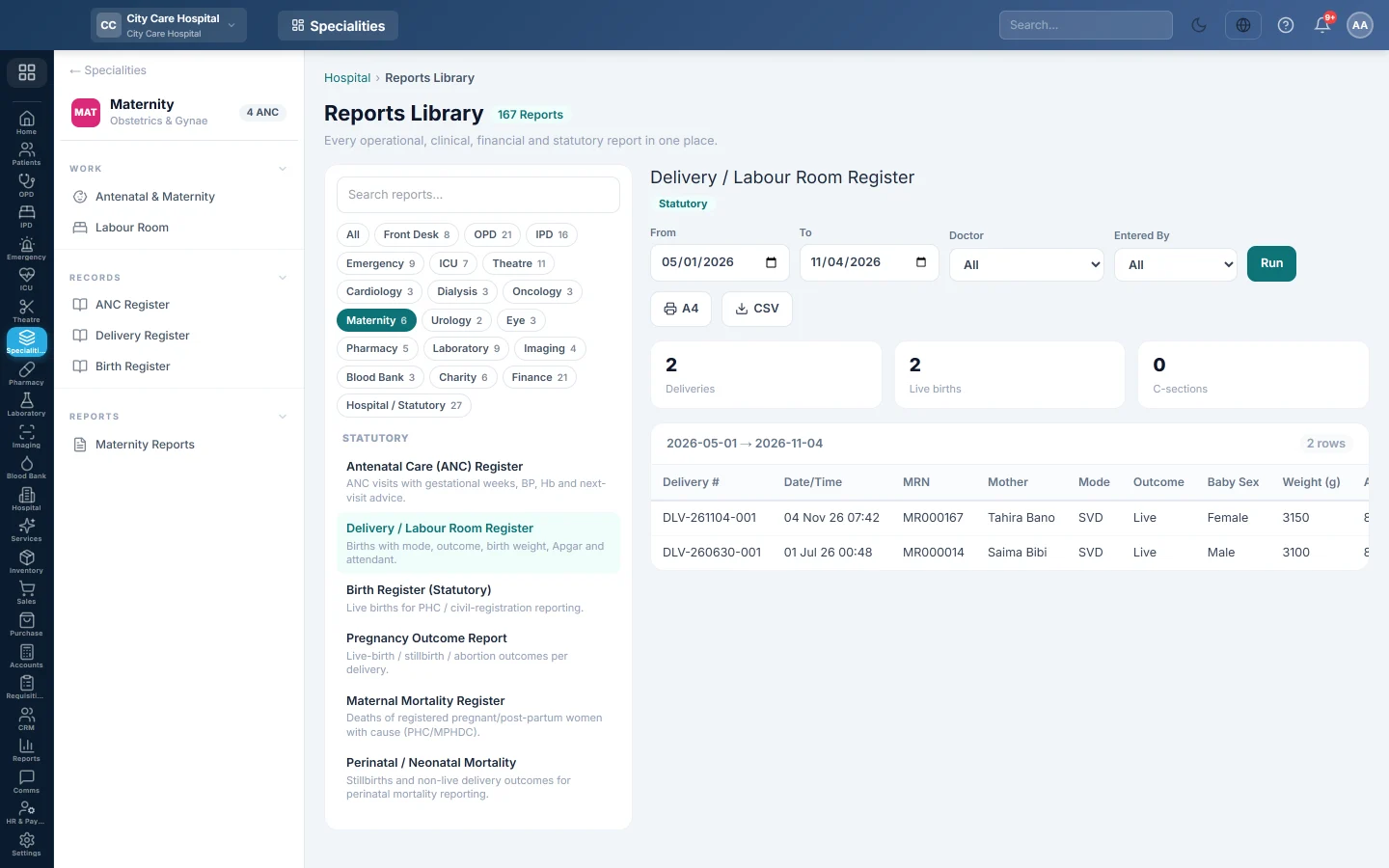
Before you begin
- Your role has the permission to view hospital reports. See Users & Roles.
- Deliveries are recorded on each pregnancy in Antenatal & Maternity.
Where to find it
Open Specialities → Maternity → Records → Delivery Register. It opens in the Reports Library and runs for the current month.
Run the register
- Set From and To. The register uses the date and time of delivery.
- Narrow it if you like:
- Doctor: deliveries conducted by one doctor.
- Entered By: deliveries recorded by one user.
- Click Run.
The summary shows the number of Deliveries, Live births and C-sections. The table lists Delivery #, Date/Time, MRN, Mother, Mode, Outcome, Baby Sex, Weight (g), Apgar 1/5 and Attendant. Long results are paged, 50 rows at a time.
Print or export
- Click A4 to print the register on your letterhead.
- Click CSV to download every row with the same filters, for Excel.
Common questions
Apgar is blank. It was not entered when the delivery was recorded.
Which register do I send for civil registration? The Birth Register. It lists live births only.
Terima kasih. Jika masih butuh bantuan, kirim email ke info@eloerp.net.