Treatment-Plan Status
List the active chemotherapy plans with diagnosis, protocol, intent and cycles done against cycles planned.
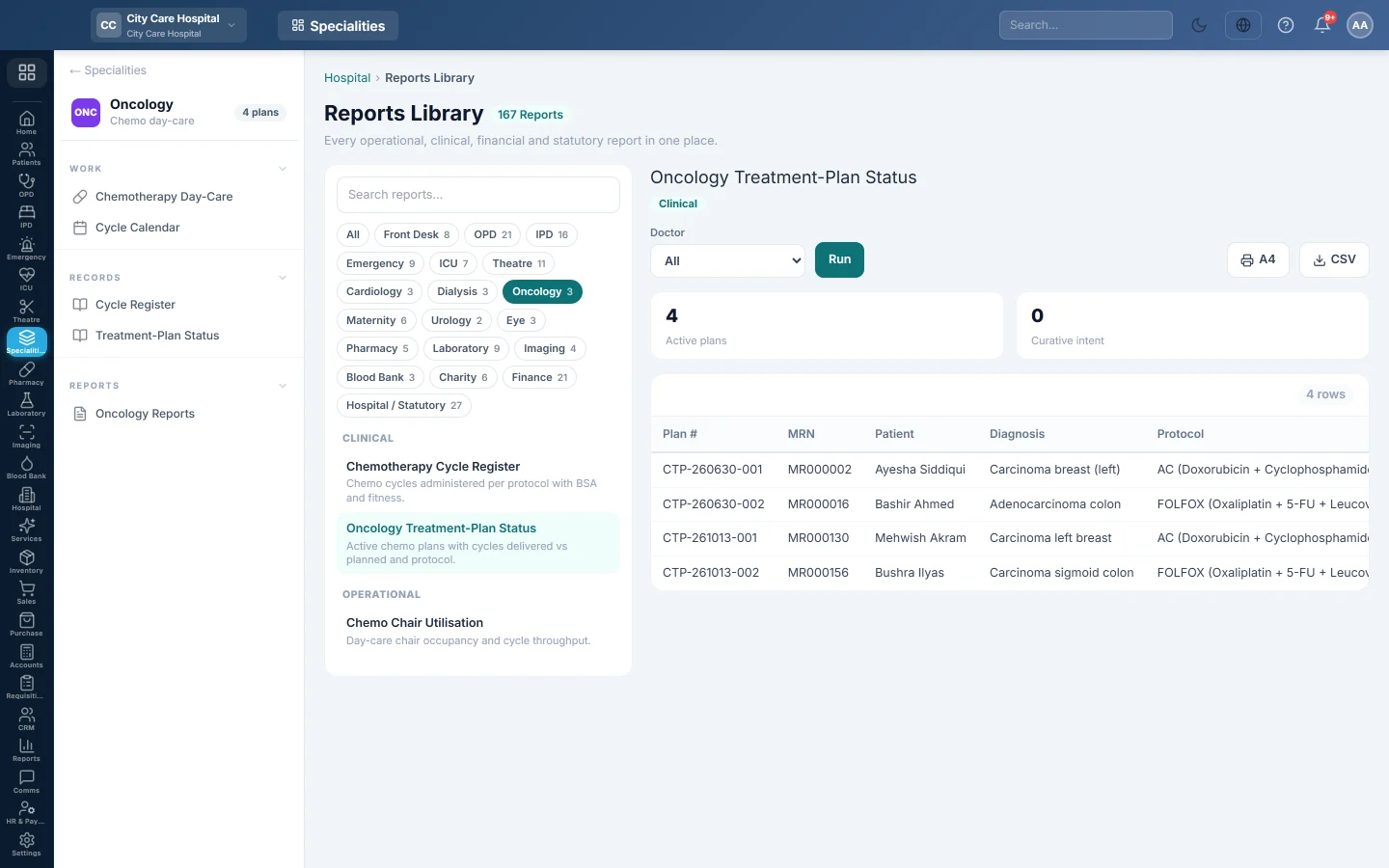
Oncology Treatment-Plan Status lists every active chemotherapy plan, with how many cycles have been given against how many were planned.
Before you begin
- Your role has the permission to view hospital reports. See Users & Roles.
- Plans are opened in Chemotherapy Day-Care.
Where to find it
Open Specialities → Oncology → Records → Treatment-Plan Status. It opens in the Reports Library.
Run the register
- Narrow it if you like:
- Doctor: plans of one oncologist.
- Click Run.
The summary shows the number of Active plans and how many have Curative intent. The table lists Plan #, MRN, Patient, Diagnosis, Protocol, Intent, Cycles Done, Planned and Oncologist. Long results are paged, 50 rows at a time.
Print or export
- Click A4 to print the register on your letterhead.
- Click CSV to download every row with the same filters, for Excel.
Common questions
A plan is missing. It is no longer active. Find it on the Chemotherapy Day-Care list with the status filter.
Protocol is blank. The plan uses a custom regimen with no protocol linked.
Merci. Si vous avez encore besoin d’aide, écrivez à info@eloerp.net.