Cycle Register
List every chemotherapy cycle in a period with protocol, BSA, chair, fitness and status, and print or export it.
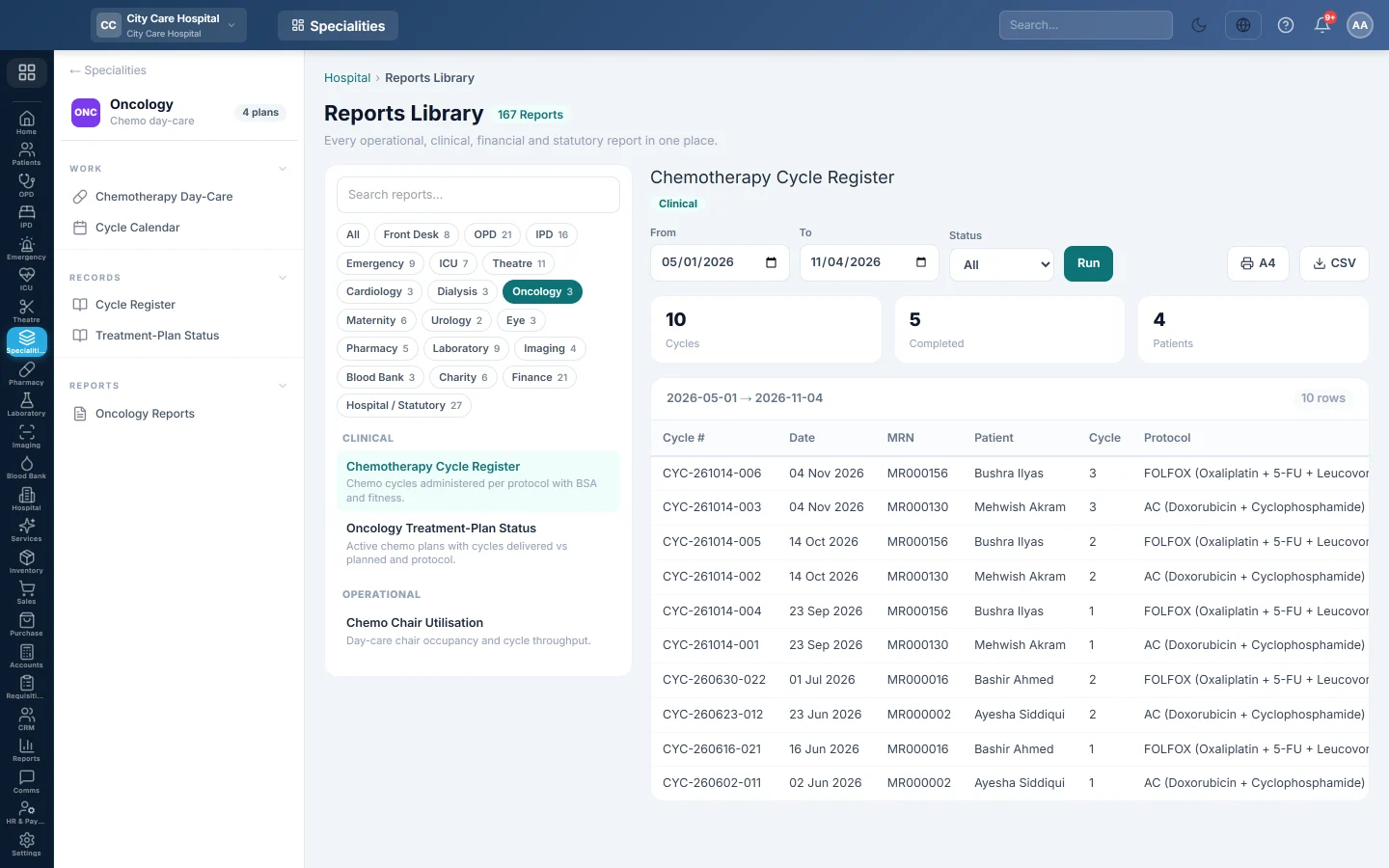
The Chemotherapy Cycle Register lists every cycle scheduled in the period: the patient, the cycle number, the protocol, the body surface area, the chair and whether the patient was fit to treat.
Before you begin
- Your role has the permission to view hospital reports. See Users & Roles.
- Cycles are recorded on each treatment plan in Chemotherapy Day-Care.
Where to find it
Open Specialities → Oncology → Records → Cycle Register. It opens in the Reports Library and runs for the current month.
Run the register
- Set From and To. The register uses each cycle's scheduled date.
- Narrow it if you like:
- Status: Scheduled, Pre Meds, Infusing, Completed or Cancelled.
- Click Run.
The summary shows the number of Cycles, how many are Completed and the Patients treated. The table lists Cycle #, Date, MRN, Patient, Cycle, Protocol, BSA (m²), Chair, Fitness and Status. Long results are paged, 50 rows at a time.
Print or export
- Click A4 to print the register on your letterhead.
- Click CSV to download every row with the same filters, for Excel.
Common questions
Fitness shows Hold. The pre-cycle labs were outside the regimen's thresholds. The cycle went ahead only if someone with the override permission gave a reason.
Where do I see how far each patient is through their plan? See Treatment-Plan Status.
Teşekkür ederiz. Hâlâ yardıma ihtiyacınız varsa info@eloerp.net adresine yazın.