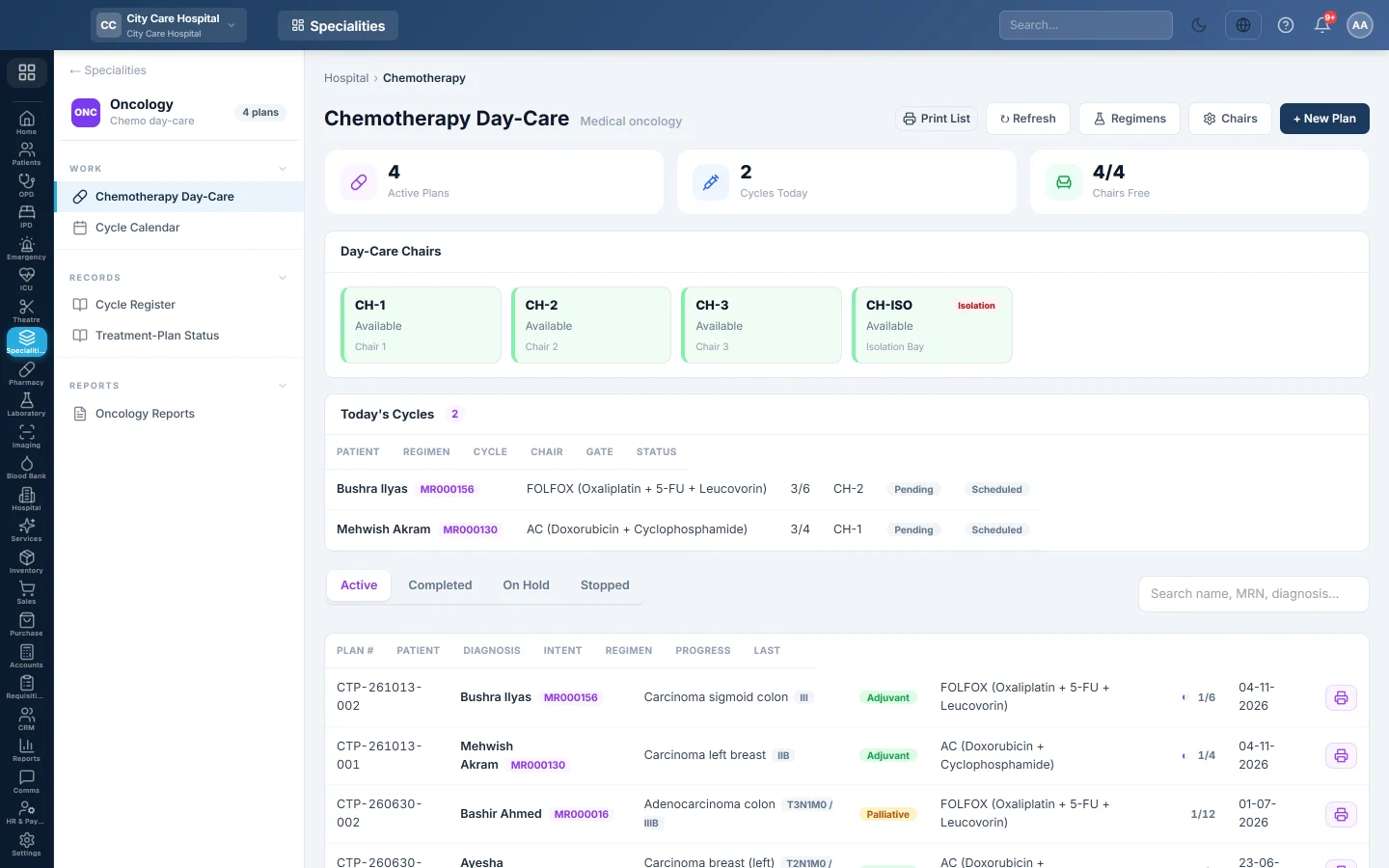
Chemotherapy Day-Care
Run the chemotherapy day-care, from regimens and chairs to treatment plans, each cycle with its safety labs, double-checked drugs, administration, toxicity grading and billing.
Chemotherapy Day-Care holds each patient's treatment plan and every cycle given on it. Before a cycle starts, EloERP checks the safety labs against the regimen and needs the drugs double-checked by a second person.
Before you begin
- The Oncology department is switched on for your hospital, and the oncologists exist. See Doctors.
- The patient is registered. See Register Patient.
- Cycle prices are set in the price list. See Price List & Tariffs.
- Your role needs Manage Chemo Plans / Cycles. Starting a cycle on hold needs Override Chemo Safety Hold.
Where to find it
Open Specialities → Oncology → Work → Chemotherapy Day-Care.
Set up regimens and chairs
- Click Regimens and then add a regimen: its Code (such as FOLFOX), Name, Category, Cycle Length in days and Total Cycles.
- Under Hold thresholds, set the limits for this regimen, or leave them blank for the hospital default: ANC below, Platelets below, Creatinine above, Bilirubin above, ALT above and Weight loss above.
- Click Add drug for each drug with its dose and days, then click Add Regimen.
- Click Chairs and add each day-care chair with its Code, Name and Type (General or Isolation).
Open a treatment plan
- Click + New Plan.
- Pick the Patient, the Oncologist and the Treatment Intent, such as Adjuvant.
- Type the Diagnosis and Stage.
- Pick the Regimen / Protocol, or — none / custom —, and the Planned Cycles.
- Type the Height and Weight, then click Create Plan.
On the plan, record the Regimen consent before the first cycle.
Record a cycle
- On the plan, click + Record Cycle.
- Check the Cycle number, Date and Chair, and leave the Status at Scheduled.
- Under Anthropometry & Dose, type today's Height and Weight. The dose follows the body surface area.
- Under Pre-Cycle Safety Labs, type the results. EloERP shows Cleared to treat or HOLD — do not administer.
- Check the Drugs: the planned dose, the Given mg and any reduction %.
- Click Save Cycle.
Give the cycle
- One nurse clicks Mark prepared when the drugs are made up.
- A second person, signed in as themselves, clicks Double-check.
- Click Start, choose Start as Pre-meds or Infusing, and click Start.
- Record the premedications, vitals, any Reactions or Extravasation, and the nursing notes.
- Click Complete when the infusion is done, or Complete Cycle on the chair tile.
After the cycle
- Click Grade toxicity to record what the patient had since the cycle, grade 0 to 5. A high grade is flagged before the next cycle.
- Click Collect on a completed cycle to take payment. The price comes from the price list. For an admitted patient, it joins their admission bill.
- Use Put On Hold, Resume, Mark Completed or Stop Treatment on the plan when the treatment changes.
Common questions
Start is refused. There is no consent on record, the cycle is on hold without an override, or you chose Infusing before the drugs were double-checked. You can start Pre-meds while the check is done.
The second check is refused. The same person who marked the drugs prepared cannot check them.
Where do I see who is due this week? See Cycle Calendar. The full list is in Cycle Register.
Obrigado. Se ainda precisar de ajuda, escreva para info@eloerp.net.