Cardiology Reports
Run the cath lab's reports, from the case register and the consumables and stent log to the implant recall lookup by lot, serial or UDI.
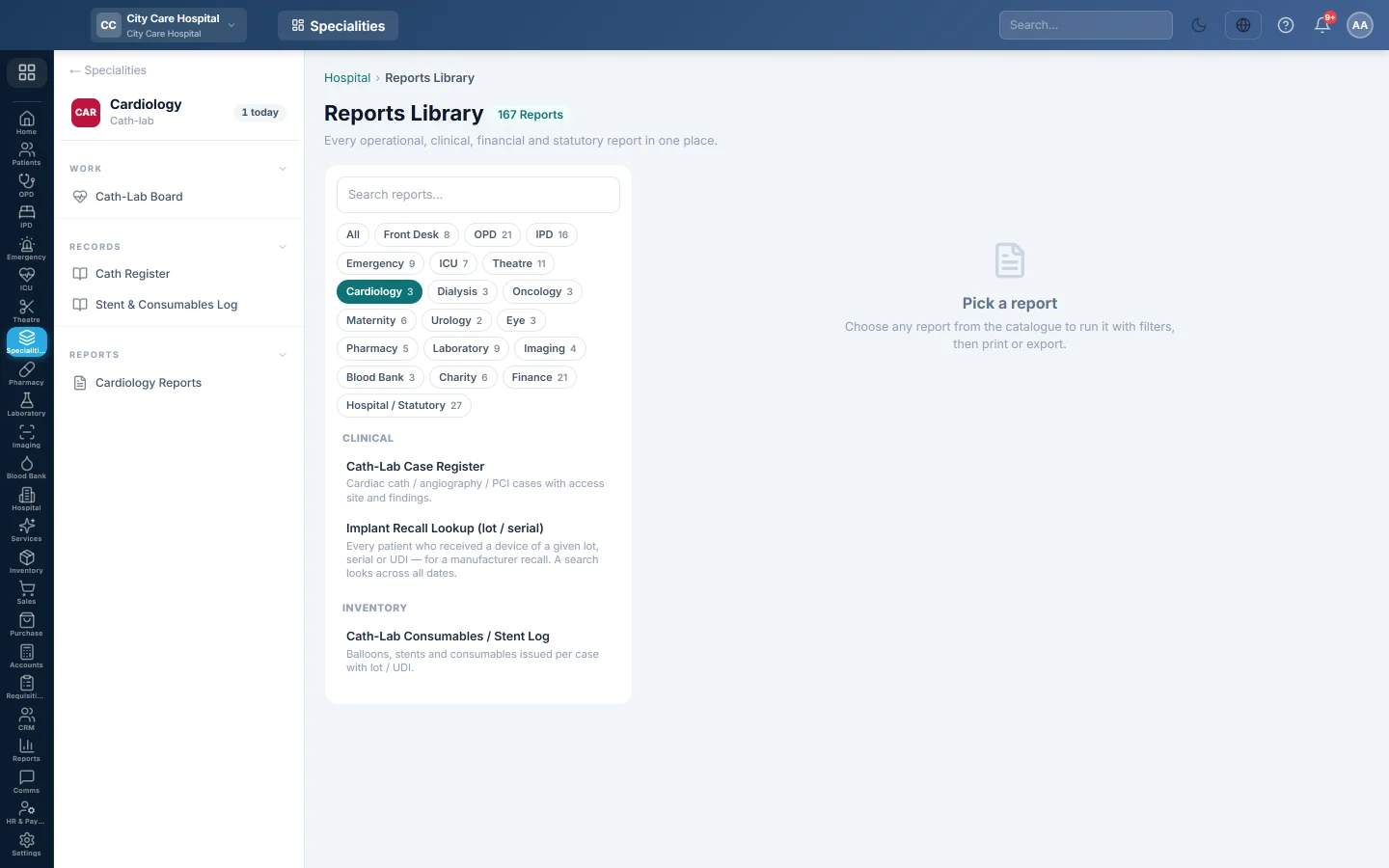
Cardiology Reports opens the hospital Reports Library filtered to the cath lab's reports. Pick one, set the period, run it, then print or export it.
Before you begin
- Your role has the permission to view hospital reports. See Users & Roles.
Where to find it
Open Specialities → Cardiology → Reports → Cardiology Reports. The Cardiology reports are listed on the left.
Run a report
- Click a report in the list on the left.
- Set From and To, and any filter the report offers, such as Doctor or Status.
- Click Run.
- Click A4 to print it, or CSV to download all rows.
The cardiology reports
| Report | What it shows |
|---|---|
| Cath-Lab Case Register | Every cath, angiography and PCI case with access site, stents and status. See Cath Register. |
| Implant Recall Lookup (lot / serial) | Every patient who received a device of a given lot, serial or UDI, with their phone, for a manufacturer recall. |
| Cath-Lab Consumables / Stent Log | Balloons, stents and consumables used per case, with lot or UDI. See Stent & Consumables Log. |
Common questions
The recall lookup finds nothing. The number was not recorded on the case, or was typed differently. Try part of the number.
Can I see cath-lab revenue here? No. Charges posted from a case appear in the hospital's billing and finance reports.
Merci. Si vous avez encore besoin d’aide, écrivez à info@eloerp.net.