Cath Register
List every cath-lab case in a period, angiography, angioplasty or primary PCI, with access site, stents and cardiologist, and print or export it.
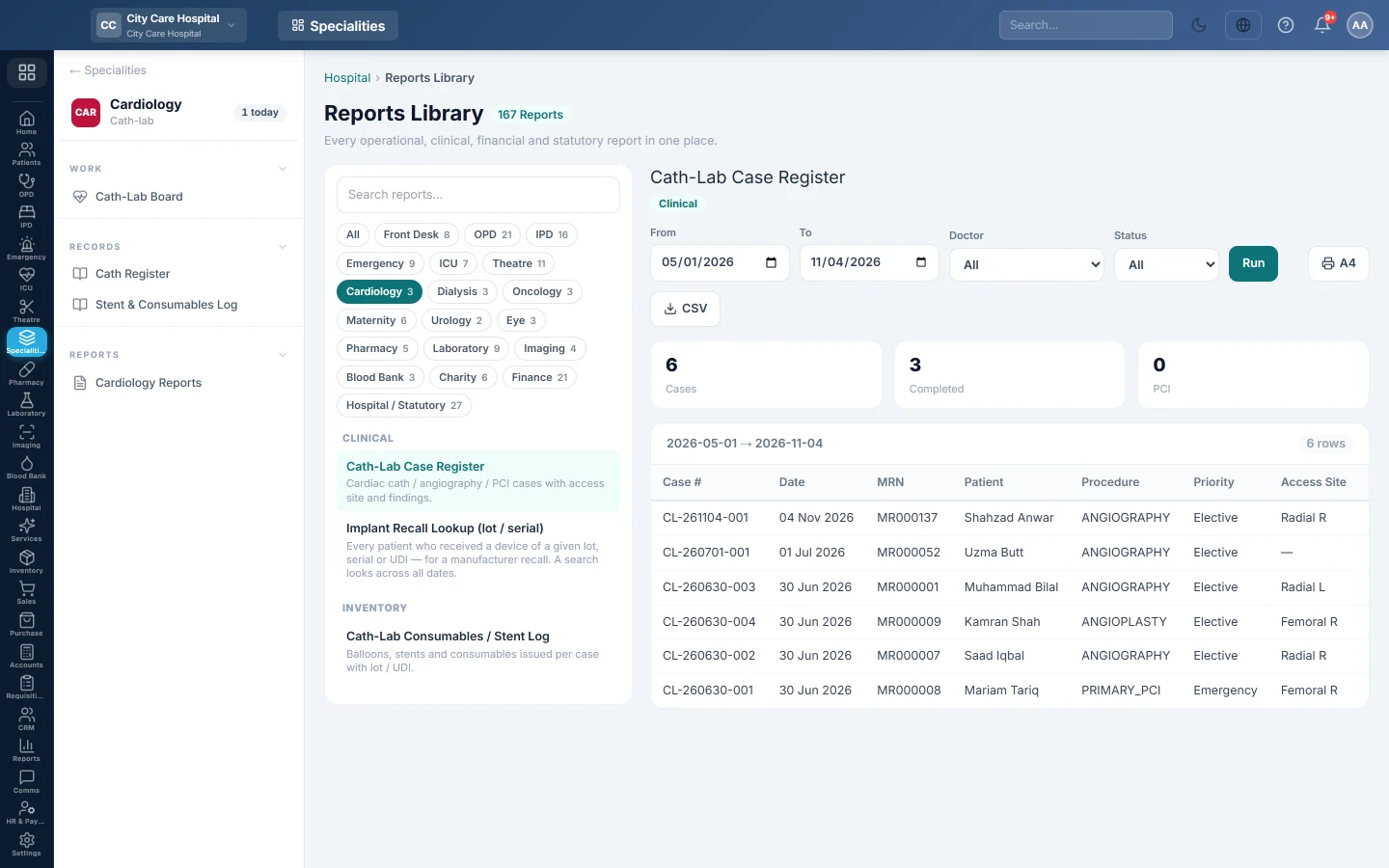
The Cath-Lab Case Register is the cath lab's record book: one row per case scheduled in the period, with its procedure, access site, stents and status.
Before you begin
- Your role has the permission to view hospital reports. See Users & Roles.
- The cases come from the Cath-Lab Board.
Where to find it
Open Specialities → Cardiology → Records → Cath Register. It opens in the Reports Library and runs for the current month.
Run the register
- Set From and To. The register uses each case's scheduled date.
- Narrow it if you like:
- Doctor: cases of one cardiologist.
- Status: Scheduled, In Lab, Completed or Cancelled.
- Click Run.
The summary shows the number of Cases, how many are Completed and how many were PCI. The table lists Case #, Date, MRN, Patient, Procedure, Priority, Access Site, Stents, Cardiologist and Status. Long results are paged, 50 rows at a time.
Print or export
- Click A4 to print the register on your letterhead.
- Click CSV to download every row with the same filters, for Excel.
Common questions
Why is a cancelled case listed? The register lists every case booked. Pick a Status to leave others out.
The Stents column is empty for an angioplasty. The cardiologist has not entered Stents Deployed in the case's procedure report yet.
Where do I see which stent lot each patient got? Use Stent & Consumables Log, or the Implant Recall Lookup in Cardiology Reports.
谢谢。 如果仍需帮助,请发邮件至 info@eloerp.net。