Critical Care Reports
The critical-care reports in the Reports Library - census, mortality, infusions, the NICU register, handovers, severity trends and ventilator days.
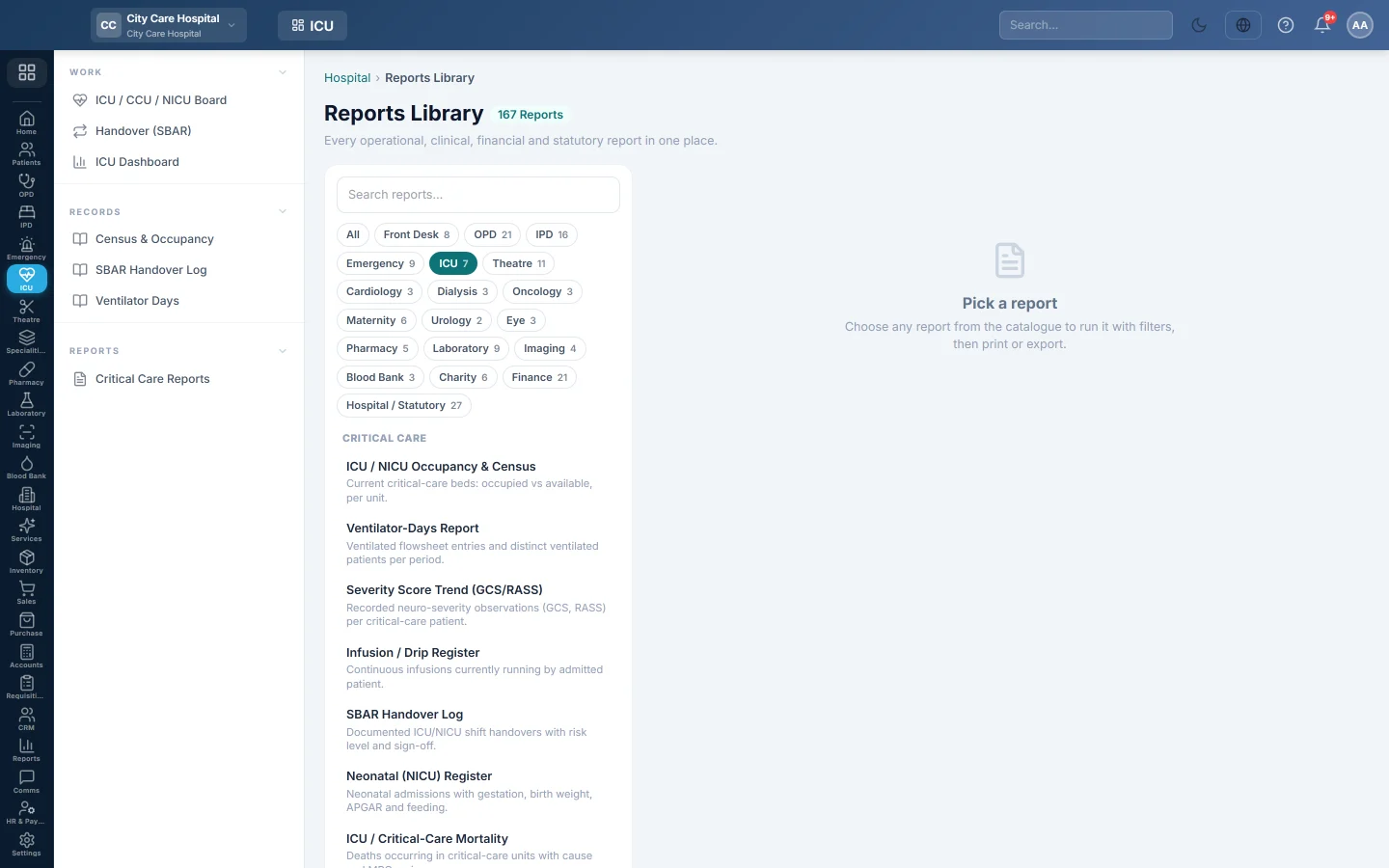
Critical Care Reports opens the Reports Library filtered to the ICU, CCU and NICU reports. Each one can be printed on A4 or exported to CSV.
Before you begin
- Your role needs the hospital reports permission. See Users & Roles.
Where to find it
Open Intensive care → Reports → Critical Care Reports. The library opens with the ICU chip selected.
The reports
| Report | What it shows |
|---|---|
| ICU / NICU Occupancy & Census | Critical-care beds now. See Census & Occupancy. |
| ICU / Critical-Care Mortality | Deaths in the units, with cause and mortality review. |
| Infusion / Drip Register | Drips running now for each admitted patient. |
| Neonatal (NICU) Register | NICU admissions with gestation, birth weight, APGAR and feeding. |
| SBAR Handover Log | Shift handovers. See SBAR Handover Log. |
| Severity Score Trend (GCS/RASS) | Neurological scores recorded for each patient. |
| Ventilator-Days Report | Ventilated patients and days. See Ventilator Days. |
Run a report
- Click the report in the list on the left. It runs at once for the current month.
- Change From and To, and the Department if needed.
- Click Run.
- Click A4 to print with your letterhead, or CSV to download every row.
Common questions
The infusion register ignores the dates. It lists drips running now, like the census.
Where are ICU deaths certified? On Deaths & Mortuary.
Was this article helpful?
Thank you. If you still need help, write to info@eloerp.net.