SBAR Handover Log
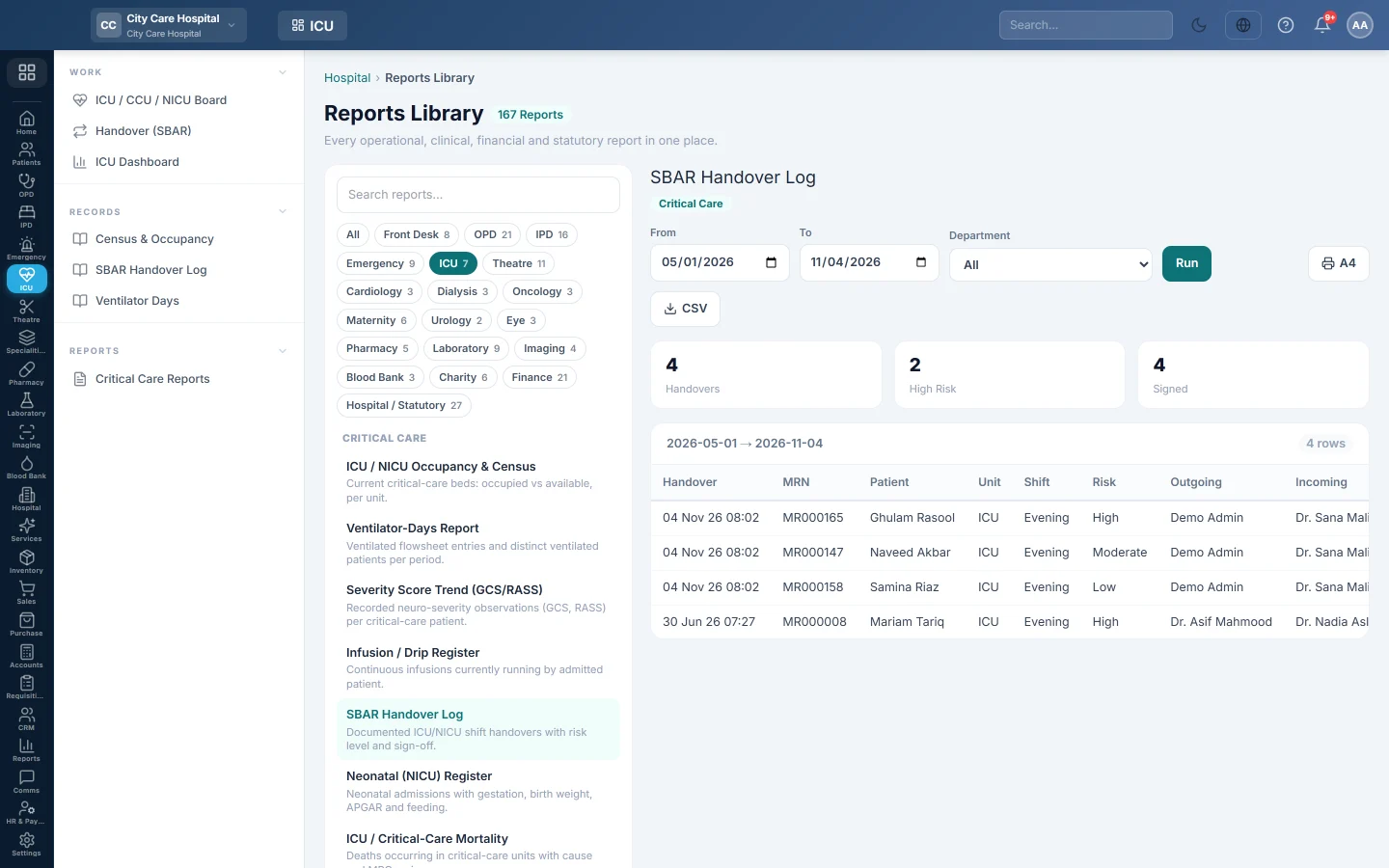
The log of critical-care shift handovers in a period, with the unit, shift, risk level, who handed over to whom and whether it was signed.
The SBAR Handover Log lists the critical-care handovers documented in a period. Nursing managers use it to check that every shift handed over, and that handovers were signed.
Before you begin
- Your role needs the hospital reports permission. See Users & Roles.
- The report runs in the Reports Library.
Where to find it
Open Intensive care → Records → SBAR Handover Log.
Run the log
- Set From and To.
- Optionally pick a Department.
- Click Run.
- Click A4 to print, or CSV to download every row.
What the report shows
The tiles count Handovers, High Risk and Signed.
| Column | What it shows |
|---|---|
| Handover | When it was given. |
| MRN, Patient | The patient. |
| Unit, Shift | The unit and the shift. |
| Risk | Low, Moderate or High. |
| Outgoing, Incoming | Who handed over, and who took over. |
| Signed | Whether it was signed. |
Common questions
How do I read what was handed over? Open the day on Handover (SBAR) and click the handover.
Unsigned handovers? The outgoing staff did not tick Sign this handover. Remind them at the next shift.
¿Le ha resultado útil este artículo?
Gracias. Si todavía necesita ayuda, escriba a info@eloerp.net.