Census & Occupancy
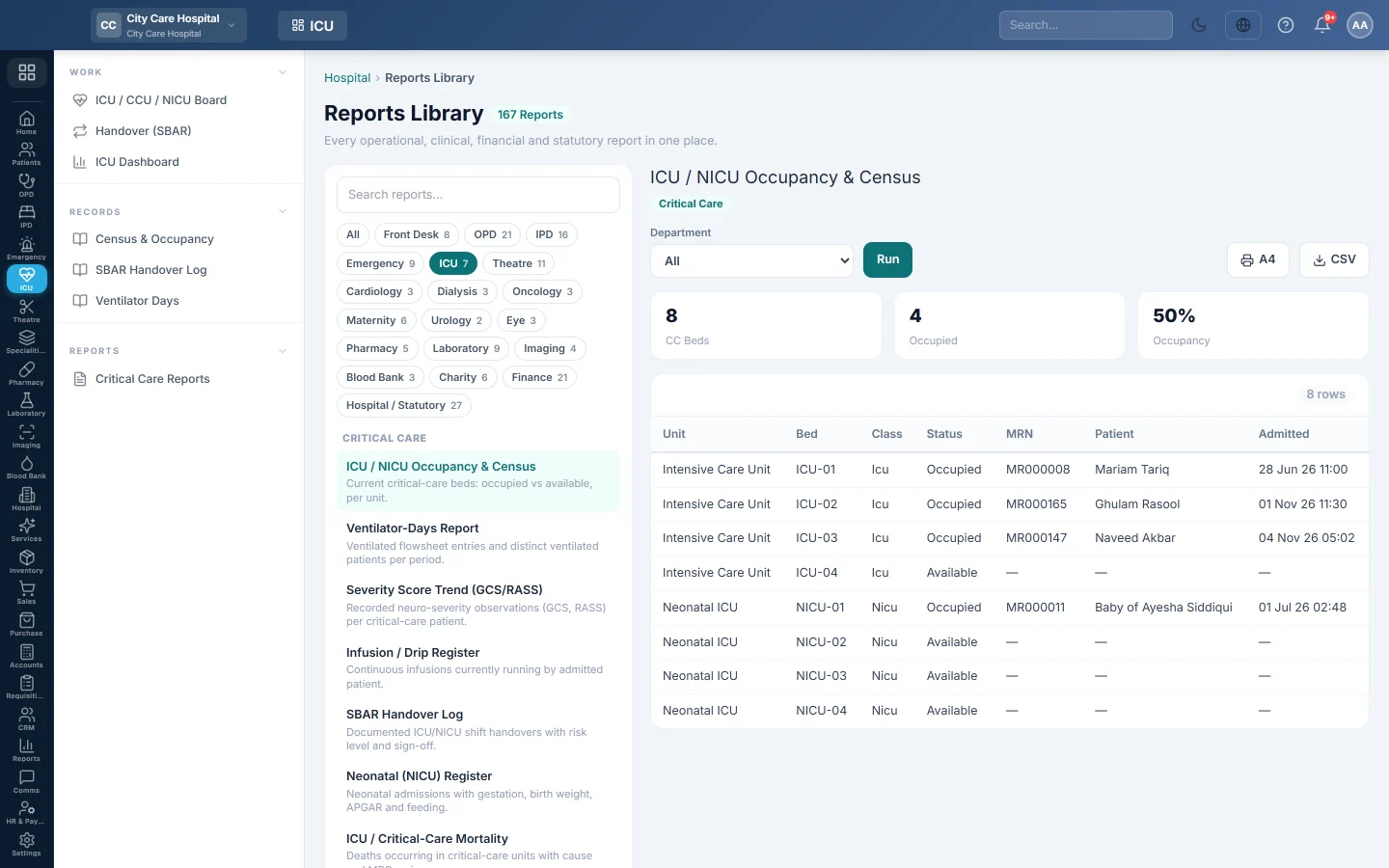
The live census of critical-care beds - every ICU, CCU and NICU bed with its status and patient, and the units' occupancy.
Census & Occupancy lists every critical-care bed as it is now: who is in it, or that it is free. The tiles give the units' occupancy.
Before you begin
- Your role needs the hospital reports permission. See Users & Roles.
- The report runs in the Reports Library.
Where to find it
Open Intensive care → Records → Census & Occupancy. It opens as ICU / NICU Occupancy & Census.
Run the census
- Optionally pick a Department to see its units only.
- Click Run.
- Click A4 to print, or CSV to download it.
What the report shows
The tiles show CC Beds, Occupied and Occupancy.
| Column | What it shows |
|---|---|
| Unit | ICU, CCU or NICU. |
| Bed, Class | The bed and its class. |
| Status | Available, Occupied, Cleaning, Reserved or Blocked. |
| MRN, Patient | The patient in the bed. |
| Admitted | When they were admitted. |
Common questions
A unit is missing. Its ward type is not ICU, CCU or NICU. Correct it on Wards & Beds.
Can I see past occupancy? Use Bed Occupancy Rate in IPD Reports for a period.
这篇文章对您有帮助吗?
谢谢。 如果仍需帮助,请发邮件至 info@eloerp.net。