Handover (SBAR)
The day's ICU, CCU and NICU shift handovers in SBAR form, and the critical-care beds that have gone 12 hours without one.
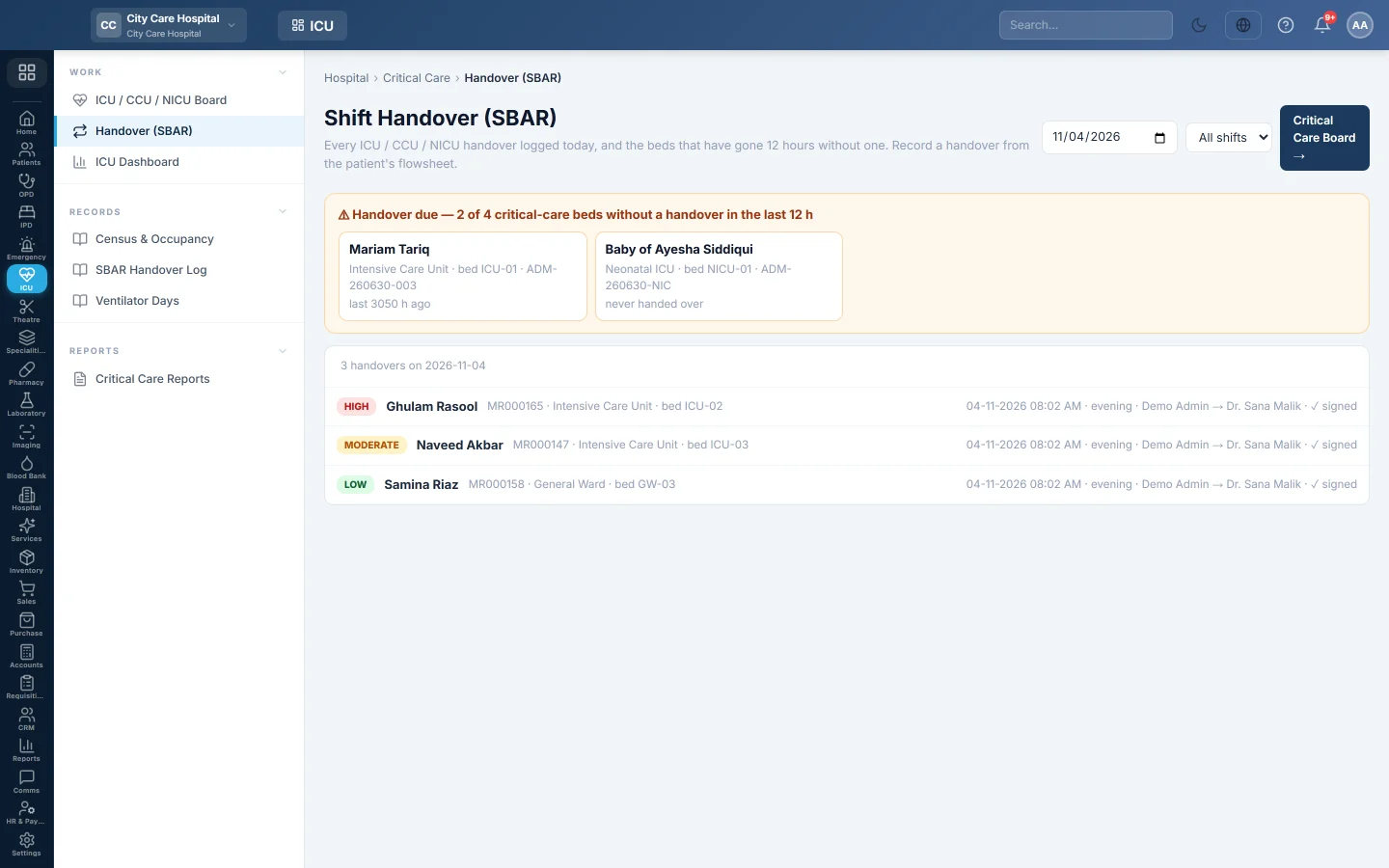
Handover (SBAR) lists every critical-care handover logged on a day. It also warns about beds that have gone 12 hours without one, so no patient is missed at shift change.
Before you begin
- Handovers are written from the patient's flowsheet on the ICU / CCU / NICU Board.
Where to find it
Open Intensive care → Work → Handover (SBAR). The page is titled Shift Handover (SBAR).
Check the handovers
- Pick the date, and optionally a shift: Morning, Evening or Night.
- Read Handover due. It lists the critical-care beds with no handover in the last 12 hours. Click one to open the patient.
- Read the list. Each handover shows the risk level, the patient, ward and bed, the time, the shift, who handed over to whom, and signed when it was signed.
- Click a handover to read its Situation, Background, Assessment, Recommendation and pending tasks.
Write a handover
- Open the patient from the ICU / CCU / NICU Board.
- Click Handover.
- Choose whether you are handing over as Nurse or Doctor, the Shift and the Risk Level.
- Fill in Situation, Background, Assessment, Recommendation and Pending Tasks.
- Pick the colleague Taking over.
- Tick Sign this handover and click Save Handover.
Common questions
A bed shows Handover due right after a handover. The handover was saved on another day or for another admission. Check the date at the top.
Can I see older handovers? Yes. Change the date, or run the SBAR Handover Log for a period.
What does the risk level do? It flags how closely the next shift must watch the patient. High-risk handovers are counted in the log.
Спасибо. Если помощь всё ещё нужна, напишите на info@eloerp.net.