Emergency Reports
The emergency department's reports in the Reports Library - registers, triage mix, disposition, wait times, peak hours, LAMA and MLC registers.
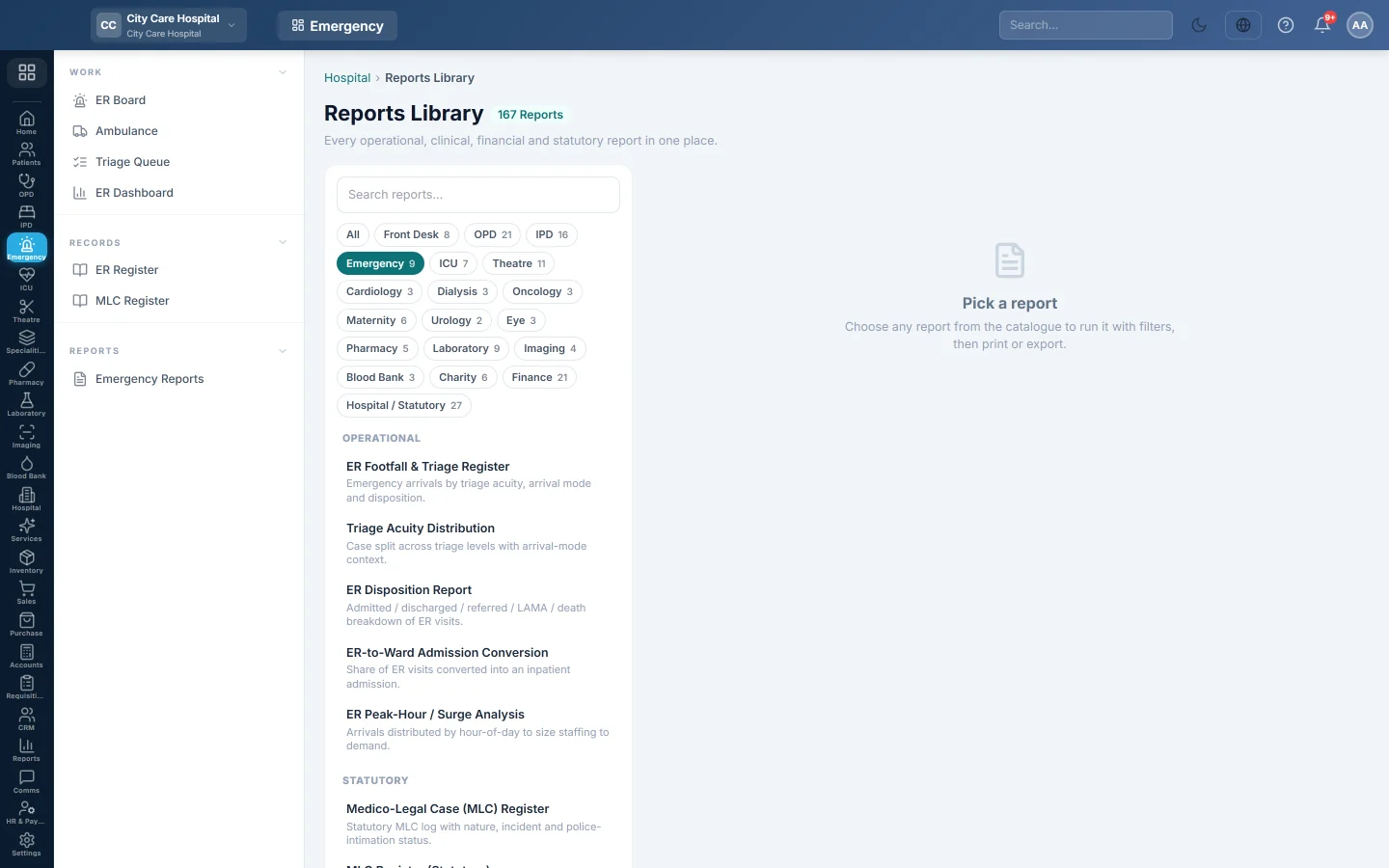
Emergency Reports opens the Reports Library filtered to the emergency department's reports. Each one can be printed on A4 or exported to CSV.
Before you begin
- Your role needs the hospital reports permission. See Users & Roles.
Where to find it
Open Emergency → Reports → Emergency Reports. The library opens with the Emergency chip selected.
The reports
| Report | What it shows |
|---|---|
| ER Footfall & Triage Register | Every arrival. See ER Register. |
| Triage Acuity Distribution | Cases split by triage level, with arrival mode. |
| ER Disposition Report | Admitted, discharged, referred, LAMA and death counts. |
| ER-to-Ward Admission Conversion | The share of ER visits admitted to a ward. |
| Door-to-Doctor / Wait-Time | Minutes from arrival to triage and to the first assessment, per visit. |
| ER Peak-Hour / Surge Analysis | Arrivals by hour of the day, to plan staff. |
| LAMA / Absconded Report | Patients who left against advice or absconded. |
| Medico-Legal Case (MLC) Register | Every MLC. See MLC Register. |
| MLC Register (Statutory) | MLCs with police intimation and FIR, for court reporting. |
Run a report
- Click the report in the list on the left. It runs at once for the current month.
- Change From and To, and the report's other filters such as Doctor, Status or Entered By.
- Click Run.
- Click A4 to print with your letterhead, or CSV to download every row.
Common questions
A report is empty. Nothing matches the period or filters. Widen the dates or set filters back to All.
Where are deaths in the emergency? On Deaths & Mortuary, and in the mortality registers. See Mortality & MRC.
Cet article vous a-t-il été utile ?
Merci. Si vous avez encore besoin d’aide, écrivez à info@eloerp.net.