My Day
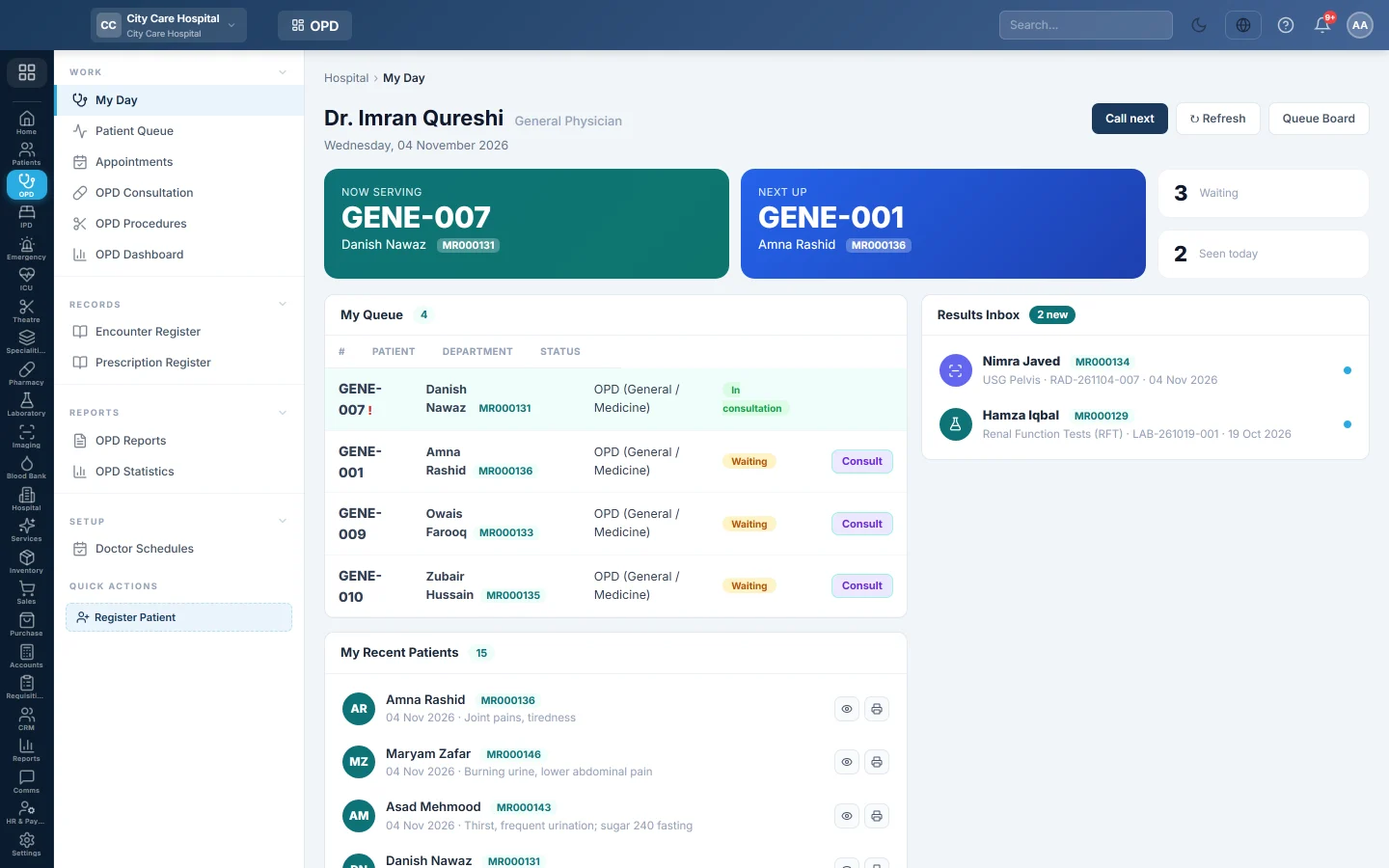
The doctor's own OPD screen - who is being served, who is next, the doctor's queue, results that came back, recent patients, appointments and weekly timetable.
My Day is the doctor's home screen in OPD. It shows the patient being served, who is next, the doctor's own queue, new results and the week's clinic times.
Before you begin
- Your login must be linked to a doctor profile. Until then the page says No doctor profile linked. An administrator links it on Doctors.
- Patients reach your queue when the desk issues them a token. See Patient Queue.
- Your clinic hours come from Doctor Schedules.
Where to find it
Open Outpatients (OPD) → Work → My Day.
See your patients
- Look at Now Serving and Next Up. The counters show how many are Waiting and how many you have Seen today.
- Click Call next to call the next patient waiting for you.
- In My Queue, click Consult on the patient to open OPD Consultation.
- Click No-show on a called patient who did not come in. This skips the token and marks the appointment no-show.
A token marked Clinic was issued to the clinic, not to one doctor. The first doctor to open it takes it. Whether clinic tokens show here is set under Queue rules on Patient Queue.
Signing the consultation serves the token, so the patient leaves your queue.
Check results and co-signs
- Results Inbox lists lab and imaging reports for tests you ordered. New ones are marked, and critical results stand out. Click one to open it.
- Awaiting co-sign lists consultations by junior doctors that need a consultant's signature. Click Read to see the note and Co-sign to sign it.
Look back and ahead
- My Recent Patients lists patients you saw. The eye and printer buttons open or print the prescription.
- My Appointments has Upcoming and History tabs. Open starts the consultation.
- My Timetable shows your clinic days, hours and slot length.
Queue Board opens the full Patient Queue.
Common questions
My Day says No doctor profile linked. Your user is not linked to a doctor yet. Ask an administrator to link it on Doctors.
A patient is in the queue but Call next is greyed out. Nobody is waiting; the patients shown are already called or in progress. Click ↻ Refresh to reload.
My timetable is empty. No schedule is set for you. Ask the OPD manager to add your hours on Doctor Schedules.
Why does a patient stay in my queue after I saw them? The consultation is not signed yet, or the fee is still due. Sign it with Save & Sign; with fee-after-consult, the counter serves the token when the fee is paid.
谢谢。 如果仍需帮助,请发邮件至 info@eloerp.net。