Requisition Preferences
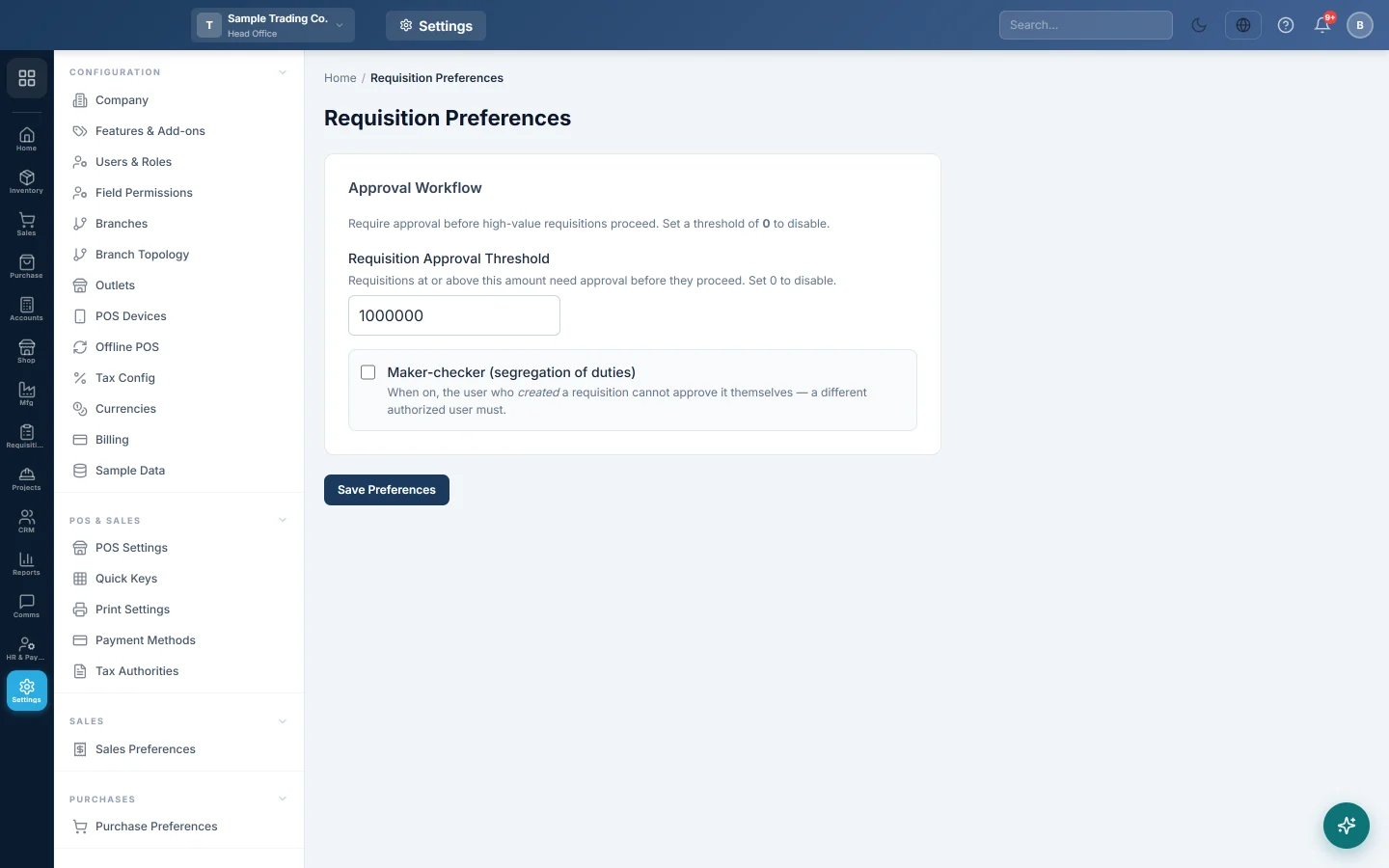
Set the amount above which a requisition needs approval, and whether the person who raised it may approve it themselves.
Requisition Preferences sets two approval rules for requisitions: the amount at which a requisition needs someone to approve it, and whether the person who raised a requisition may approve it themselves.
Before you begin
- The Requisitions module must be on for your company. If you do not see Requisitions in the module rail, ask your provider to switch it on.
- Decide who approves requisitions. Their role needs the requisition approve permission; see Users & Roles.
Where to find it
Open Settings → Requisitions → Requisition Preferences. The same page is under Requisitions → Settings → Requisition Preferences.
Set the approval threshold
- Type the amount in Requisition Approval Threshold, for example 50000 for Rs 50,000.
- Click Save Preferences. ✓ Saved shows for a few seconds.
When someone clicks Submit on a requisition, EloERP compares its estimated total (quantity × rate on its lines) with this amount:
- At or above the threshold, the requisition waits with Pending approval until someone clicks Approve or Reject.
- Below the threshold, it is approved at once and can go straight to a purchase order, store issue or transfer.
Set the threshold to 0 to turn approval off: every requisition is approved when it is submitted. A new company starts at Rs 1,000,000.
Turn on Maker-checker
- Tick Maker-checker (segregation of duties).
- Click Save Preferences.
With it on, the user who created a requisition cannot approve it. A different user with approve permission must do it. A user with full administrator access is not held to this rule.
Common questions
Do rates have to be entered on a requisition? Only for the threshold to work. A requisition with no rates has a total of 0, so it is approved on Submit whenever the threshold is above 0.
Does one threshold cover purchase, store and transfer requisitions? Yes. One amount applies to every requisition type.
I tried to approve my own requisition and got an error. Maker-checker is on. Ask another approver, or untick it here if your team is too small.
Does this change purchase or sales approvals? No. Those have their own settings in Purchase Preferences and Sales Preferences.
شكرًا لك. إذا كنت لا تزال بحاجة إلى مساعدة، راسلنا على info@eloerp.net.