Fulfillment & Aging
See how much of each requisition has been ordered, issued or transferred, what is still open, and how long open requests have waited.
Fulfillment & Aging shows, line by line, how much of each request has been met and what is still waiting. The aging part shows how long open requisitions have waited, so nothing is forgotten.
Before you begin
- Requisitions have been approved and some fulfilled. See All Requisitions.
Where to find it
Open Requisitions → Requisitions → Fulfillment & Aging.
Run the report
- Set Date From and Date To.
- Optionally pick a Type, Status or Department.
- Click Apply Filters.
- Click Excel or Print to take it away.
Read the report
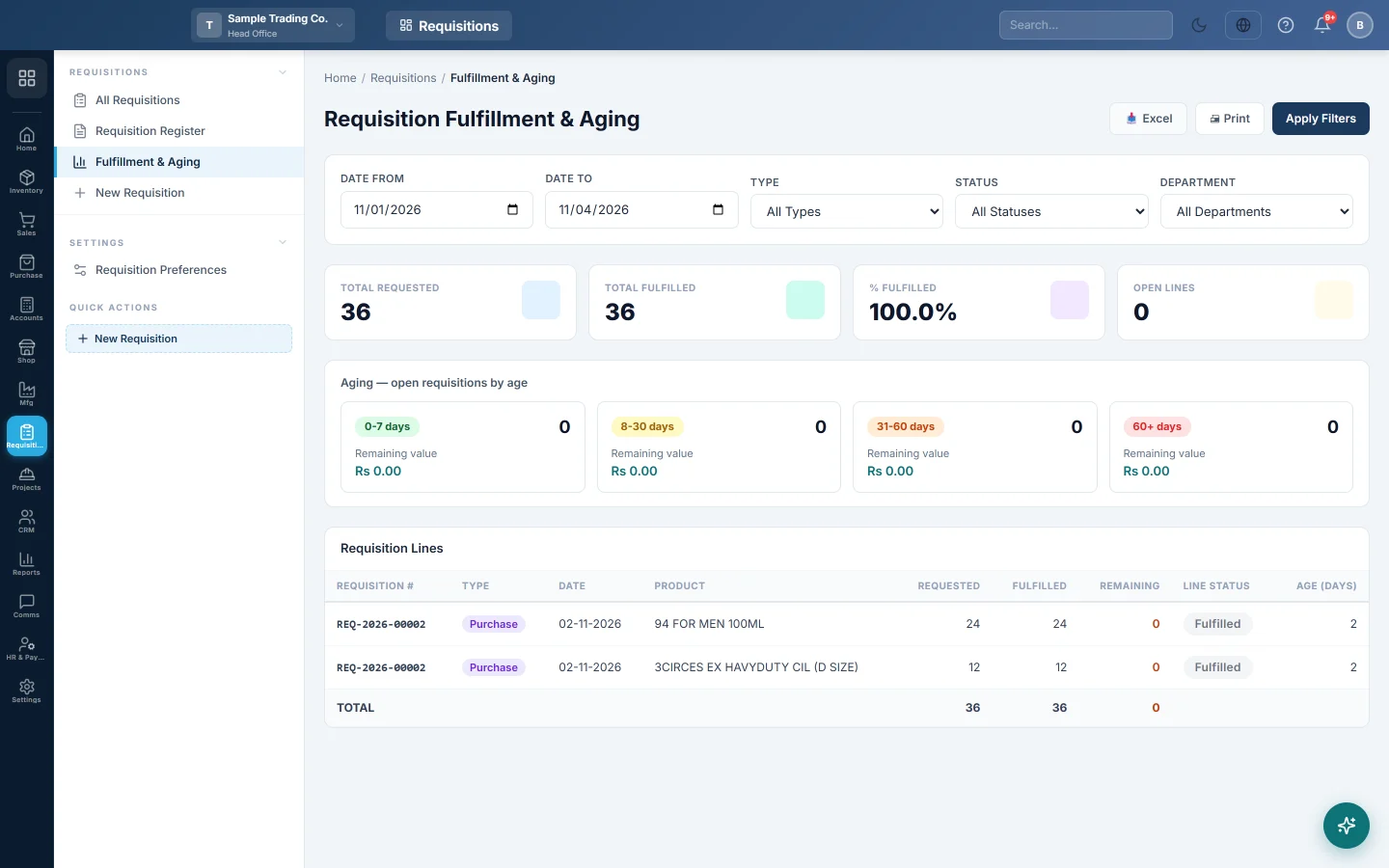
- The cards show Total Requested, Total Fulfilled, % Fulfilled and Open Lines.
- Aging — open requisitions by age groups requisitions not yet fully met into 0–7, 8–30, 31–60 and over 60 days old, with the count and the Remaining value in each.
- Requisition Lines lists each line: Requisition #, Type, Date, Product, Requested, Fulfilled, Remaining, Line Status and Age (days).
A line counts as fulfilled when a purchase order, store issue or transfer covers it. A cancelled issue or transfer reopens the line.
Common questions
A line is fulfilled but the goods have not arrived. For a purchase requisition, the line is fulfilled when the purchase order is made. Track the delivery on Purchase Orders.
How do I clear an old open requisition nobody needs? If nothing was ordered, issued or transferred against it, delete it on All Requisitions. A partly fulfilled requisition cannot be deleted.
谢谢。 如果仍需帮助,请发邮件至 info@eloerp.net。