Requisition Register
A list of all requisitions in a period with their type, department, requester, estimated value and status, with totals.
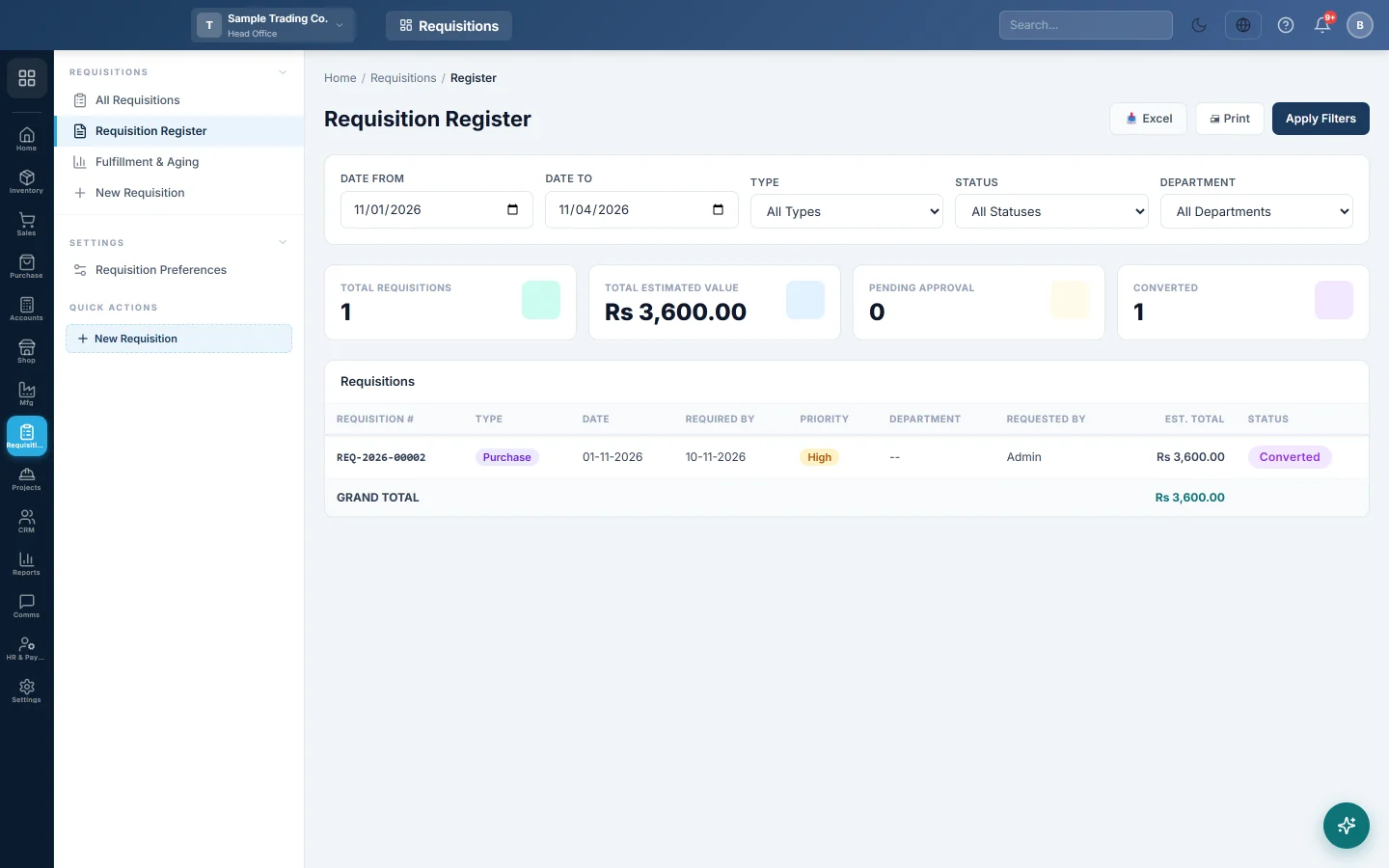
The Requisition Register lists every requisition raised in a period, so you can see who asked for what, what it was worth and where it stands.
Before you begin
- Requisitions exist. See All Requisitions.
Where to find it
Open Requisitions → Requisitions → Requisition Register.
Run the register
- Set Date From and Date To.
- Optionally pick a Type (Purchase, Store or Transfer), a Status such as Partially Converted, or a Department.
- Click Apply Filters.
- Click Excel or Print to take it away.
The cards show Total Requisitions, Total Estimated Value, Pending Approval and Converted. The table lists each Requisition #, Type, Date, Required By, Priority, Department, Requested By, Est. Total and Status, with a GRAND TOTAL.
Common questions
What is the estimated value? The requested quantity times each product's purchase price when the requisition was saved. The real cost is on the purchase order or store issue.
How do I see what is still open? Use Fulfillment & Aging. It shows each line's fulfilled and remaining quantity, and how old it is.
Obrigado. Se ainda precisar de ajuda, escreva para info@eloerp.net.