Bill of Materials
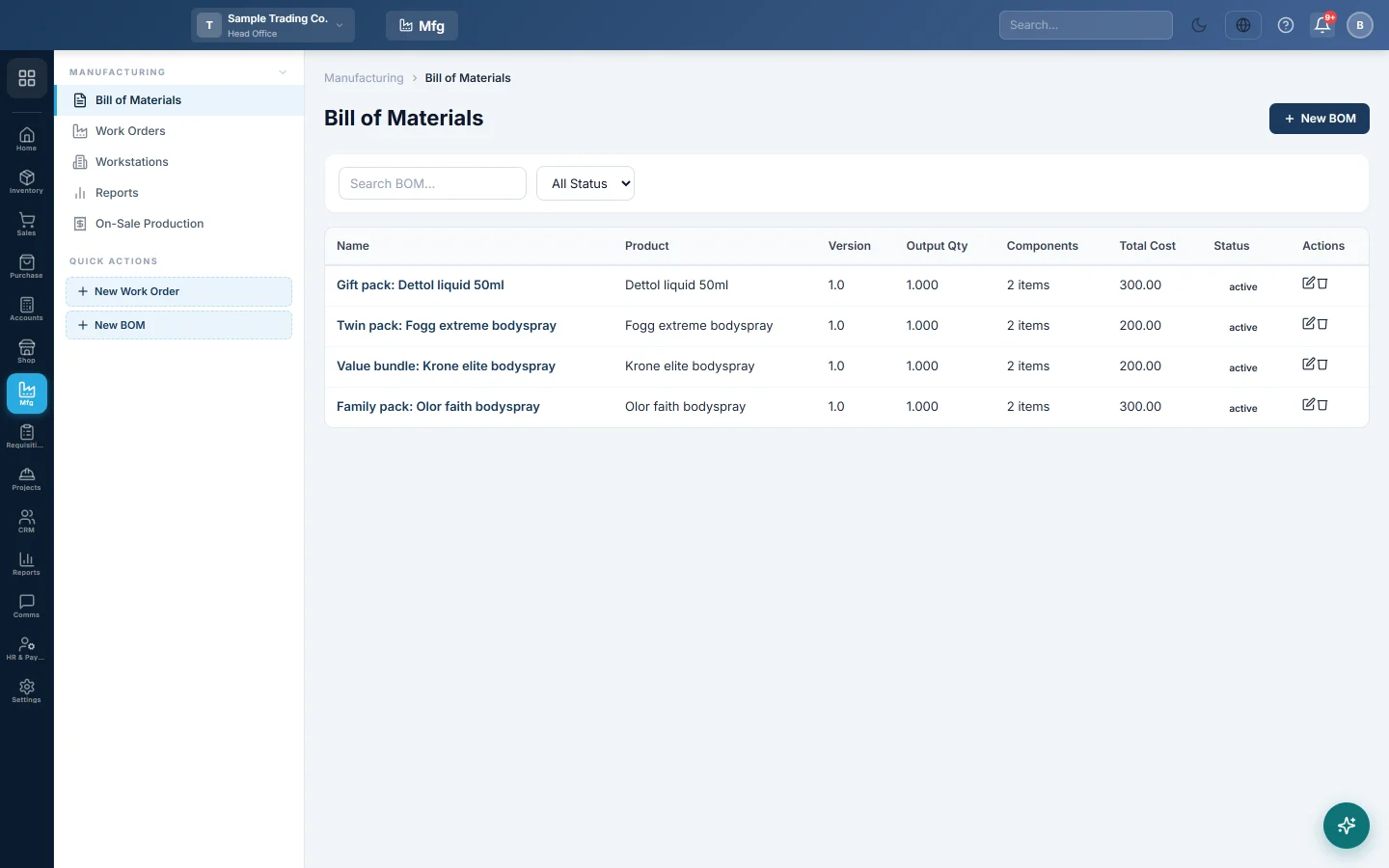
Write the recipe for each product you make, with its raw materials, output quantity, labour and overhead, and see what one unit costs.
A bill of materials (BOM) is the recipe for a product you make: which raw materials go in, how much, and how many finished units one run gives. EloERP uses it to consume materials and price the output.
Before you begin
- The finished product and every raw material exist as products. See All Products.
- Raw materials have a cost price, so the BOM can show a cost. Purchases set it; see Invoices.
- Your role needs the manufacturing BOM permissions. See Users & Roles.
Where to find it
Open Manufacturing → Manufacturing → Bill of Materials. The side menu also has a New BOM quick action.
Make a BOM
- Click New BOM.
- Type the BOM Name, for example Office Chair – standard.
- Search for the Finished Product. If it is not yet marked as produceable, it is marked when you save.
- Type a Version, such as v1, if you keep several recipes for one product.
- Choose the Production Type:
- Make to Stock (Pre-sale, Manual): you make goods ahead and keep them in stock.
- Make to Order (Post-sale, Auto): goods are made when you sell them, for example a dish or a made-to-measure item.
- Set Output Qty per Run, for example 10 chairs, and the Output Unit.
- Type the Labour Cost per Unit and Overhead Cost per Unit if you want them in the cost.
- Under Components / Raw Materials, click + Add Component for each material.
- Search the Product, type the Qty for one run, and check the Unit and Unit Cost. The cost fills from the product's cost price.
- Set Status to Active and click Save BOM.
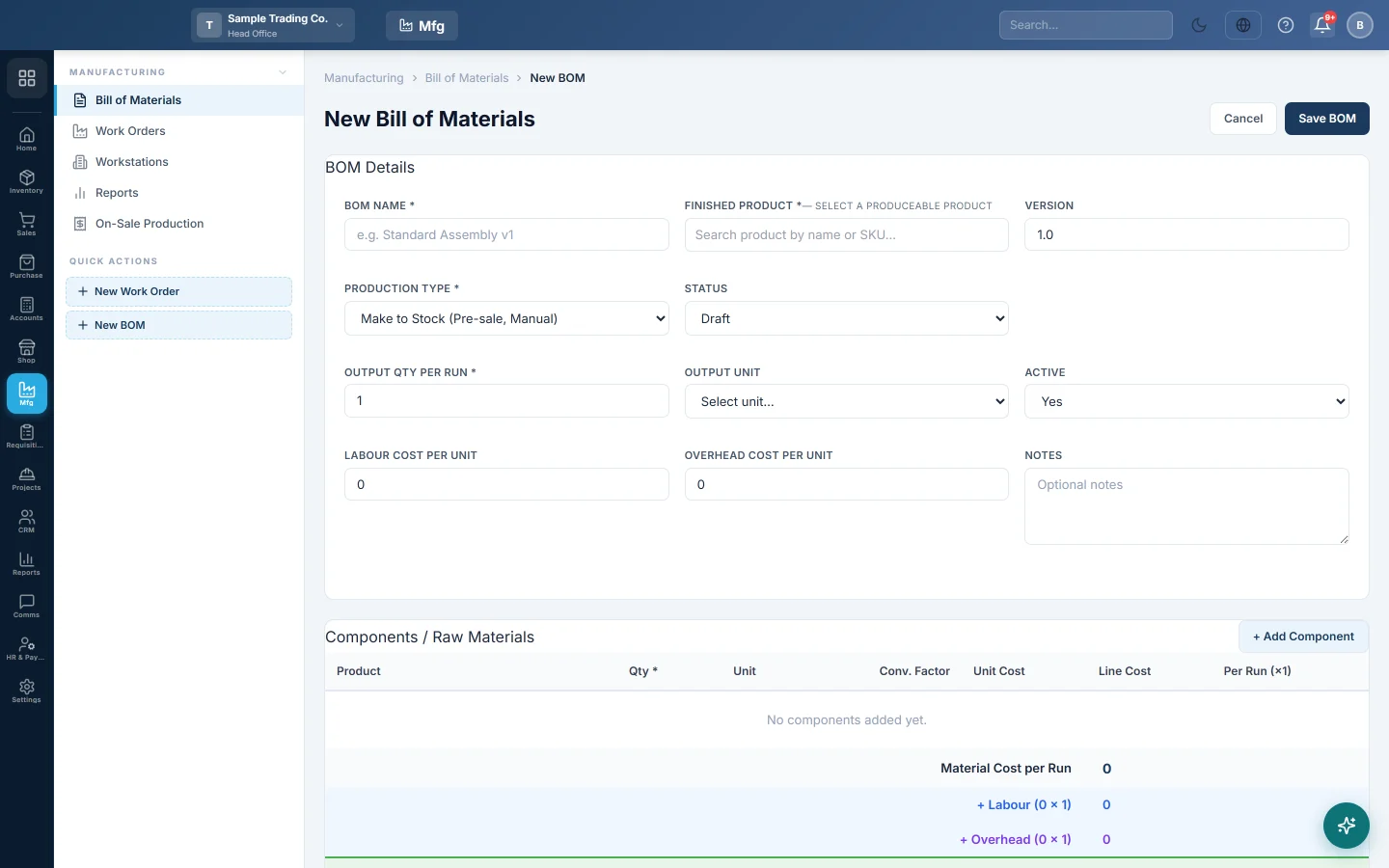
The cost box shows Material Cost per Run, + Labour, + Overhead, Total Cost per Run and Cost per Unit.
Units and conversion
If you buy a material in one unit and use it in another, pick the Unit and check Conv. Factor. For example, flour bought in kg and used in grams has a factor of 0.001.
Materials with Skip Stock
A component marked Skip Stock is a product that does not keep stock, such as a service. Its cost counts in the BOM, but no stock is taken.
Produce automatically when you sell
For a Make to Order BOM, tick Auto-trigger on Sale Confirmation. Each time a sale invoice with this product is confirmed, EloERP records a completed work order for the quantity sold and takes the raw materials out of the invoice's warehouse. If a component has its own make-to-order BOM, that is produced first.
See what was produced this way on On-Sale Production.
Variants
If the product has variants, such as sizes, pick a Target Variant for a recipe that applies to one variant only. Leave All variants / No specific variant to use the BOM for every variant.
Change or retire a BOM
- Click Edit, change it and click Save BOM. Work orders already made keep their own copy of the materials.
- Set Status to Obsolete to stop using an old recipe while keeping its history.
- Click Delete and confirm to remove a BOM you never used.
Common questions
Why is the cost per unit zero? The components have no cost price. Enter the Unit Cost, or buy the materials so they get a cost.
Do labour and overhead post to the books? No. They show in the cost of each run. Wages and bills are already posted when you pay them. See Work Orders.
Can a BOM use another made product? Yes. Add the semi-finished product as a component. With make-to-order it is produced first; with make-to-stock, make it in its own work order first.
Vielen Dank. Wenn Sie weitere Hilfe brauchen, schreiben Sie an info@eloerp.net.