Dashboard
See your work orders in progress, recent production, materials that are short and your active bills of materials, and start a new work order.
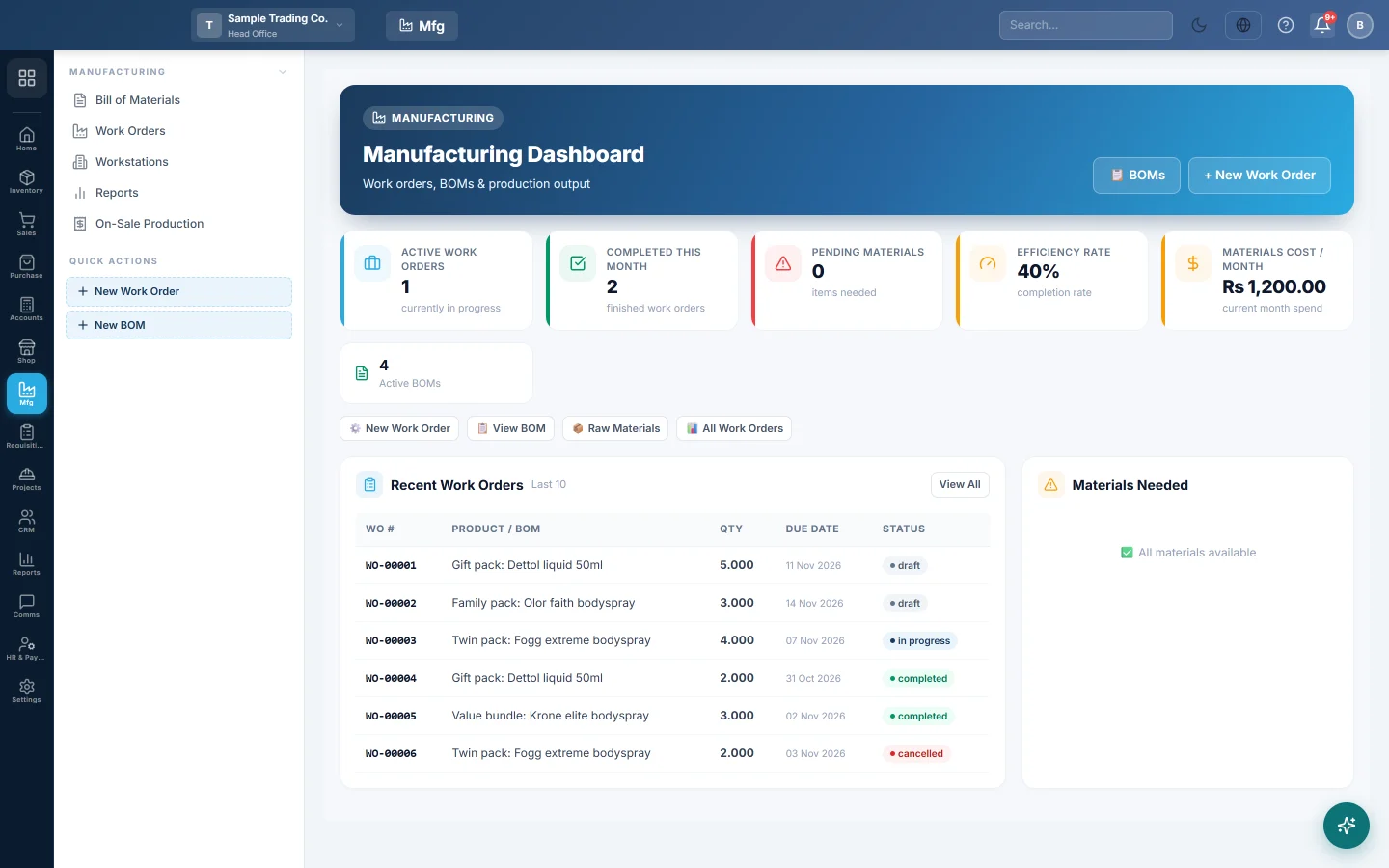
The Manufacturing dashboard is the start page for production. It shows what is being made now, what was finished recently, which raw materials are running short and how many recipes are active.
Before you begin
- The Manufacturing module must be on for your company. If Manufacturing is not in the module rail, ask your provider to switch it on.
- The figures are for the branch selected in the top bar.
Where to find it
Open Manufacturing → Manufacturing → Dashboard. It is also under Home → Module Dashboards → Manufacturing Dashboard.
Read the dashboard
| Card | What it shows |
|---|---|
| Active Work Orders | Work orders started and not yet completed. |
| Completed This Month | Work orders finished this month. |
| Pending Materials | Raw materials short for the open work orders. |
| Efficiency Rate | Completed work orders as a share of all work orders that are not cancelled. |
| Materials Cost / Month | The material cost of production runs completed this month. |
| Active BOMs | Bills of materials with status Active. |
Recent Work Orders lists the last 10, with the product, quantity, due date and status. Click one to open it. Materials Needed lists raw materials whose stock is below what open work orders need, or says All materials available.
Start work from the dashboard
- + New Work Order opens a new work order. See Work Orders.
- 📋 BOMs opens the recipes. See Bill of Materials.
Common questions
Why are all the cards zero? No work orders exist in this branch yet. Switch branch in the top bar if production is recorded in another branch.
Where are production totals for a period? On Reports.
Gracias. Si todavía necesita ayuda, escriba a info@eloerp.net.