Conversations
Read what shoppers asked your online store's assistant, see what it looked up to answer, and deal with shoppers who asked for a person.
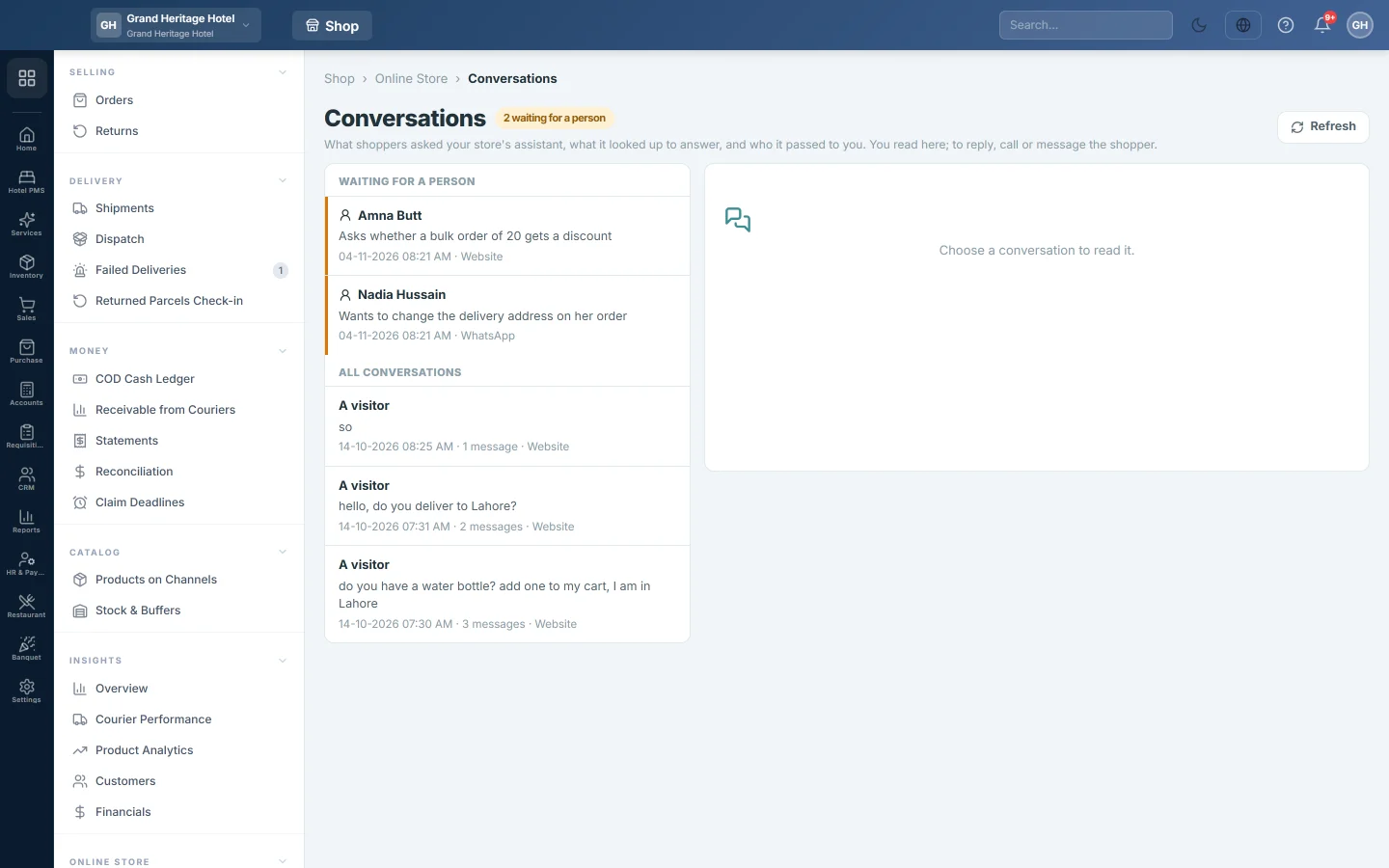
Conversations shows the chats shoppers had with your online store's shopping assistant, on the website or on WhatsApp. It also lists every shopper the assistant passed to you, so nobody waiting for a person is missed.
Before you begin
- The online store must be switched on for your company by your service provider, and only a company administrator can open this page.
- Chats appear only when your service provider has switched on the AI for your store. Until then the list says The assistant is not switched on for this store, so there are no conversations to show.
- The assistant's mode is set on AI Agents.
Where to find it
Open Online shop → Online Store → Conversations.
Deal with a shopper waiting for a person
When a shopper asks for a person, or the assistant cannot help, the chat is passed to you. The title shows how many are waiting for a person, and staff get a bell notification.
- Under Waiting for a person, click the shopper. The reason shows under their name.
- Read the chat on the right.
- Click Call or WhatsApp to reach the shopper. These show only when the shopper was signed in with a phone number.
- Optionally type What was done (optional), for example Called, order changed to size M.
- Click Mark as dealt with.
Read a conversation
- Under All conversations, click a chat. Waiting and Ordered tags show which chats need you and which ended in an order.
- Read the messages. Under each assistant reply you see what it looked up, for example Searched products, Checked stock or Tracked a parcel.
- Showed lists the products the assistant showed, with their prices. no longer on the store marks a product you have since taken off.
- Click Show older at the bottom of the list for earlier chats, and Refresh at the top for new ones.
Common questions
What do Reply corrected and Reply replaced mean? The assistant first wrote a figure, such as a price, that is not in your records. It was not sent as written; it was corrected or replaced before the shopper saw it.
What does Answered without the AI model mean? The AI could not be reached, so the shopper got a plain search answer instead.
Can the assistant make up a delivery or returns policy? No. It answers only from the policies on Online Store. If a policy is empty, it tells the shopper it will check with you.
It says the AI service is not set up yet. The assistant is switched on but your service provider has not finished connecting the AI. Ask them.
Obrigado. Se ainda precisar de ajuda, escreva para info@eloerp.net.