Customers
See each online buyer's spend, orders and returns, sort them into VIP, repeat, new and at-risk, merge duplicate records and spot the buyers who refuse parcels.
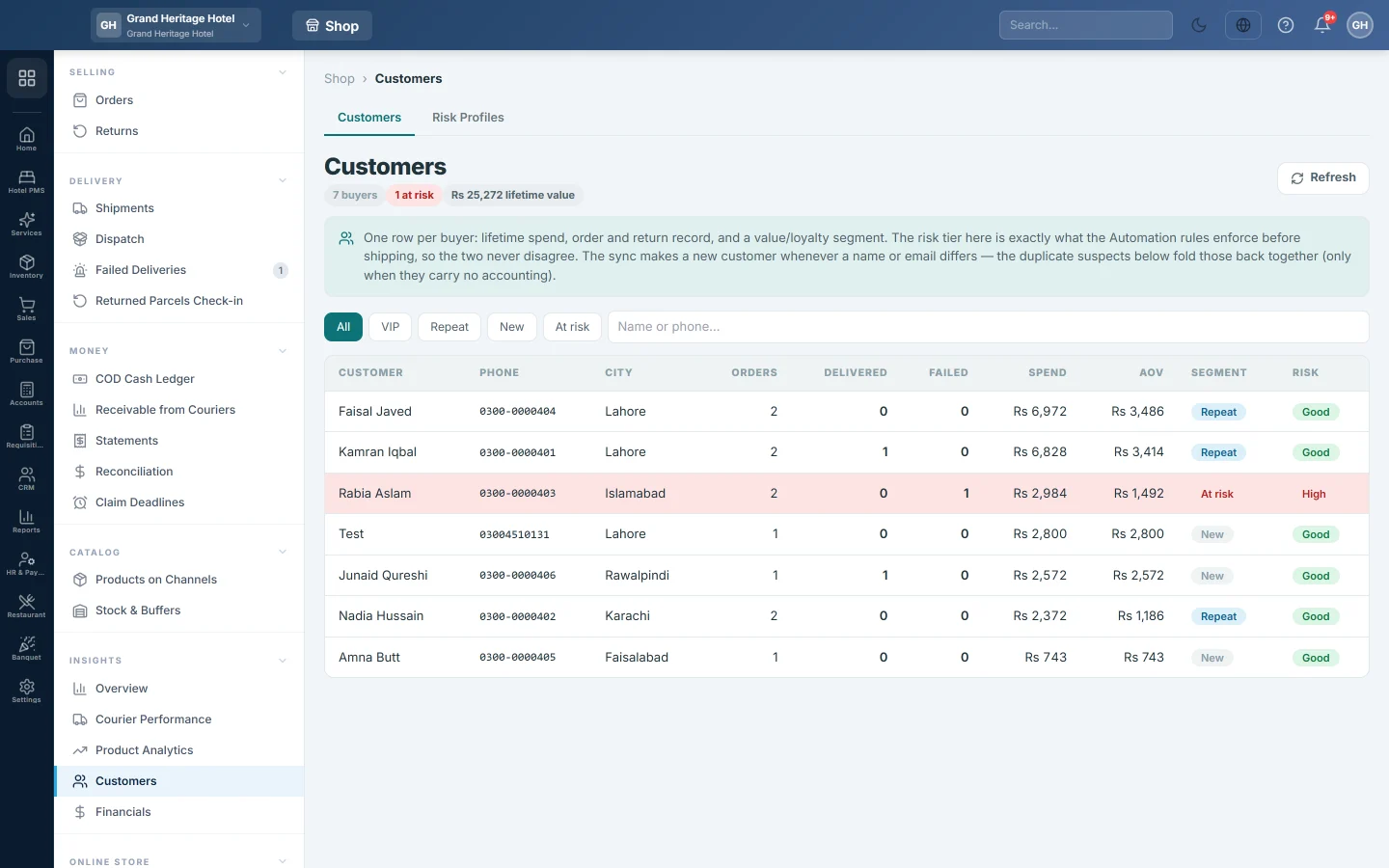
The Customers page shows one row per online buyer: what they spent, how many orders were delivered and how many failed. The Risk Profiles tab scores buyers by how often their parcels come back or are cancelled.
Before you begin
- Buyers appear here once they have placed an online order. See Orders.
Where to find it
Open Online shop → Insights → Customers. Click the Risk Profiles tab for the risk list.
Read the list
The line under the title shows the number of buyers, how many are VIP and at risk, the total lifetime value, and any duplicate groups.
| Column | What it shows |
|---|---|
| Orders, Delivered, Failed | All orders, the delivered ones, and those returned or cancelled. |
| Spend and AOV | What the buyer spent in total and per order. |
| Segment | VIP, Repeat, New or At risk. |
| Risk | High, Medium, Watch or Good. |
Click a segment button (All, VIP, Repeat, New, At risk) to filter. Type a name or phone and press Enter to search.
How the segments are set:
- At risk: 25% or more of the buyer's orders failed.
- VIP: three or more orders, and spend in the top quarter of your buyers.
- Repeat: two or more orders.
- New: one order.
The Risk tier uses the failed share: High from 50%, Medium from 25%, Watch above 0%, otherwise Good. Automation Rules use the same tier when an order arrives.
Merge duplicate customers
A channel can create a new customer each time a buyer types a different name or email. Duplicate suspects lists phone numbers held by more than one customer record.
- Check the phone and name in the Duplicate suspects box.
- Click Merge.
The record with the highest spend is kept. The others' orders move to it and the empty records are retired. A record with invoices, payments, a ledger or a balance is skipped; the message tells you how many were skipped.
Find risky buyers
- Click the Risk Profiles tab.
- Set Min orders. Buyers with fewer orders are not scored, because one bounce is not a verdict.
- Click Refresh.
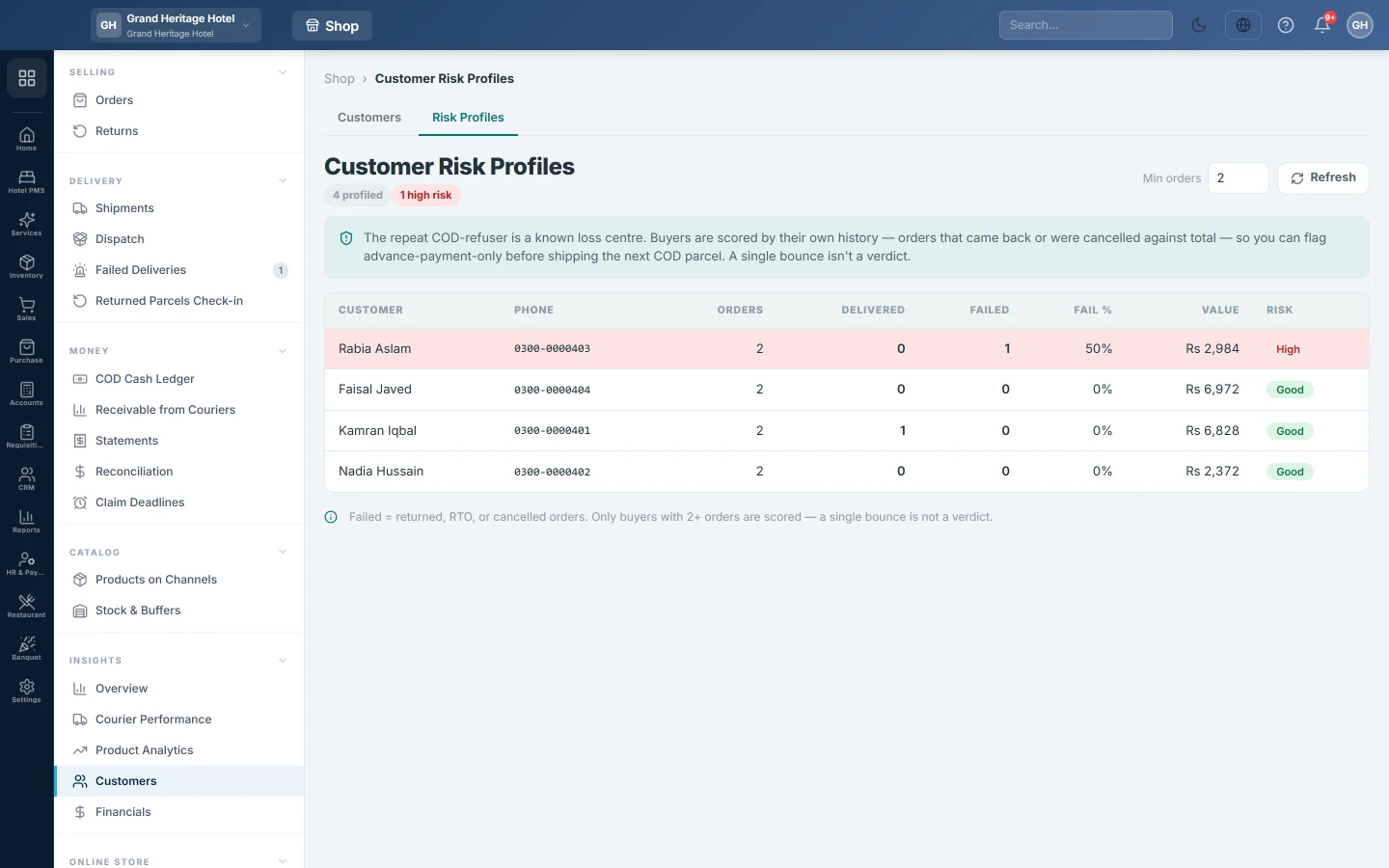
The list shows Orders, Delivered, Failed, Fail %, Value and Risk, worst first. Ask high-risk buyers for advance payment before you ship the next cash-on-delivery parcel. See Find buyers and cities that return COD parcels.
Common questions
Why was a duplicate skipped? It has accounting records, such as an invoice or a payment. Move those in Sales first, then merge.
Why is a buyer missing from Risk Profiles? They have fewer orders than Min orders.
Does Failed include cancelled orders? Yes. Returned, return-initiated and cancelled orders all count as failed.
Is this the same list as All Customers in Sales? No. This page reads online orders only. For balances and ledgers, see All Customers.
Vielen Dank. Wenn Sie weitere Hilfe brauchen, schreiben Sie an info@eloerp.net.