Product Analytics
See which products sell online, what they earn after cost, how often they come back and how much stock is left.
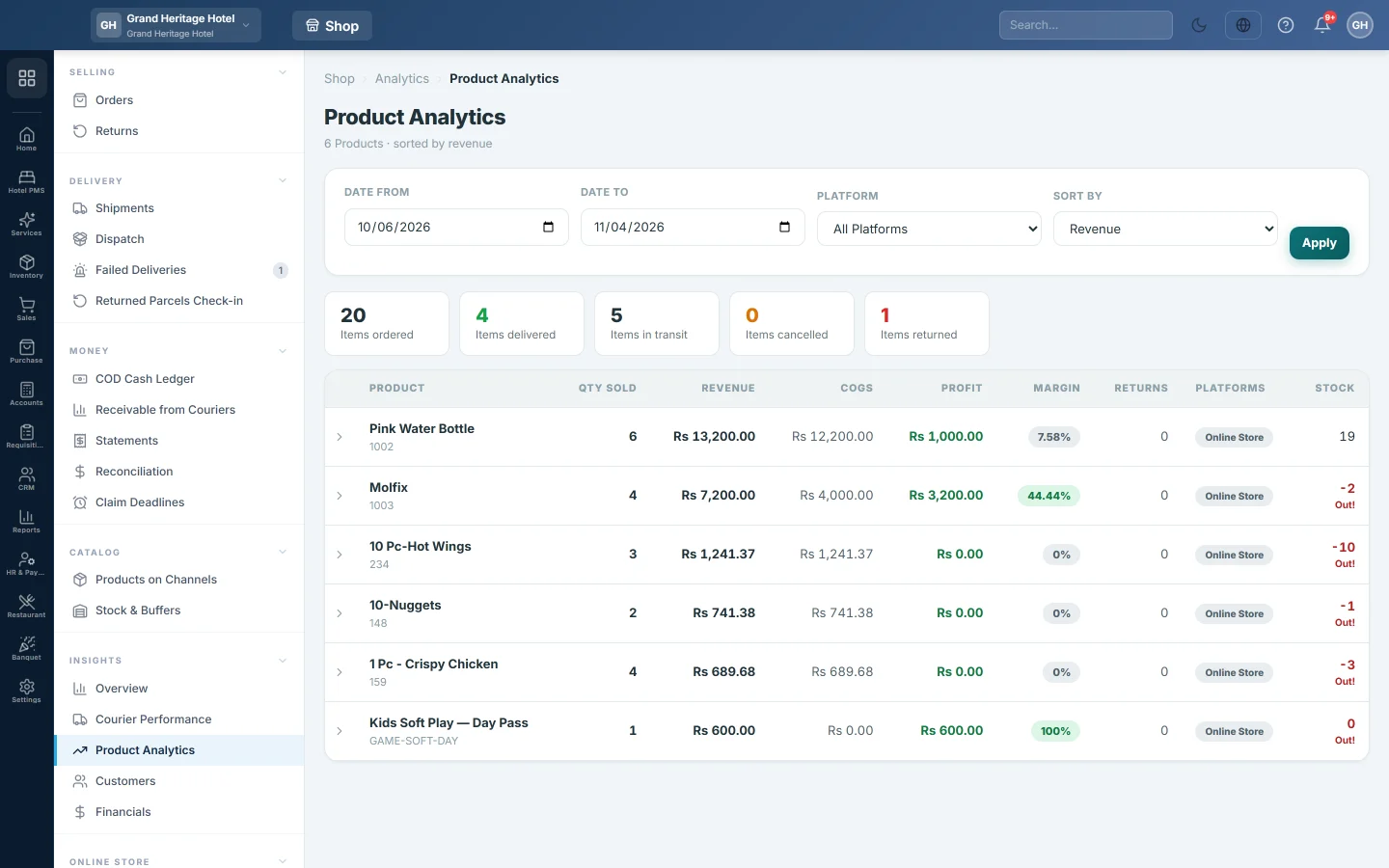
Product Analytics ranks the products sold through your online channels by revenue, quantity or profit. The tiles at the top count items, not orders: ordered, delivered, in transit, cancelled and returned.
Before you begin
- Products sell online through your channels or your own online store. See Orders.
- Profit depends on the cost price of each product. Keep cost prices right on All Products.
- Your role needs the product analytics permission.
Where to find it
Open Online shop → Insights → Product Analytics.
Run the report
- Set Date From and Date To. It opens on the last 30 days.
- Pick one channel in Platform, or leave All Platforms.
- In Sort By, choose Revenue, Qty Sold or Profit.
- Click Apply.
Read the table
| Column | What it shows |
|---|---|
| Qty Sold | Units ordered in the period, counted once per order line whatever the number of warehouses holding the product. |
| Revenue | Unit price times quantity. |
| COGS | Cost price times quantity. |
| Profit and Margin | Revenue less COGS, and the margin in per cent. |
| Returns | Return lines for the product. |
| Platforms | The channels that sold it. |
| Stock | Stock left now. Out! means none is left. |
Click a row to open its Platform Breakdown with the totals for that product.
The Top returning products tile lists the five products returned most in the period. Look at their pictures, sizes and descriptions first.
Common questions
Why is a product's profit negative? It sold below its cost price, or the cost price on the order line is higher than the sale price. Check the product's cost and your online price.
Are cancelled orders counted? Items cancelled shows them on their own. The table counts every order placed in the period.
Where do courier and return costs come in? On the Contribution Margin tab of Financials.
Where is the overall picture? On Overview.
Merci. Si vous avez encore besoin d’aide, écrivez à info@eloerp.net.