Courier Performance
Compare your couriers on delivery success, returns, speed and cost, and see which cities return the most cash-on-delivery parcels.
Courier Performance scores each courier on how many parcels it delivers, how many come back, how fast it is and what it costs. The City & Route Performance tab ranks the cities you ship to.
Before you begin
- Add your couriers. See Courier Accounts.
- Orders must be booked with a courier and their status kept up to date. See Shipments.
Where to find it
Open Online shop → Insights → Courier Performance. Click the City & Route Performance tab for the city list.
Choose the period
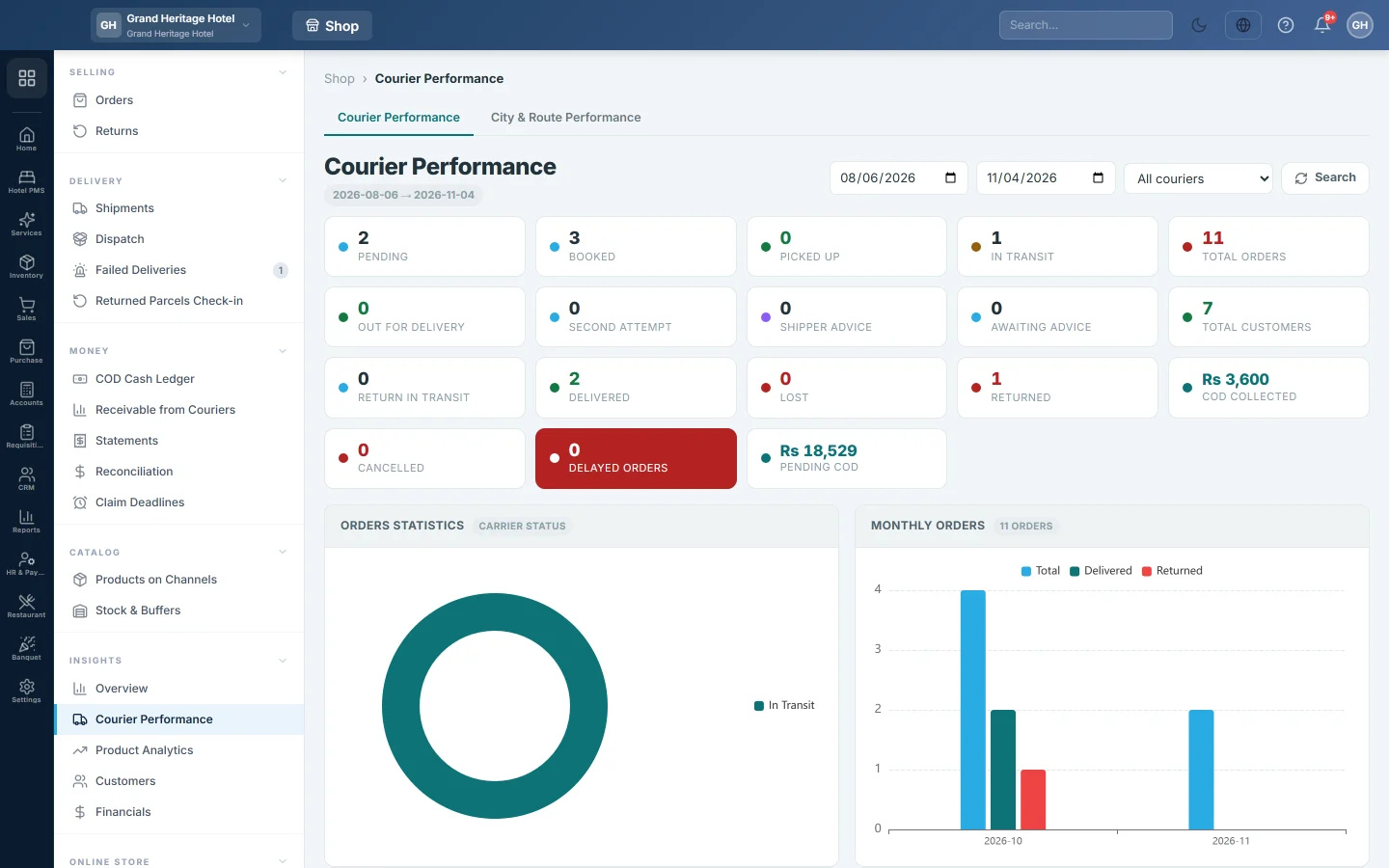
- Set the start and end dates. The page opens on the last 90 days.
- Pick one courier in All couriers, or leave it on all.
- Click Search.
Read the page
- The status strip at the top counts orders by stage, such as Pending, Booked, In transit, Out for delivery, Delivered, Returned, Lost, Cancelled, Delayed orders and COD collected. Click a number to open those orders.
- Orders statistics and Monthly orders chart the mix of statuses and the orders per month.
- Top cities shows delivered against returned parcels per city, and the return ratio.
- Top 10 returning customers lists the buyers who send most parcels back.
- Courier scorecard has one card per courier: success rate, deliveries out of bookings, return rate and average delivery time in hours.
- City performance and Success rate & delays are grids of city against courier.
- Cost comparison shows the average cost per delivery. actual means it comes from posted courier statements; est. means it is worked out from the courier's rates.
- On-time vs delayed counts parcels delivered within the hours shown (72 hours by default) of dispatch.
- Full scorecard is the table of all couriers. The best courier with enough parcels gets a star.
Success and return rates count only parcels that are settled, delivered or returned. Parcels still on the road do not lower a courier's rate. A courier with fewer than 10 settled parcels is marked low sample.
Find the cities that cost you money
- Click the City & Route Performance tab.
- Set the dates and click Refresh.
- Read Delivery % and RTO % for each city. Rows with more than 30% returns are highlighted.
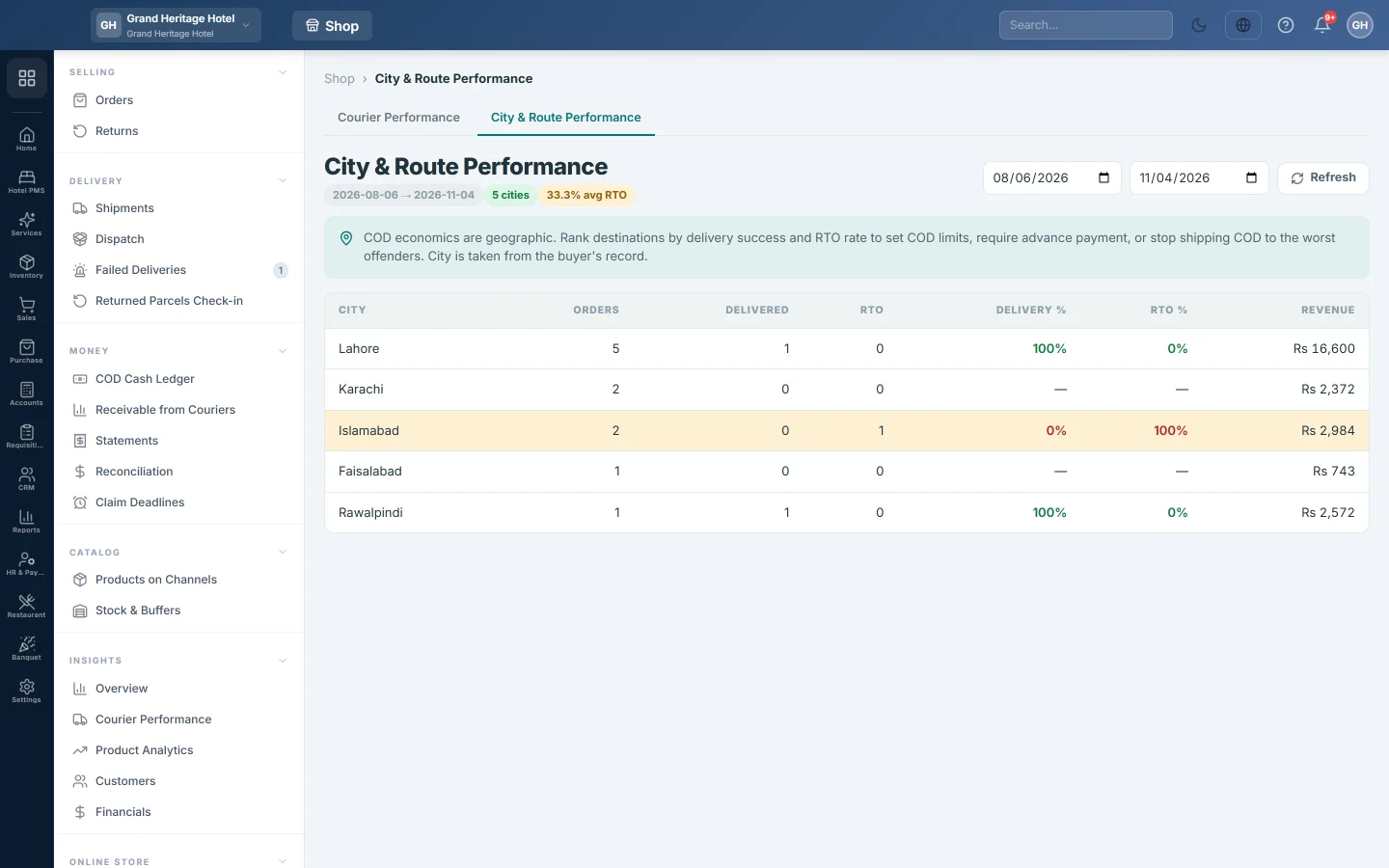
The city comes from the customer's record. Use this list to ask for advance payment in the worst cities, or to send them with the courier that does best there on Courier Rules. See Find buyers and cities that return COD parcels.
Common questions
What does RTO mean? Return to origin: the courier could not deliver and the parcel came back to you.
Why does a city show as Unknown? The customer record has no city. Add it on the customer.
Customer satisfaction is empty. Complaint and satisfaction scores are not collected yet, so the panel shows no number rather than a made-up one.
The cost says est. No courier statement for that courier is posted in the period. Post its statement on Statements to see the real cost.
شكرًا لك. إذا كنت لا تزال بحاجة إلى مساعدة، راسلنا على info@eloerp.net.