Overview
One page of online-selling numbers for a date range, covering orders, revenue, profit, returns, delivery speed, top products and how buyers pay.
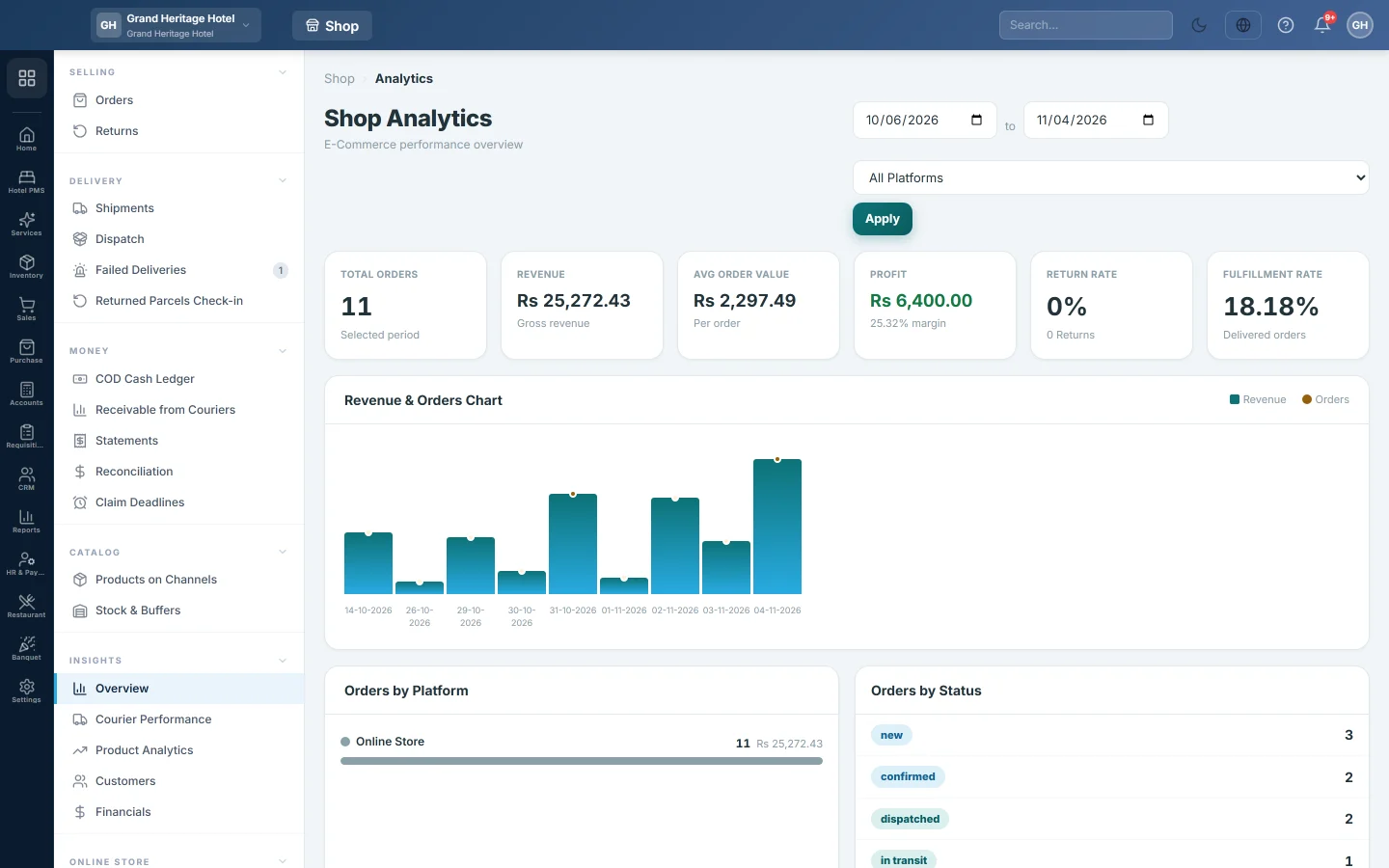
The Overview gives the headline numbers for your online orders over a period, across all your channels or one of them. Use it for a weekly or monthly check.
Before you begin
- Orders reach these numbers from your channels and from orders you enter by hand. See Orders.
- Your role needs the analytics overview permission.
Where to find it
Open Online shop → Insights → Overview. The page title reads Shop Analytics.
Choose the period
- Set the start and end dates at the top right. It opens on the last 30 days.
- Pick one channel in All Platforms, or leave it on all.
- Click Apply.
The period counts orders by the date they were placed.
Read the numbers
| Card | What it shows |
|---|---|
| Total Orders | Orders placed in the period. |
| Revenue | The order totals added up. |
| Avg Order Value | Revenue divided by Total Orders. |
| Profit | Revenue less the cost of the items sold, with the margin in per cent. |
| Return Rate | Returns opened in the period against orders. Shown in red above 10%. |
| Fulfillment Rate | The share of orders that were delivered. |
Below the cards you find:
- Revenue & Orders Chart: one bar per day for revenue; the dot shows the number of orders.
- Orders by Platform and Orders by Status: where the orders came from and where they are now.
- Top 10 Products: the best sellers by revenue, with quantity and profit.
- Payment Breakdown: the share of orders by payment method, such as cash on delivery.
- Avg Processing Time (confirmed to dispatched, in hours), Avg Delivery Days (shipped to delivered) and On-Time Delivery.
- Recent Activity: the last changes on orders and who made them.
Common questions
Why does Revenue not match my sales invoices? The Overview reads online orders as placed, not invoices. An order counts here before it is dispatched and invoiced.
Can I see one store only? Yes. Pick it in All Platforms and click Apply.
Where do I see each product in detail? On Product Analytics.
Where do I see courier delivery rates? On Courier Performance.
Gracias. Si todavía necesita ayuda, escriba a info@eloerp.net.