Budget vs Actual
Compares what each account actually earned or spent in a date range with the budget you set for it, and marks each difference as favourable or unfavourable.
Budget vs Actual shows, account by account, what you planned to earn or spend and what really happened in the books. Use it each month to spot costs running over budget and income falling short.
Before you begin
- Your plan must include the financial statements (Balance Sheet). If the report is missing from the menu, your plan does not have it. See Billing.
- Set your monthly budgets first in Account Budgets. Accounts without a budget still appear, marked not set.
- Your role needs access to the Accounting reports. Your administrator sets this in Users & Roles.
Where to find it
Open Accounting → Reports → Budget vs Actual.
Run the report
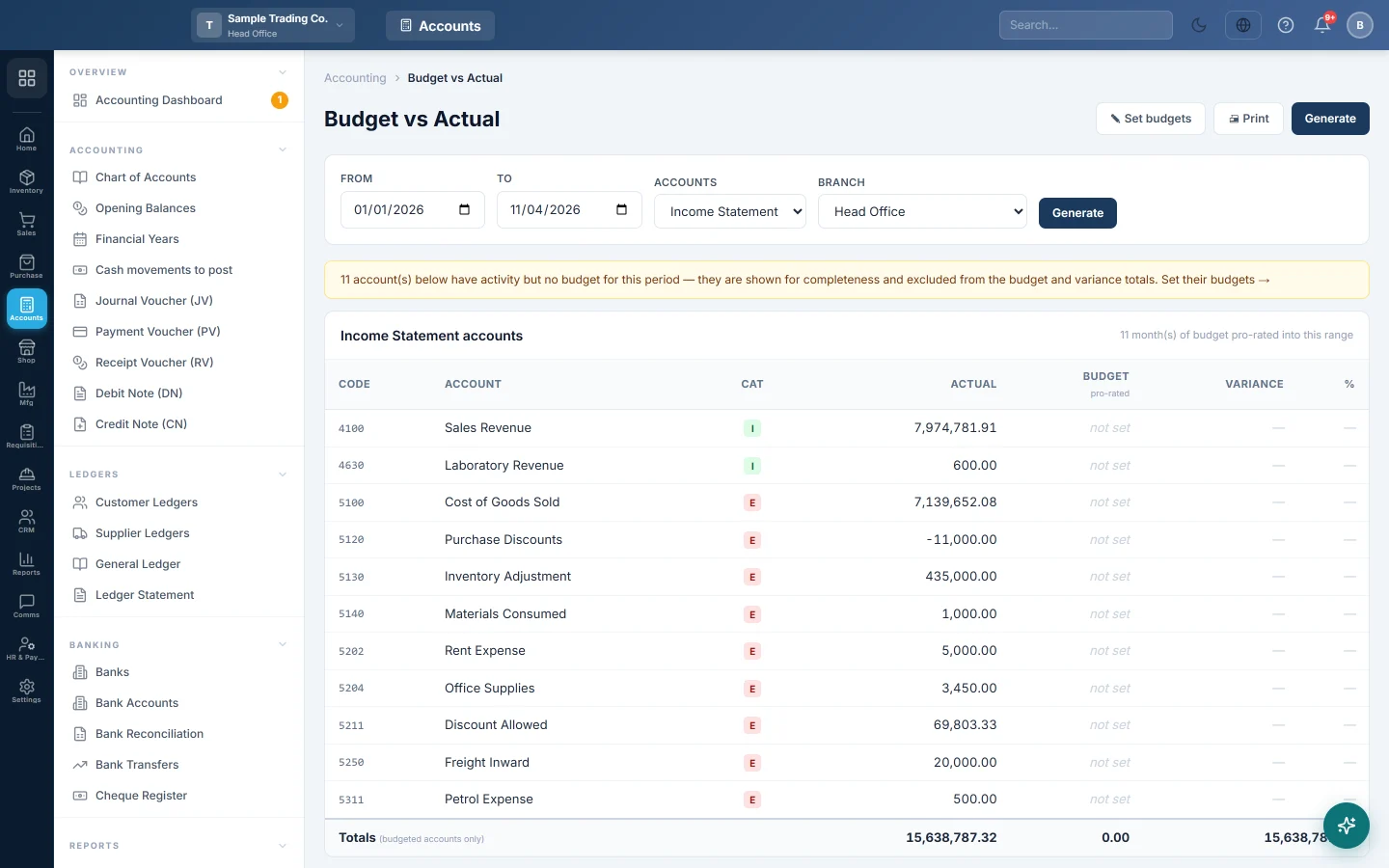
The report opens for the current year to date (1 January to today).
- Set From and To.
- In Accounts, pick Income Statement (income and expense accounts, the usual choice), Balance Sheet or All accounts.
- If you work at head office, pick a Branch, or All Branches (Consolidated).
- Click Generate.
Changing Accounts or Branch reloads the report at once. After changing a date, click Generate again.
To change the budgets themselves, click Set budgets. Click Print for a paper copy.
Read the report
| Column | What it shows |
|---|---|
| Code / Account | The account from the Chart of Accounts. |
| Cat | I for an income account, E for an expense account (A, L or E for balance sheet accounts). |
| Actual | What was posted to the account in the range, shown as a positive amount in the account's normal direction. |
| Budget (pro-rated) | The monthly budgets for the range. A part month gets its share by days. not set means no budget was entered. |
| Variance | Actual minus Budget. |
| % | The variance as a percentage of the budget. |
Green means Favourable: income above budget, or a cost below budget. Red means Unfavourable: income below budget, or a cost above it. The colour follows the account's nature, never just the sign.
A worked example for one month:
| Account | Cat | Actual | Budget | Variance | Reading |
|---|---|---|---|---|---|
| Sales | I | Rs 450,000 | Rs 500,000 | -50,000 | Unfavourable: sales short of target |
| Electricity | E | Rs 38,000 | Rs 30,000 | 8,000 | Unfavourable: overspent |
| Rent | E | Rs 60,000 | Rs 60,000 | 0 | On budget |
| Staff Tea | E | Rs 4,000 | Rs 5,000 | -1,000 | Favourable: under budget |
How pro-rating works
Budgets are stored per calendar month. When your range covers part of a month, that month's budget is shared by its real number of days. For example, 1 to 10 February with a February budget of Rs 28,000 gives a budget of Rs 10,000 (10 of 28 days).
The line under the table title says how many months of budget were used.
The amber note
When some accounts have activity but no budget, an amber note says how many. Those rows show not set in Budget and — in Variance. Click Set their budgets to fill them in.
Common questions
Why does an account show "not set" when I typed 0? A budget of 0 shows as Rs 0.00 with a variance. not set means the box was empty when the month was saved in Account Budgets. Check that you clicked Save changes.
Why are my budgets missing when I pick one branch? Budgets belong to the branch they were saved for. Budgets entered by a head office user apply to the company-wide view (All Branches (Consolidated)). Budgets entered by a branch user apply to that branch only.
Why do the totals look odd? The Totals row adds income and expense amounts together as positive numbers. Read the report row by row, and use the Profit & Loss for your profit.
My actual income for last year shows almost zero. If the range includes the closing date of a closed financial year, the year-end closing entry is counted and cancels the year's income and expenses. Stop the range before the closing date. See Financial Years.
Which entries count as actual? Every posted entry in the books for the range: sales, purchases, vouchers, payroll and the rest. Deleted vouchers are left out. An entry posted to the wrong account shows against that account; correct it with a Journal Voucher.
Can I budget a balance sheet account? Yes. Pick Balance Sheet in Accounts on both screens. The favourable and unfavourable colours are designed for income and expense accounts, so read balance sheet variances by their amount.
Obrigado. Se ainda precisar de ajuda, escreva para info@eloerp.net.