Bank Transfers
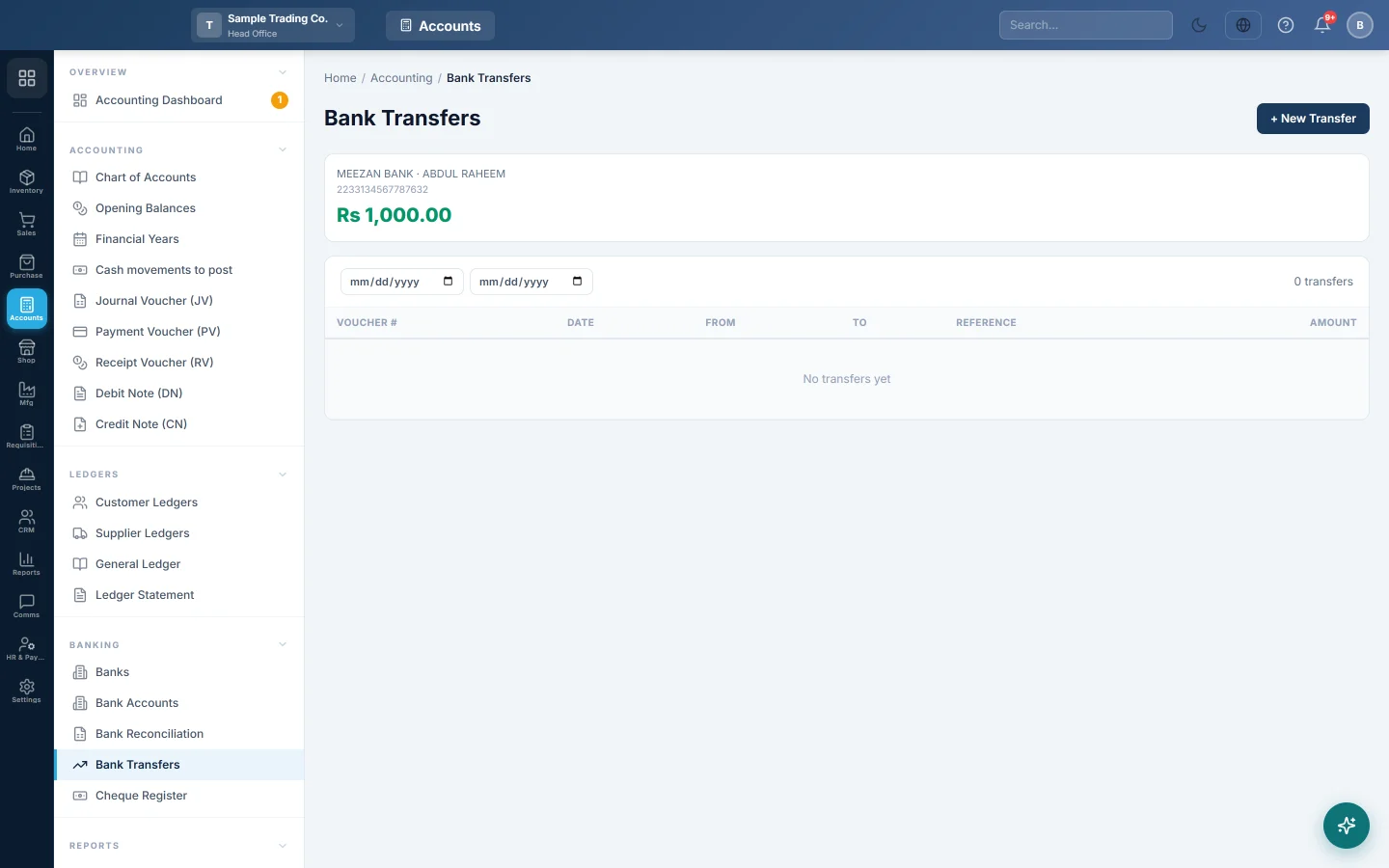
Move money from one of your bank accounts to another and keep both balances right in the books.
Bank Transfers records money you move between two of your own bank accounts, for example from a current account to a savings account. One transfer lowers the account it leaves and raises the account it reaches, in a single voucher.
Before you begin
- Both accounts must exist on Bank Accounts.
- Your role needs the bank transfer permission; see Users & Roles.
- You can only transfer between bank accounts of a branch you work in. Check the branch in the top bar.
- For accounts in different currencies, add the day's rates first; see Currencies.
- Banking screens are part of your plan. If Banking is missing from the Accounting menu, see Billing.
Where to find it
Accounting → Banking → Bank Transfers.
Make a transfer
- Click + New Transfer.
- Pick the From Account: the account the money leaves. Its balance shows next to its name.
- Pick the To Account: the account the money reaches.
- Type the Amount.
- Set the Date the bank moved the money.
- Type the Reference, such as the bank slip or transaction ID.
- If the transfer was made by cheque, type the Cheque No (optional).
- Add a Narration, or leave it blank to have "Transfer from … to …" written for you.
- Click Transfer →.
The balance cards at the top update, and the transfer appears in the list with a BT- voucher number.
Transfer between currencies
When the two accounts are kept in different currencies, the form shows an extra field.
- Type the Amount in the currency that leaves the From Account.
- Type what the bank credited in the … received field, or leave it empty to use the day's rates.
- Click Transfer →.
Any difference between the two amounts, valued in your base currency, posts as an exchange gain or loss.
Find a transfer
Set the two dates above the list to show transfers in that period. The list shows the Voucher #, Date, From, To, Reference and Amount, newest first.
What happens in the books
EloERP posts one bank transfer voucher (BT-). The account the money reaches is debited and the account it leaves is credited. A Rs 100,000 transfer:
| Account | Debit | Credit |
|---|---|---|
| City Bank Savings A/C | Rs 100,000 | |
| City Bank Current A/C | Rs 100,000 |
Nothing reaches profit and loss, except an exchange gain or loss on a transfer between currencies.
Common questions
Can I move cash from the till to the bank here? No. This screen lists bank accounts only. Record a cash deposit with a Journal Voucher: debit the bank account and credit Cash in Hand.
I entered a wrong transfer. Can I edit it? There is no edit or delete on this screen. Make a new transfer the other way round for the same amount and date, with a narration that explains why.
It says I can only use my own branch's accounts. One of the accounts belongs to another branch. Switch to that branch in the top bar, or ask a user who works in both branches.
Why does the list show only the latest transfers? The list shows the most recent 25 for the dates you picked. Narrow the dates to find older ones, or use the Voucher Register.
Does the transfer show on Bank Reconciliation? Yes. Each account shows its own side, so reconcile it once on each account's statement; see Bank Reconciliation.
Teşekkür ederiz. Hâlâ yardıma ihtiyacınız varsa info@eloerp.net adresine yazın.