Financial Years
Set up your financial years, close a year to move its profit into Retained Earnings and lock it, and reopen it when a correction is needed.
A financial year is the twelve-month period your books are kept and reported for, for example 1 July to 30 June. Here you add the years, close a finished year, and reopen it if something dated in it must be corrected.
Before you begin
- Adding a year needs the financial years create right. Closing needs the close right or an Administrator. See Users & Roles.
- Only an Administrator can reopen a closed year, and must enter their password.
- Closing needs a Retained Earnings account: an equity account whose code starts with 3. The standard chart already has one. See Chart of Accounts.
Where to find it
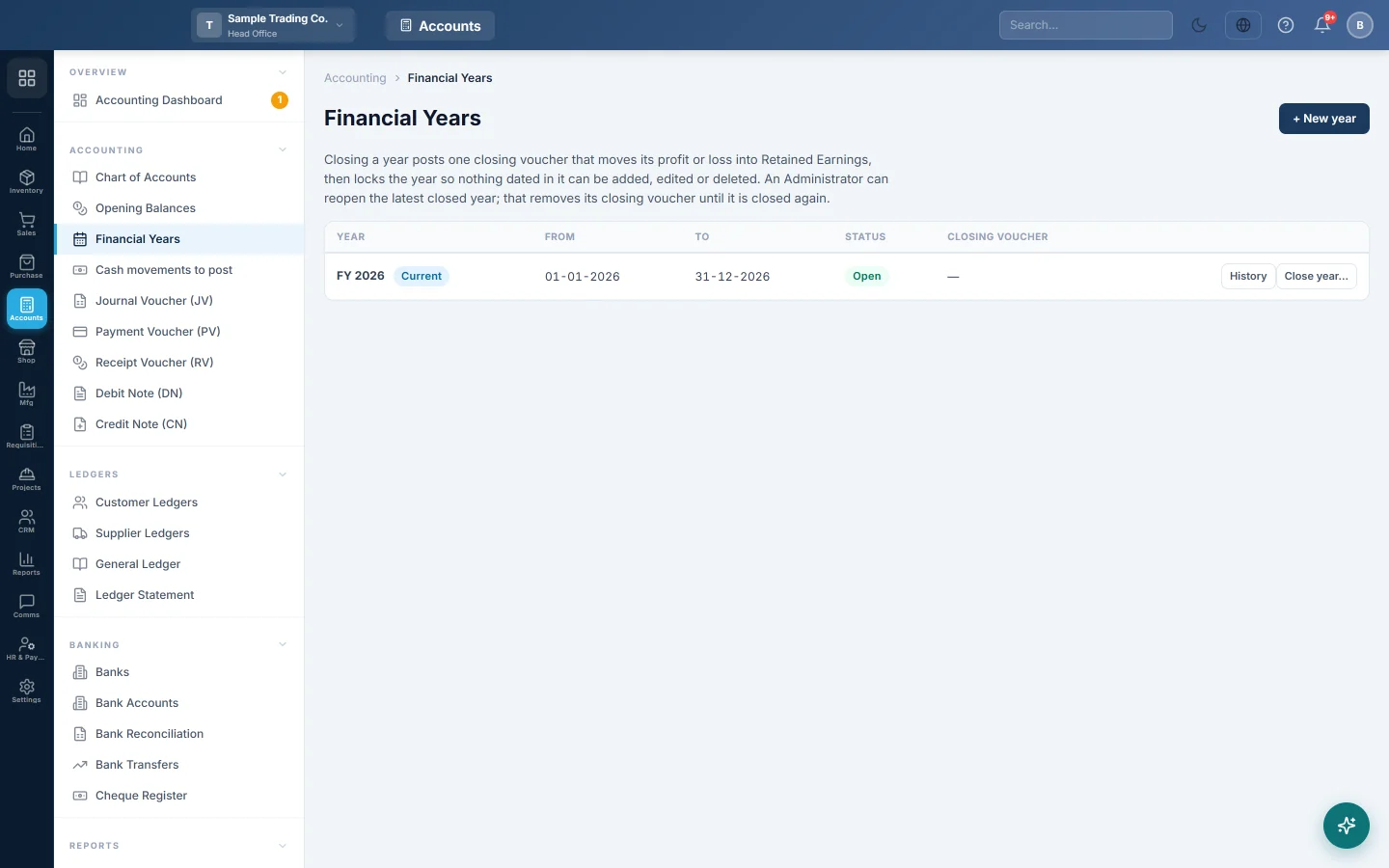
Open Accounting → Accounting → Financial Years.
The list shows each Year, its From and To dates, its Status (Open or Closed) and whether a Closing voucher is Posted. The year marked Current is the one in use.
Add a financial year
- Click + New year.
- Check From and To. EloERP suggests the twelve months after your latest year.
- Tick Make it the current year if this year starts now.
- Click Create.
Years cannot overlap. If the dates touch an existing year, EloERP refuses with a message.
Close a year
Close a year once its books are final: all sales, purchases, payments, expenses and adjustments are in, and the Trial Balance is right.
- Click Close year… on the year's row.
- Read the summary: total Income, Expenses and the Net profit or Net loss.
- Check the line under it. It names the account the result Goes to and how many income and expense accounts are set to zero.
- If you see Earlier years are still open, close those first unless you have a reason not to.
- Click Close the year.
The message names the closing voucher, for example YEC-2026-001.
Reopen a year
- Click Reopen… on the year. Only the latest closed year shows it.
- Type the Reason, for example Delete a duplicate invoice from March.
- Type Your password.
- Click Reopen the year.
The closing voucher is removed and a copy is archived. Make your correction, then close the year again.
What happens in the books
Closing posts one year-end closing voucher, dated on the year's last day. It brings every income and expense account to zero for that year and puts the difference into Retained Earnings. For a year with Rs 900,000 of sales and Rs 700,000 of expenses:
| Account | Debit | Credit |
|---|---|---|
| Sales (income) | Rs 900,000 | |
| Expenses | Rs 700,000 | |
| Retained Earnings | Rs 200,000 |
A loss is the other way round: Retained Earnings is debited. When several branches posted in the year, each branch gets its own closing voucher, so every branch's books still stand on their own.
The next year's Profit & Loss starts from zero, and the year's profit shows on the Balance Sheet under Retained Earnings.
Common questions
Do I have to close a year? No. Reports work on any dates without it. Closing protects a finished year from changes and carries its profit into equity.
The Close the year button is greyed out. No Retained Earnings account was found. Create an equity account with a code starting with 3, for example Retained Earnings, in the Chart of Accounts.
I cannot reopen an older year. Only the latest closed year can be reopened. Reopen the later years first, newest to oldest.
A user gets "dated in a closed financial year" when saving. The document's date falls in a closed year. Change the date to an open year, or ask an Administrator to reopen the year.
Can I change a year's dates? No. A year cannot be edited or deleted on this screen, so check the dates before you click Create.
Who closed or reopened a year? Click History on the year's row. It lists each change, with who made it and when.
Vielen Dank. Wenn Sie weitere Hilfe brauchen, schreiben Sie an info@eloerp.net.