Payments to Check
Find purchase bills whose payments do not agree with the bill, usually a bill paid twice, and put them right.
Payments to Check lists purchase bills whose payments do not agree with the bill. Most often a bill was paid with the invoice and paid again later, after an edit showed it as unpaid.
Before you begin
- You need permission to view purchase invoices. Removing a payment uses Delete permanently, which asks for your password.
- Have your cash book or bank statement to hand. It tells you which payment really went out.
Where to find it
Open Purchases → Purchases → Payments to Check.
Read the page
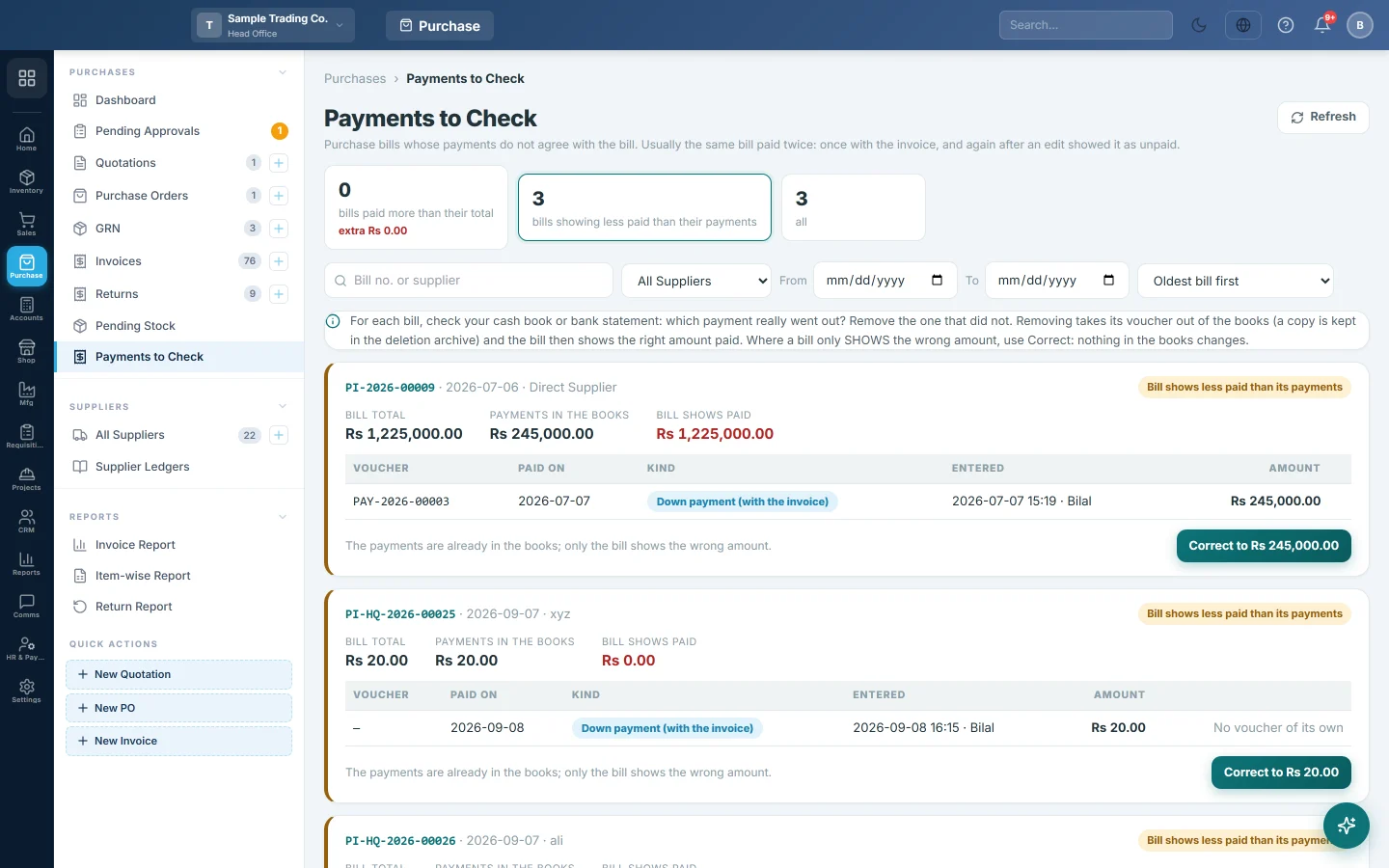
The cards at the top switch between three lists:
- bills paid more than their total: the payments add up to more than the bill. The card also shows the extra amount.
- bills showing less paid than their payments: the payments are right, but the bill shows a smaller paid amount.
- all: both.
Each bill shows its Bill total, the Payments in the books and what the Bill shows paid. Below are its payments, each marked Down payment (with the invoice), Paid later or Cash purchase.
Narrow the list with the search box, All suppliers, the From and To dates, or the sort order.
Fix a bill paid twice
- Open the bills paid more than their total list.
- For each bill, find in your cash book or bank statement which payment really went out.
- Click Remove on the payment that did not.
- Check what leaves each ledger, enter a Reason and Your password.
- Click Delete permanently.
The payment's voucher leaves the books and the bill shows the right amount paid. A copy is kept in Deleted entries.
Fix a bill that shows the wrong paid amount
- Open the bills showing less paid than their payments list.
- Click Correct to on the bill. The button shows the amount the payments add up to.
Nothing in the books changes. Only the bill's paid amount and balance are corrected.
Common questions
Why does a payment have no Remove button? Cash purchase payments cannot be removed here. An older down payment booked inside the invoice voucher has no voucher of its own; ask your accountant before changing it.
The page says Nothing to check. Every bill agrees with its payments. There is nothing to do.
Will removing a payment change the supplier's balance? Yes. The supplier's ledger goes back up by the removed amount, because you no longer count it as paid. See Supplier Ledgers.
Thank you. If you still need help, write to info@eloerp.net.