Pending Stock
See every confirmed purchase invoice whose goods have not fully arrived, line by line, and receive them on a GRN.
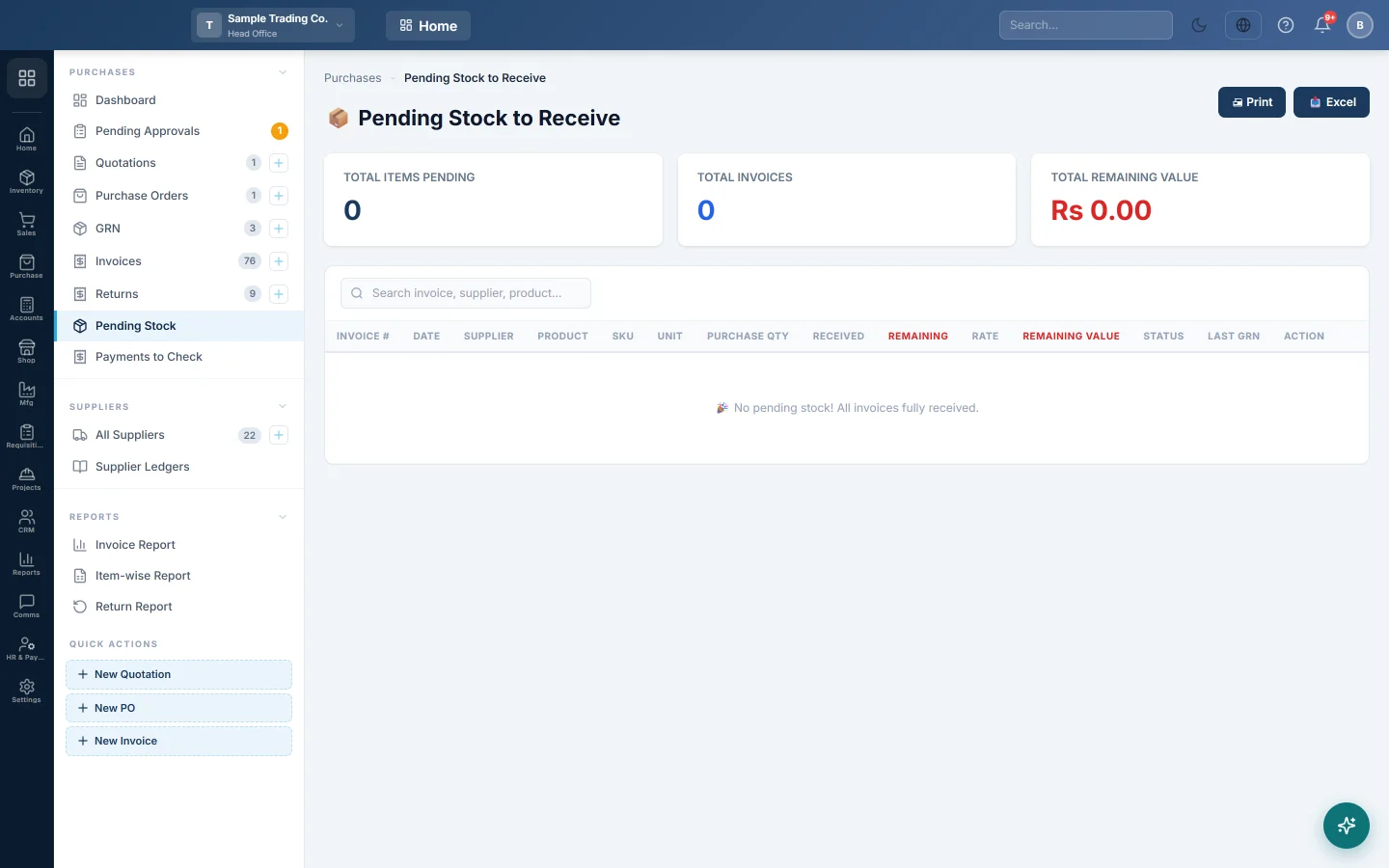
Pending Stock to Receive lists the goods you have been billed for but not yet received. Each row is one invoice line with the quantity still to come.
Before you begin
- Invoices appear here when they were confirmed with RECEIVE STOCK off, or were only partly received on a GRN. See Invoices.
- The list shows the branch you are working in. Switch branch in the top bar to see another.
Where to find it
Open Purchases → Purchases → Pending Stock.
Read the report
The three cards at the top show Total Items Pending, Total Invoices and Total Remaining Value.
Each row shows the Purchase Qty, what was Received so far and what is Remaining. Remaining Value is the remaining quantity at the invoice rate. Status is Not Received or Partial, and Last GRN names the latest delivery.
To narrow the list, type an invoice number, supplier or product in the search box.
Receive the goods
- Find the invoice line and click → Create GRN.
- A new GRN opens. If the invoice is not already filled in, click Browse Invoices and pick it.
- Enter what arrived in Receive Qty on each line.
- Click Create, then confirm the GRN from the GRN list.
The invoice leaves this report once every line is received. See GRN for the full steps.
Print or export
Click 🖨 Print for a printed list, or 📥 Excel to download it.
Common questions
Why is an invoice missing? Drafts and cancelled invoices are not shown, and neither are invoices whose stock was fully received.
Is the remaining value already in my books? Yes. Confirming the invoice credited the supplier and debited Goods Received Not Invoiced. The GRN moves the value into Inventory when the goods arrive.
The goods will never come. Agree a corrected bill with the supplier, then edit the invoice to what you received, or cancel it. The line then leaves this report.
شكرًا لك. إذا كنت لا تزال بحاجة إلى مساعدة، راسلنا على info@eloerp.net.