Returns
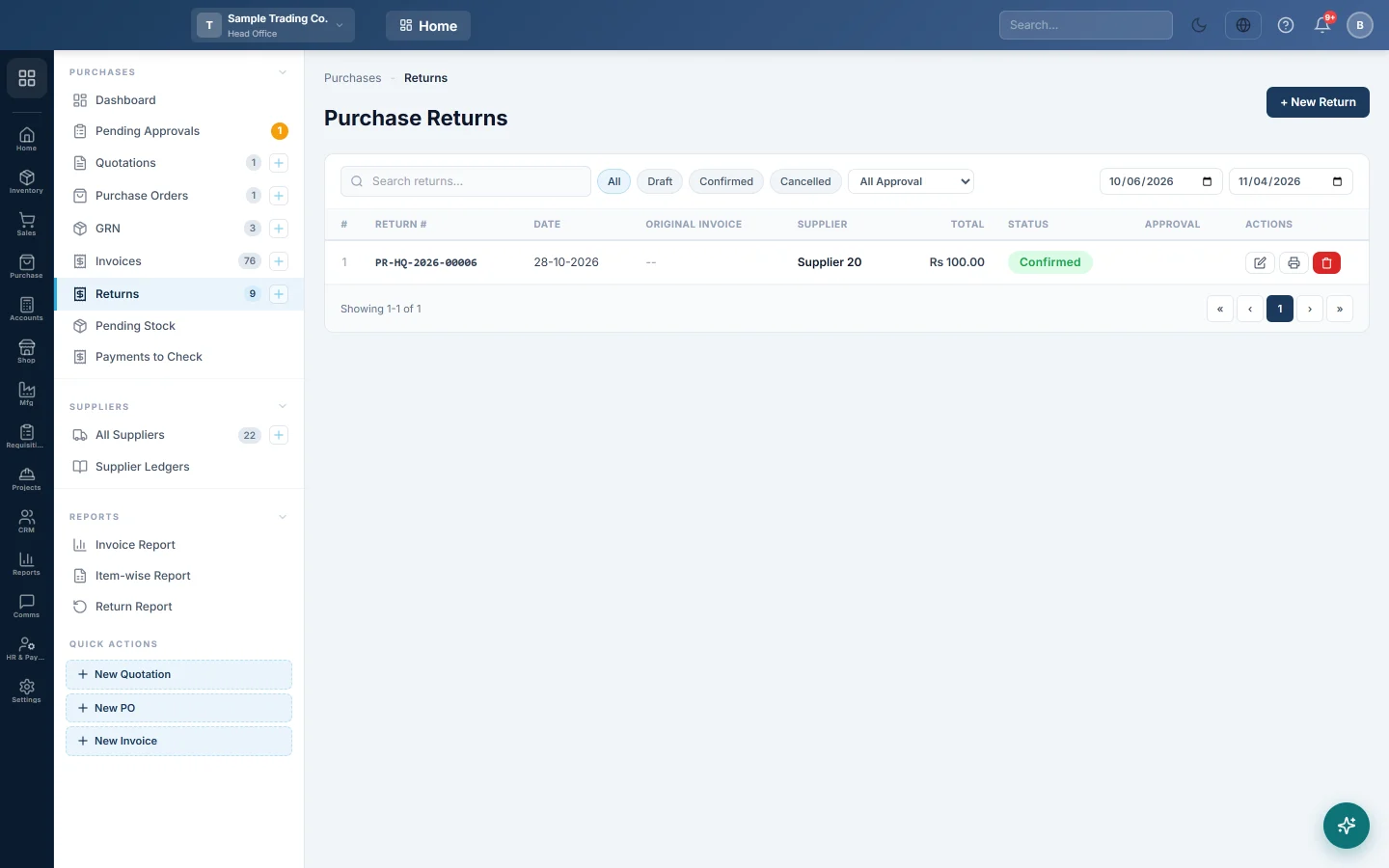
Send goods back to a supplier, against the invoice they came on or on their own, so stock goes down and the supplier owes you.
A purchase return records goods you send back to a supplier. Approving it takes the goods out of stock and reduces what you owe, or records the cash refund for a cash purchase.
Before you begin
- For a return against a bill, the purchase invoice is confirmed. See Invoices.
- The goods are still in the warehouse you return them from.
- Your role needs the purchase return permissions, see Users & Roles.
Where to find it
Open Purchases → Purchases → Returns. You can also click Create Return on a confirmed invoice in the invoice list.
Return goods against an invoice
- Click + New Return.
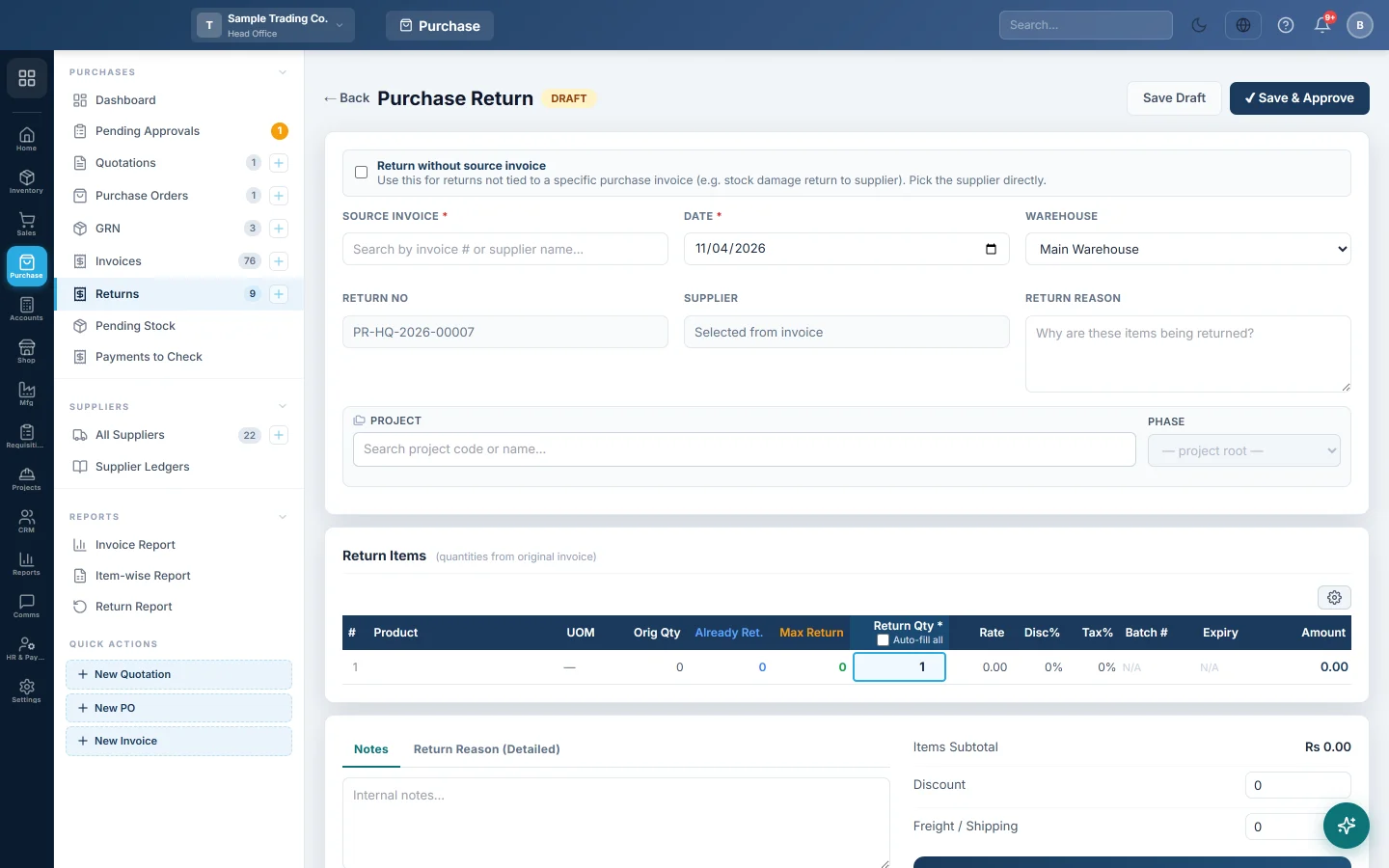
- In SOURCE INVOICE, type the invoice number or supplier name and pick the invoice.
- The lines fill in with Orig Qty, Already Ret. and Max Return. Enter the quantity going back on each line.
- Check the WAREHOUSE and write the RETURN REASON.
- Check the Discount and Freight / Shipping boxes. They start with the invoice's amounts; for a part return, change them to the share that applies.
- Click ✔ Save & Approve to post it now, or Save Draft to finish later.
Return goods without an invoice
Use this for damaged or expired stock that is not tied to one bill.
- Click + New Return.
- Turn on Return without source invoice.
- Pick the SUPPLIER and the WAREHOUSE. Both are required.
- Add the products and quantities going back, with their rates.
- Click ✔ Save & Approve.
Approve a draft return
- Open the draft from the list.
- Click ✔ Approve. Unsaved changes are saved first.
In the list, the tick on a draft's row does the same. If the return is at or above the Purchase Return approval threshold in Purchase Preferences, an approver must approve it on Pending Approvals first.
Cancel a return
Open the approved return and click ✖ Cancel Return. Its entries are reversed and the stock comes back.
What happens in the books
Approving a return posts a purchase return voucher, the reverse of the invoice:
- Inventory is credited with the goods value, and the input tax, freight and discount are reversed.
- The supplier's ledger is debited with the RETURN TOTAL, so you owe them less.
- For a return against a cash purchase, Cash is debited instead: the supplier gives the money back.
The goods leave stock at the warehouse on the return.
Common questions
Can I return more than I bought? No. Each line stops at Max Return, which is the invoice quantity less anything already returned.
The supplier will replace the goods, not refund them. Make the return, then enter the replacement as a new purchase invoice.
Is this the same as a debit note? A return moves stock. For a price correction with no goods moving, use a Debit Note (DN).
What is the Return Credit Amount? It is the amount the supplier owes you back for this return. It starts at the RETURN TOTAL.
A confirmed return is wrong. Cancel it and enter a new one. To remove it from the books completely, use Delete permanently in the list.
Obrigado. Se ainda precisar de ajuda, escreva para info@eloerp.net.