Top Selling Products
Rank your best-selling products for a period by quantity sold or by revenue, for the whole range or one category or brand.
Top Selling Products ranks the products you sold most in a period. Use it to decide what to keep in stock, what to reorder first and what to put on display.
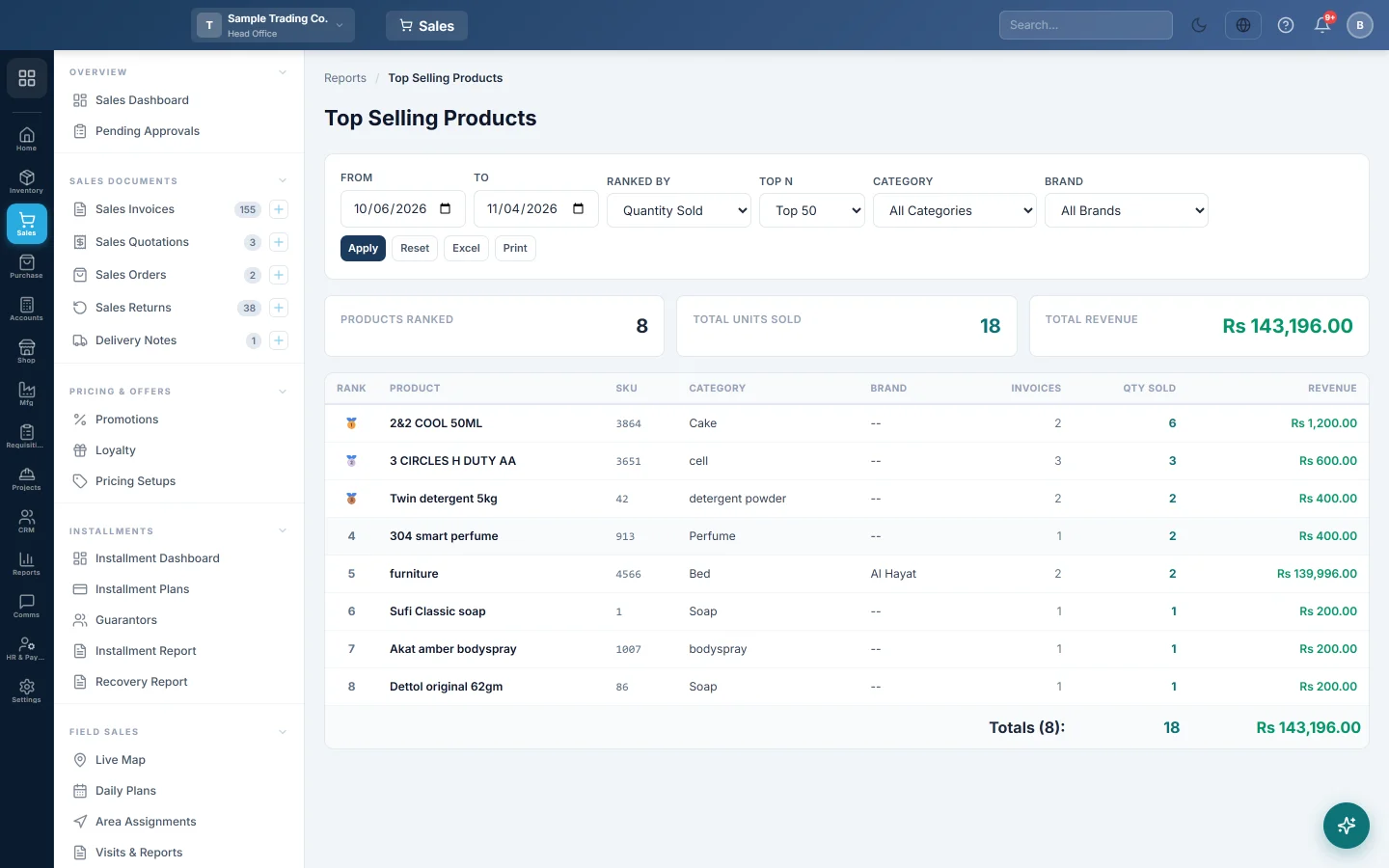
Before you begin
- Only confirmed, part-paid and paid invoices are counted. Drafts and cancelled invoices are left out.
- The report shows the branch you are working in. Switch branch in the top bar to see another.
- Your role needs View Sale Invoice Report. Your administrator sets this in Users & Roles.
Where to find it
Open Sales → Reports → Top Selling Products.
Run the report
The report opens for your company's default date range and loads by itself.
- Set From and To.
- In Ranked By, pick Quantity Sold or Revenue.
- In Top N, pick Top 25, Top 50, Top 100 or Top 200.
- Pick a Category or a Brand if you want one part of your range. A category includes its sub-categories.
- Click Apply. Reset goes back to the top 50 by quantity.
Read the figures
The cards show Products Ranked, Total Units Sold and Total Revenue for the products in the list.
Each row shows Rank, Product, SKU, Category, Brand, Invoices, Qty Sold and Revenue. The first three carry a medal.
| Column | How it is worked out |
|---|---|
| Invoices | How many invoices the product appeared on. |
| Qty Sold | Units sold, counted in the product's base unit. A box of 12 counts as 12. |
| Revenue | The line amounts: quantity × rate, less line discount, plus line tax. |
Export or print
Click Excel or Print. The title shows the list size, for example Top 50 Selling Products.
Common questions
Why is a product first by quantity but lower by revenue? Cheap items sell in large numbers. Switch Ranked By to Revenue to see what brings in the most money.
Are returns taken off? No. The ranking is on what was sold. See the Sale Return Report for what came back.
Why do the totals not match the Sale Invoice Report? Only the ranked products are added up, and a discount on the whole invoice is not taken off. The Sale Invoice Report shows full invoice totals.
Does it show each size separately? No. Sizes and units of one product add up into one row. To see each size, use Item-wise Sales with Group by Unit / Variation.
Which products do not sell? Use Slow Moving Products.
Gracias. Si todavía necesita ayuda, escriba a info@eloerp.net.