Customer Ledgers
Every customer's balance from the books, and each customer's statement (khata), from the Sales menu.
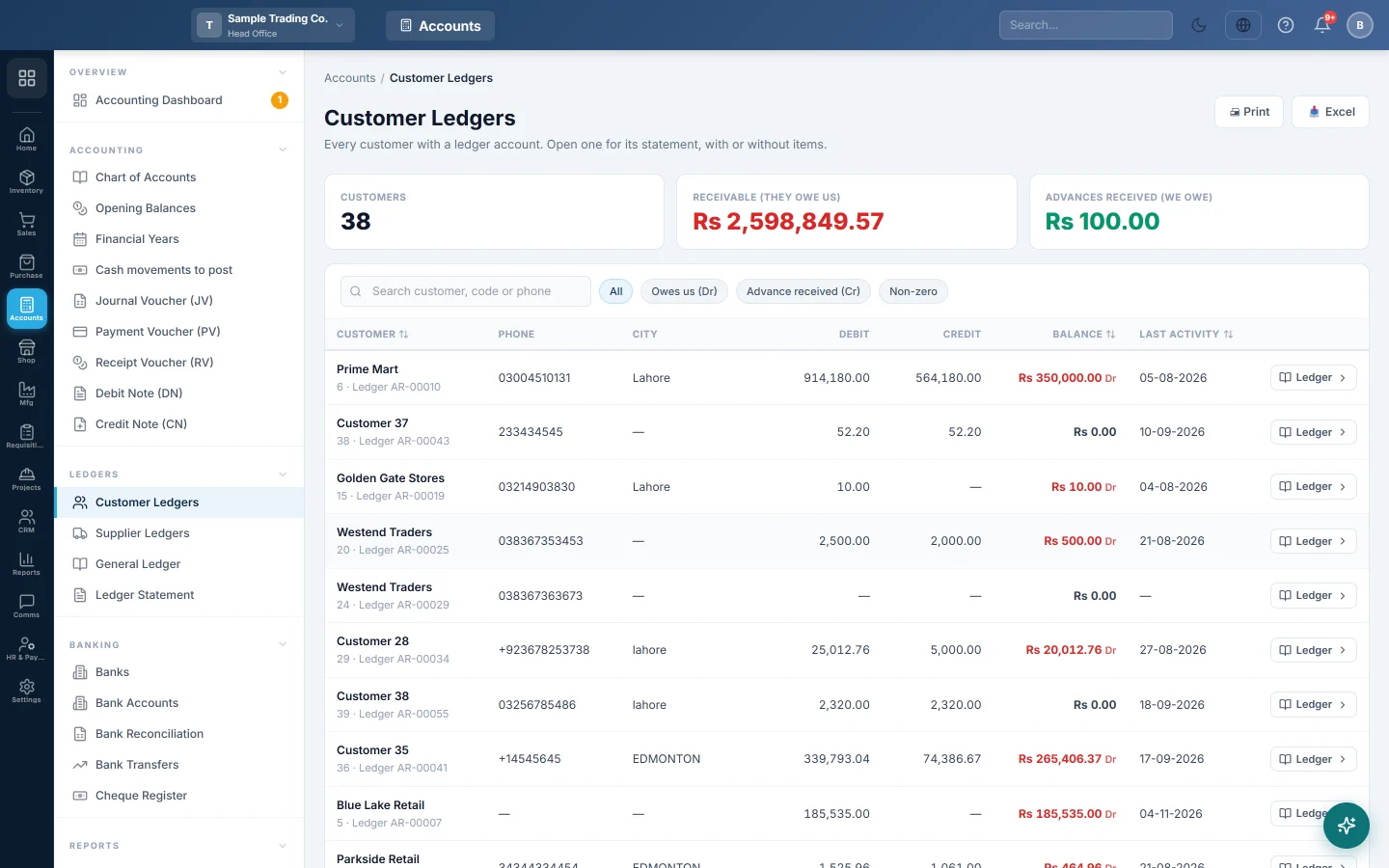
Customer Ledgers lists every customer that has a ledger account, with the balance the books hold for them today. Open one to see their statement (khata): every invoice, return, receipt and journal with a running balance.
Before you begin
- Your role needs permission to view customers, see Users & Roles.
- A customer is listed only once it has a ledger: Create Ledger in Accounts switched on, see All Customers.
Where to find it
Open Sales → Customers → Customer Ledgers.
When your company has the Accounting module, this menu item opens the same page under Accounting → Ledgers → Customer Ledgers. That article, Customer Ledgers, covers the statement in full.
Find a customer's balance
- Type part of the name, code or phone in Search customer, code or phone.
- Click Owes us (Dr) for customers with money to collect, Advance received (Cr) for customers who paid ahead, or Non-zero for everyone with a balance.
- Click the Customer, Balance or Last activity heading to sort by it.
The cards at the top total the whole filtered list: Customers, Receivable (they owe us) and Advances received (we owe). Print and Excel take every row of the filter, not only the page on screen.
Open a statement
- Click the customer's row or its Ledger button.
- Set From: and To: and click Apply. Clear shows the whole history.
- Choose Summary for one line per document, or Detailed (items) to list what was sold on each invoice.
- Click View on a line to open the document behind it.
The first line carries the balance from before your From: date. The bottom shows Total Debit, Total Credit and the Balance, marked (Receivable) when the customer owes you and (Credit) when you owe them.
What happens in the books
Nothing is posted here. The page reads the customer's account in the journal, so it always matches the trial balance. Invoices debit the customer; receipts, returns, installment collections and discounts credit them.
Common questions
A customer is missing. They have no ledger. Edit them in All Customers, switch on Create Ledger in Accounts and save.
The balance differs from the invoice list. The ledger also holds opening balances, receipts on account, journals and installment interest. Check the statement line by line.
How do I record money the customer paid? Take it on the invoice, collect it on Installment Plans, or make a Receipt Voucher (RV).
Can I send the statement to the customer? Yes. Print it, or download it with Excel. With the customer portal, Send statement link sends a private link to the live statement on WhatsApp. See Send a customer their statement link.
Thank you. If you still need help, write to info@eloerp.net.