Visits & Reports
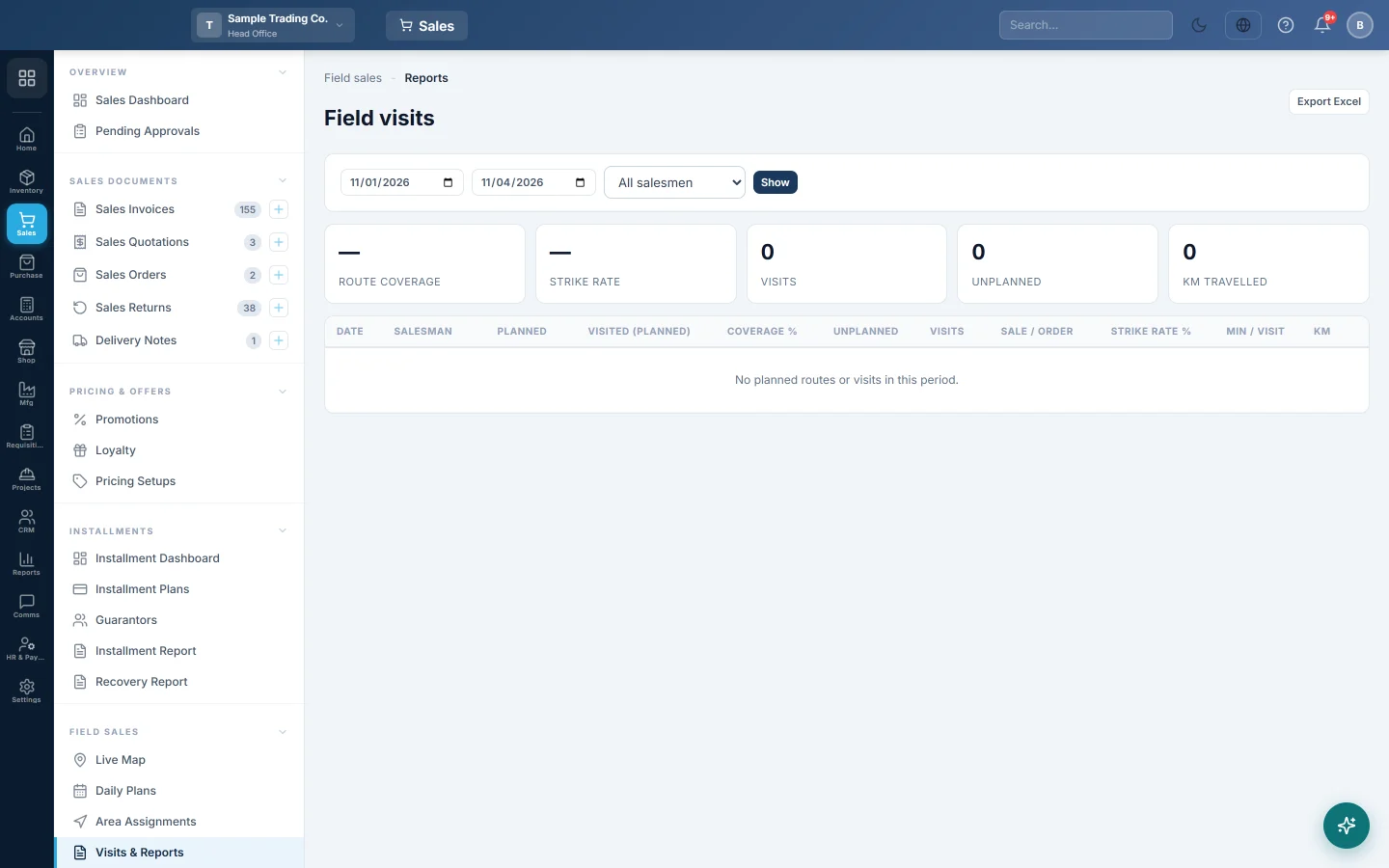
Field visits per salesman per day: planned against visited, unplanned visits, strike rate, minutes per visit and kilometres travelled, with a day view of each route.
The Field visits report shows how each salesman's days went: how many planned shops they reached, how many visits ended in a sale or an order, and how far they travelled. Open any day to see the route on a map.
Before you begin
- Visits come from the EloERP app on the salesmen's phones. See Setup for what each salesman needs.
- Planned figures need published routes from Daily Plans.
- Your role needs the View Field Sales Visits permission, see Users & Roles.
Where to find it
Open Sales → Field Sales → Visits & Reports.
Run the report
- Set the two dates. The report opens on this month so far.
- Pick one salesman, or leave All salesmen.
- Click Show.
Each row is one salesman on one day.
| Column | Meaning |
|---|---|
| Planned | Stops on that day's published route. |
| Visited (planned) | Planned stops the salesman checked in at. |
| Coverage % | Visited (planned) as a share of Planned. |
| Unplanned | Visits to shops that were not on the route. |
| Visits | All visits, planned and unplanned. |
| Sale / order | Visits that ended in a sale or an order. |
| Strike rate % | Sale / order as a share of Visits. |
| Min / visit | Average time between check-in and check-out. |
| km | Distance along the phone's location trail that day. |
The strip at the top totals the period: Route coverage, Strike rate, Visits, Unplanned and km travelled.
See one day on the map
- Click Day view on a row.
- The map shows the planned route and the trail actually travelled.
- The list shows each visit with its time, outcome and the invoice, order or receipt made there. Unplanned visits are marked unplanned.
Export
Click Export Excel to download the rows with a total line.
Common questions
Why is the strike rate low when the salesman collected money? Only a sale or an order counts as productive. A visit that took only a payment, or was skipped, does not.
Kilometres look too low. Distance is measured from the phone's location points. Poor-accuracy points and small jumps are left out, and gaps where the phone was off are not counted.
A day shows visits but Planned is 0. No route was published for that salesman that day, so every visit counts as unplanned.
Where can I see a salesman right now? On the Live Map.
Thank you. If you still need help, write to info@eloerp.net.