Area Assignments
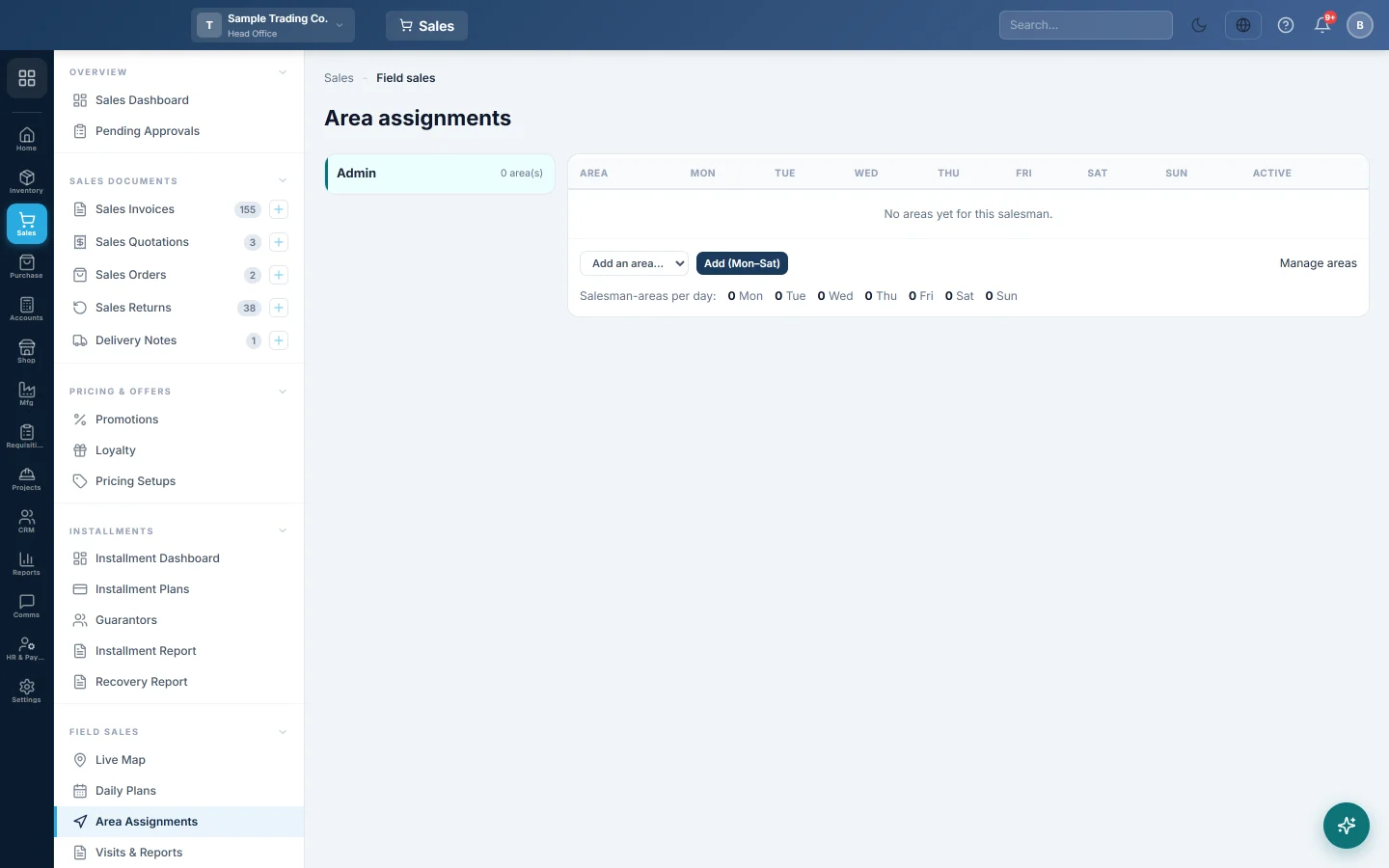
Set which areas each salesman covers and on which weekdays. Daily Plans use these to fill each route with the right shops.
Area assignments say which areas each salesman covers and on which days of the week. When you generate a daily plan, EloERP adds the customers of the areas the salesman covers on that weekday.
Before you begin
- Make your areas first in Areas & Routes, and give each customer an Area in All Customers.
- Each salesman needs Allow mobile app login ticked on their user, see Users & Roles.
- Your role needs the Manage Field Sales Route Plans permission to save changes.
Where to find it
Open Sales → Field Sales → Area Assignments.
Give a salesman an area
- Click the salesman on the left. Each name shows how many active areas they have.
- Pick an area in Add an area…. Only areas the salesman does not have yet are listed.
- Click Add (Mon–Sat). The area is added for Monday to Saturday.
Changes save straight away. A short Saved. message confirms each one.
Set the days
Each area has a chip per weekday, from Mon to Sun. A filled chip means the salesman visits that area on that day.
- Click a chip to switch that day on or off.
- For a weekly beat, keep one day per area, for example Gulberg on Monday and Model Town on Tuesday.
The line under the table, Salesman-areas per day, counts how many salesman-and-area pairs are planned for each weekday across the team. Use it to spot an empty or overloaded day.
Pause or remove an area
- Untick Active to pause the area for that salesman but keep its days. A paused area is greyed out and is not used for new plans.
- Click Remove and confirm to take the area off the salesman.
Common questions
Can two salesmen cover the same area? Yes. Each gets the area's customers on the days you set for them.
I changed the days. Does today's plan change? No. Assignments are used when a plan is generated. Plans already made keep their stops; change those in Daily Plans.
Where do I add a new area? Click Manage areas under the table, which opens Areas & Routes.
The salesman list is empty. Nobody has Allow mobile app login yet. Tick it on the salesmen in Users & Roles.
Terima kasih. Jika masih butuh bantuan, kirim email ke info@eloerp.net.