Batch Lots (FEFO)
Stock held in each lot, oldest expiry first, and a register of expired and soon-to-expire lots, for companies that use full lot tracking.
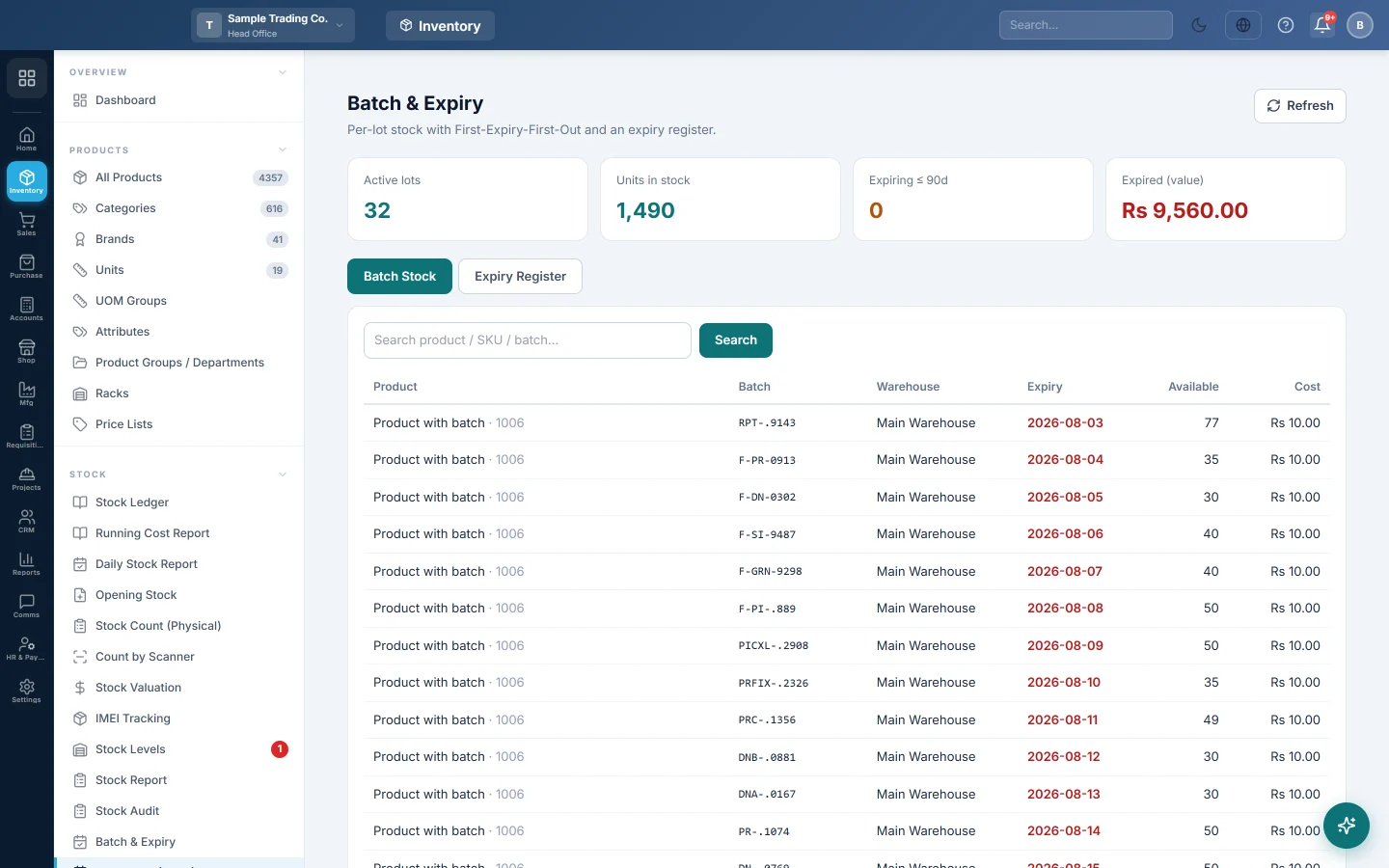
Batch Lots shows the stock left in every lot, with the earliest expiry first. With lot tracking on, EloERP sells First-Expiry-First-Out (FEFO): each sale draws from the lot that expires soonest, so old stock leaves first.
Before you begin
- Your company needs lot tracking switched on. It is a company switch that your EloERP provider turns on; there is no setting for it on your screens. Until then this menu item is hidden.
- On each product, tick Enable Batch and, if it expires, Enable Expiry. See All Products.
- Enter the Batch # and Expiry on each line of your purchase invoices, GRNs or opening stock. Each new batch number becomes a lot; a sale never creates one.
Where to find it
Open Inventory → Stock → Batch Lots (FEFO). The page heading reads Batch & Expiry.
Read the tiles
- Active lots: lots with stock left.
- Units in stock: total quantity across those lots.
- Expiring ≤ 90d: lots that expire within the window chosen on the Expiry Register tab.
- Expired (value): the cost value of expired lots still in stock.
See stock by lot
- Stay on the Batch Stock tab.
- Read each lot's Product, Batch, Warehouse, Expiry, Available quantity and Cost.
- Expiry dates in red have passed; amber dates fall inside the window.
- Type a product, SKU or batch number in the search box and click Search.
Check the expiry register
- Open the Expiry Register tab.
- Choose a Window: 30, 60, 90 or 180 days.
- Read Expired & still in stock for lots past their date, with their Value.
- Read Expiring within … days for lots to sell first or move.
- Click Refresh to load the latest figures.
What happens in stock
A purchase or GRN line with a batch number adds its quantity to that lot. A sale takes quantity from the lot with the earliest expiry unless a batch is picked on the line. A sale return puts it back.
Common questions
Why is the menu item missing? Lot tracking is off for your company. Ask your EloERP provider to turn it on. Without it, use Batch & Expiry.
Can I choose a lot myself? Yes. When you pick a batch on the sale line, at the till or on the invoice, the sale draws from that batch only. The batch must already exist and hold enough stock.
What do I do with an expired lot? Return it to the supplier or write it off with a stock adjustment.
Why does a lot show no expiry? No expiry date was entered with its batch number on the purchase.
谢谢。 如果仍需帮助,请发邮件至 info@eloerp.net。